

API keys
Hand your accountant a read-only key for products or receipts without giving them the Owner password.
-
Open API keys
Go to Settings → API keys (
/settings/api-keys). This is the staff app, not Admin and not the public shop.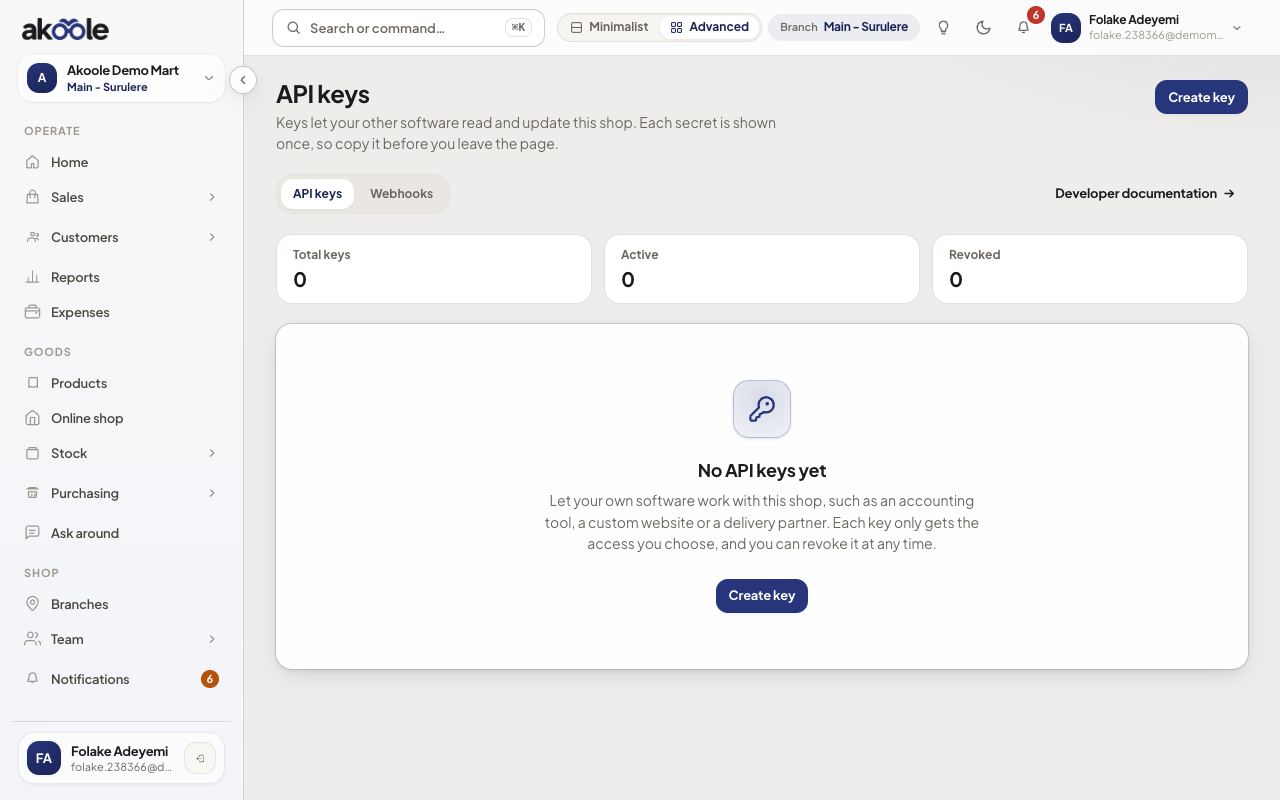
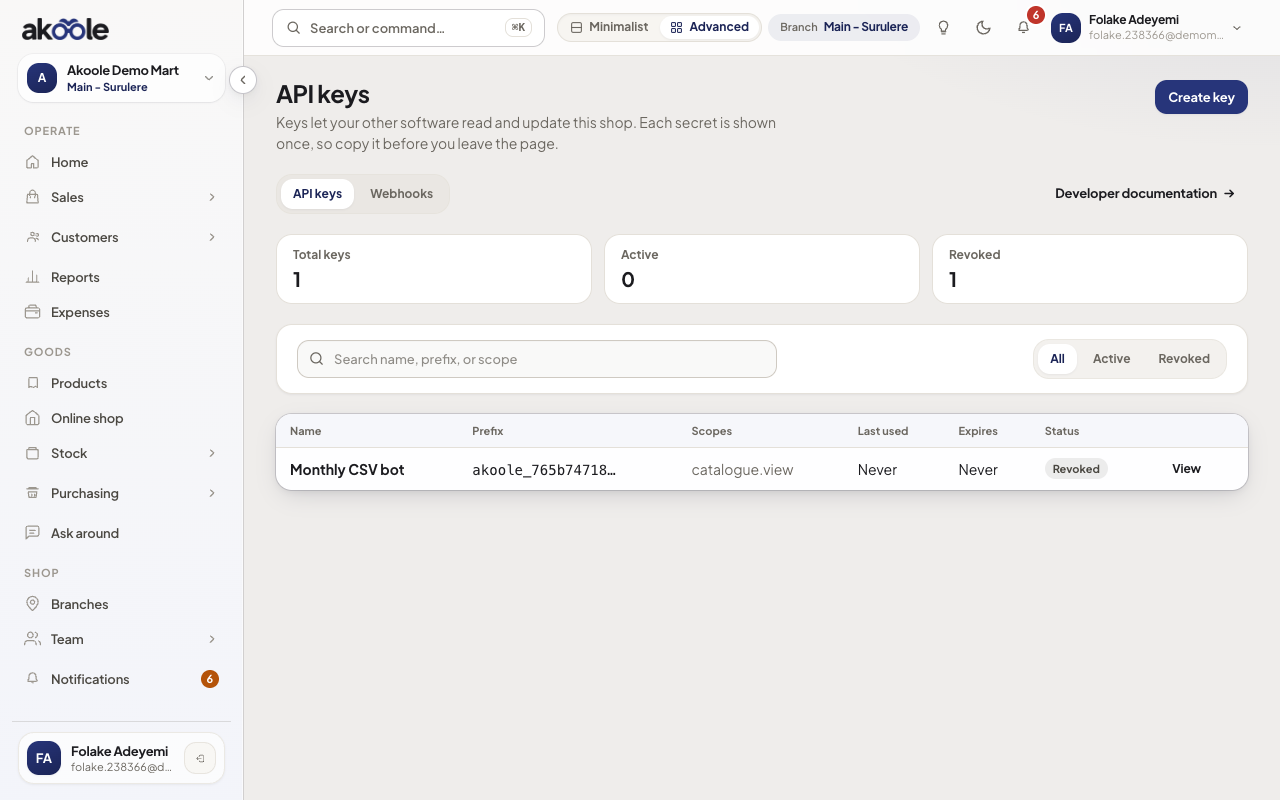
API keys page with Create key and no keys yet -
Create with tight scopes
Name the key (“Monthly CSV bot”). Tick only the permissions the machine needs. Forbidden on keys: manage API keys, billing, manage roles, invite/manage members.
Show screenshot
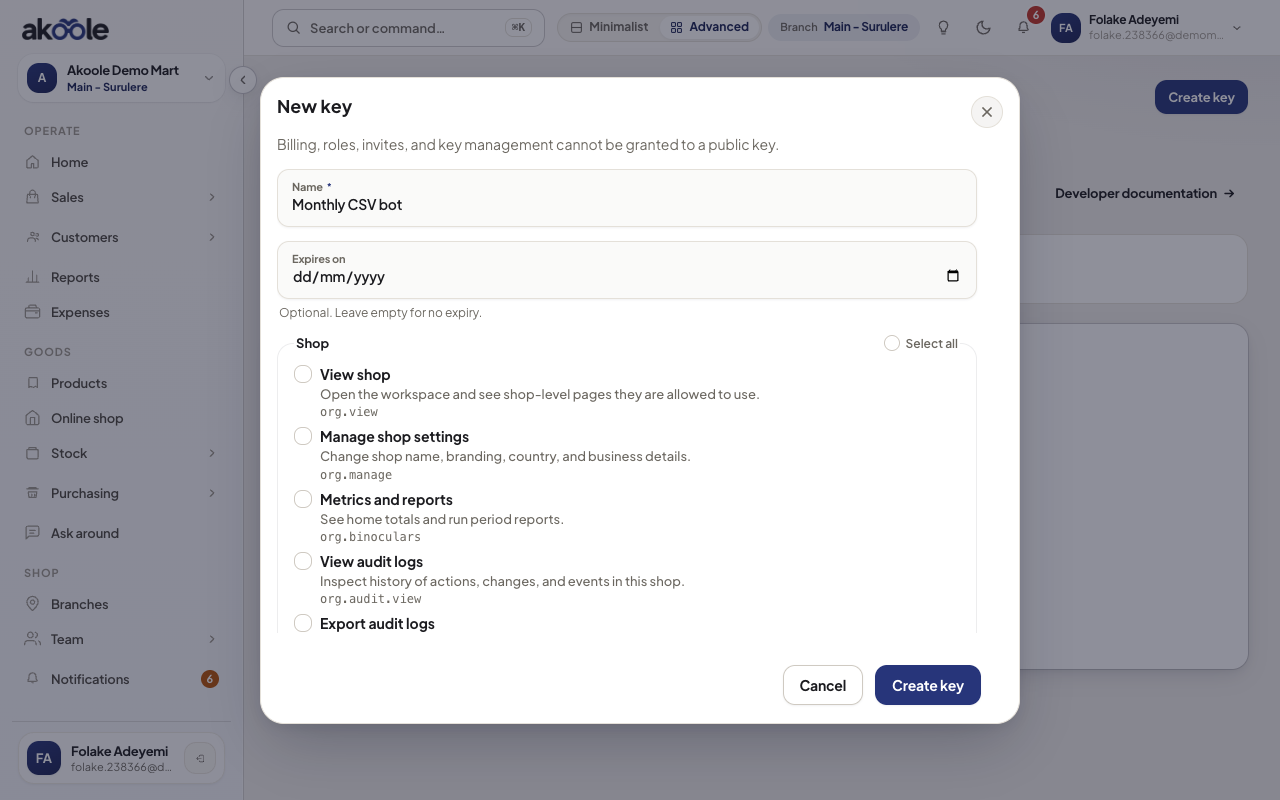
Create key: a name and only the access it needs -
Copy the secret once
Copy the
akoole_…secret into your vault. Akoole stores only a hash. If you close the dialog, you must revoke and create again.Show screenshot
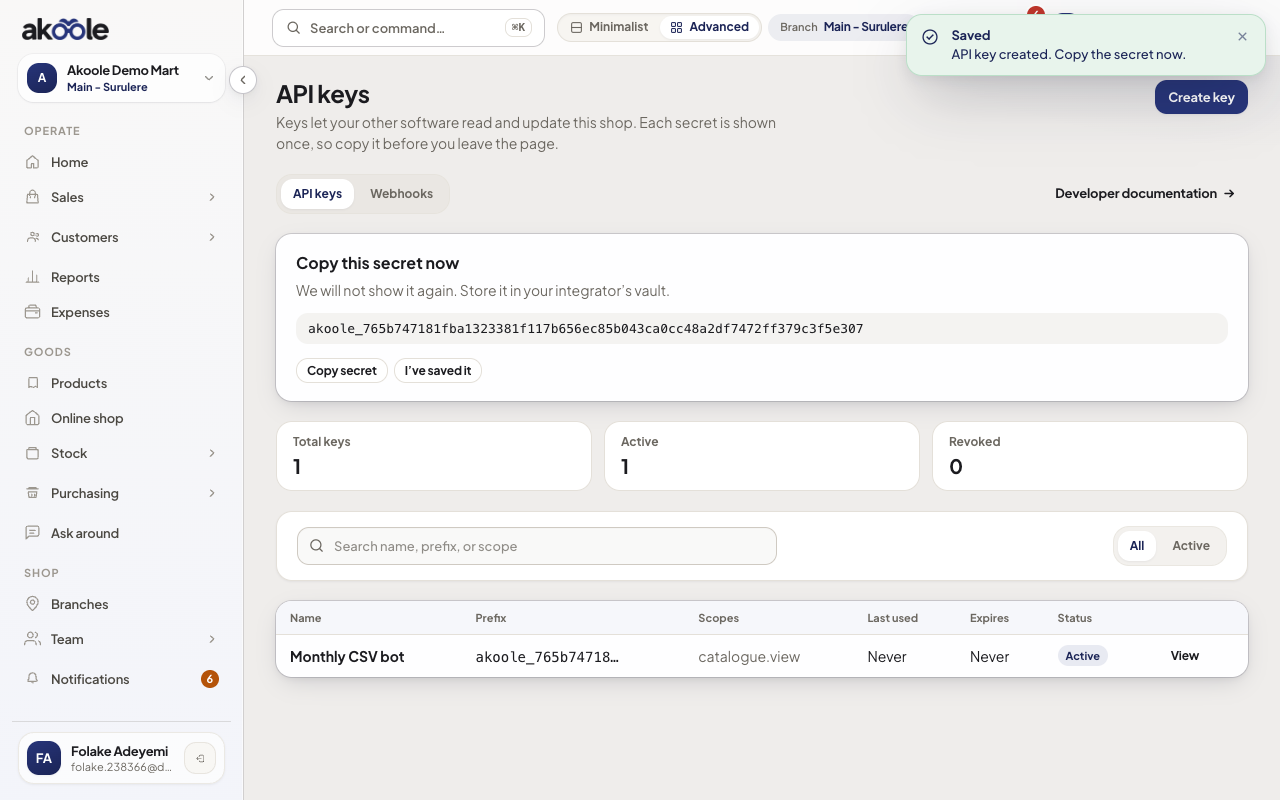
The secret is shown once: copy it before closing -
Call the API
Send
Authorization: Bearer akoole_…orX-Api-Key. OptionalX-Organisation-Uuidif the key is not already pinned. Edit scopes without rotating; use Rotate secret only when the secret may have leaked. Full request docs: Shop API authentication.Show screenshot
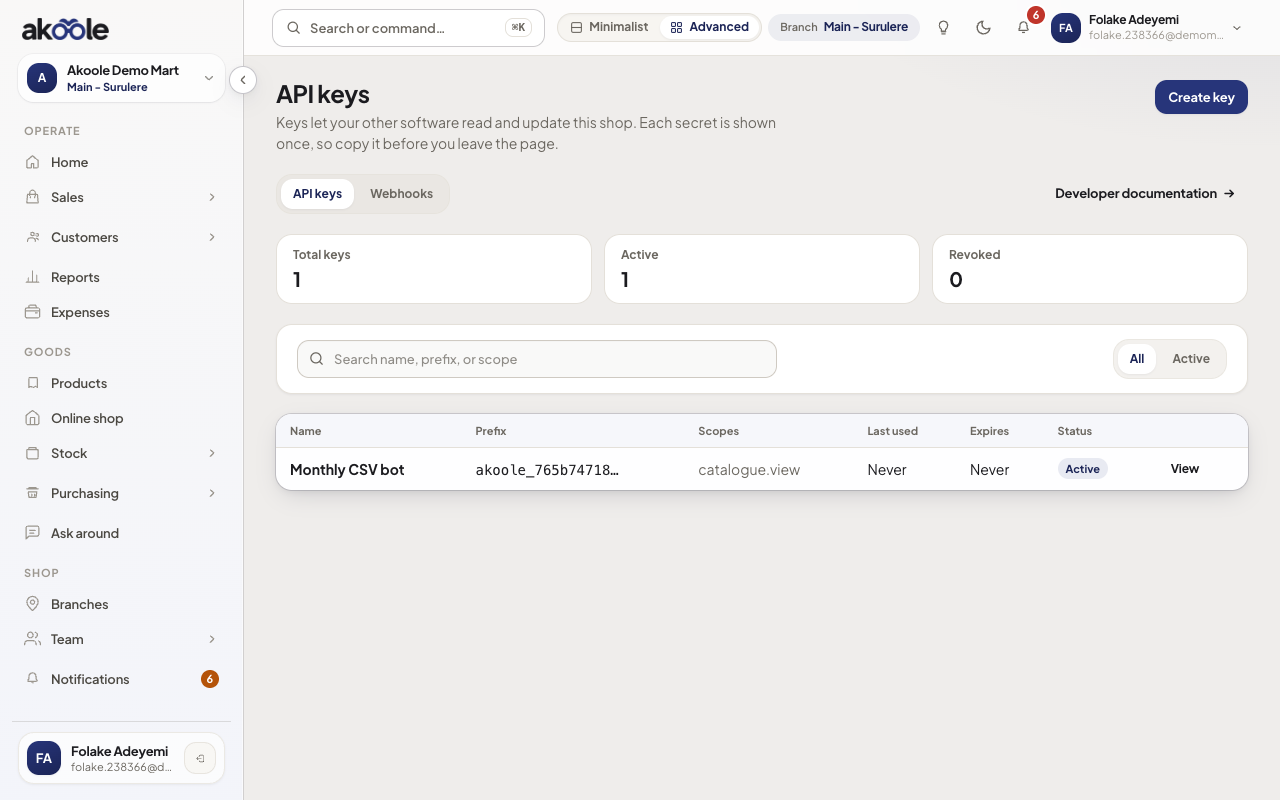
Keys table with Monthly CSV bot, never used yet, and Revoke
Show screenshot
If something goes wrong
Section titled “If something goes wrong”Page missing
Your role lacks Manage API keys. Ask an Owner.
Lost the secret
Revoke or rotate the key and create a new secret. There is no resend.