

Public receipt verification
Provide tamper-proof, real-time proof of payment that customers, security guards, and auditors can verify from any smartphone by scanning the QR code on a printed or digital receipt.
-
Locate the QR verification code
Every thermal receipt, digital PDF invoice, and WhatsApp summary generated by Akoole carries an immutable QR code linking to
app.akoole.com/r/:receiptId(or your verified custom domain). -
Scan the QR code with any smartphone
The security guard or customer points their phone camera at the QR code. No special app or login is required.
-
Inspect the live cloud verification page
The browser opens the secure verification page displaying:
- Verification Badge: Green shield showing Verified Official Receipt.
- Merchant Identity: Official store name, branch address, and logo.
- Timestamp & Cashier: Exact date and time the sale was finalized and the cashier on duty.
- Itemized Ledger: Full list of SKUs, quantities, condition grades / IMEIs, and prices.
- Payment Breakdown: Exact amounts paid via Cash, Transfer, Card, or Store Credit.
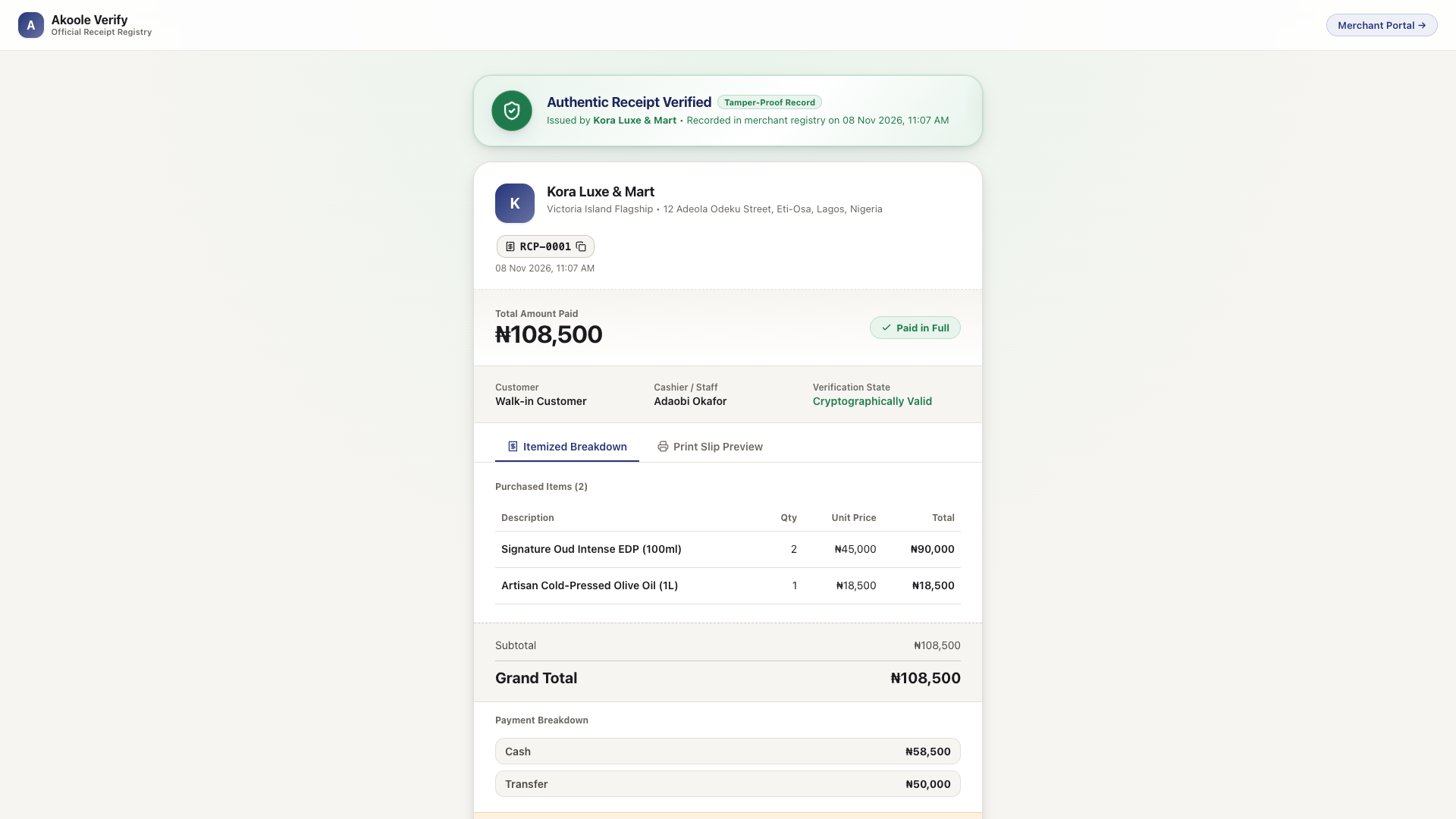
Public receipt check: Authentic Receipt Verified, paid in full, with itemised lines -
Detect forged or duplicated receipts
If a customer or bad actor presents an edited screenshot or photocopied paper slip with altered numbers, the scanned cloud record displays the true original transaction immediately-stopping forged return scams and shoplifting.
Common problems & fixes
Section titled “Common problems & fixes”- QR code is smudged on thermal roll: Clean your printer head or switch from low-density 58mm printing to standard 80mm rolls in Document designs.