

Turn the shop on
This page covers turning the shop on. For what your customers see, go to Storefront help.
Share Akoole Demo Mart’s shop link on WhatsApp Status the same afternoon you turned it on.
-
Open Online shop
Sidebar Online shop (
/storefront). Overview shows whether the shop is live.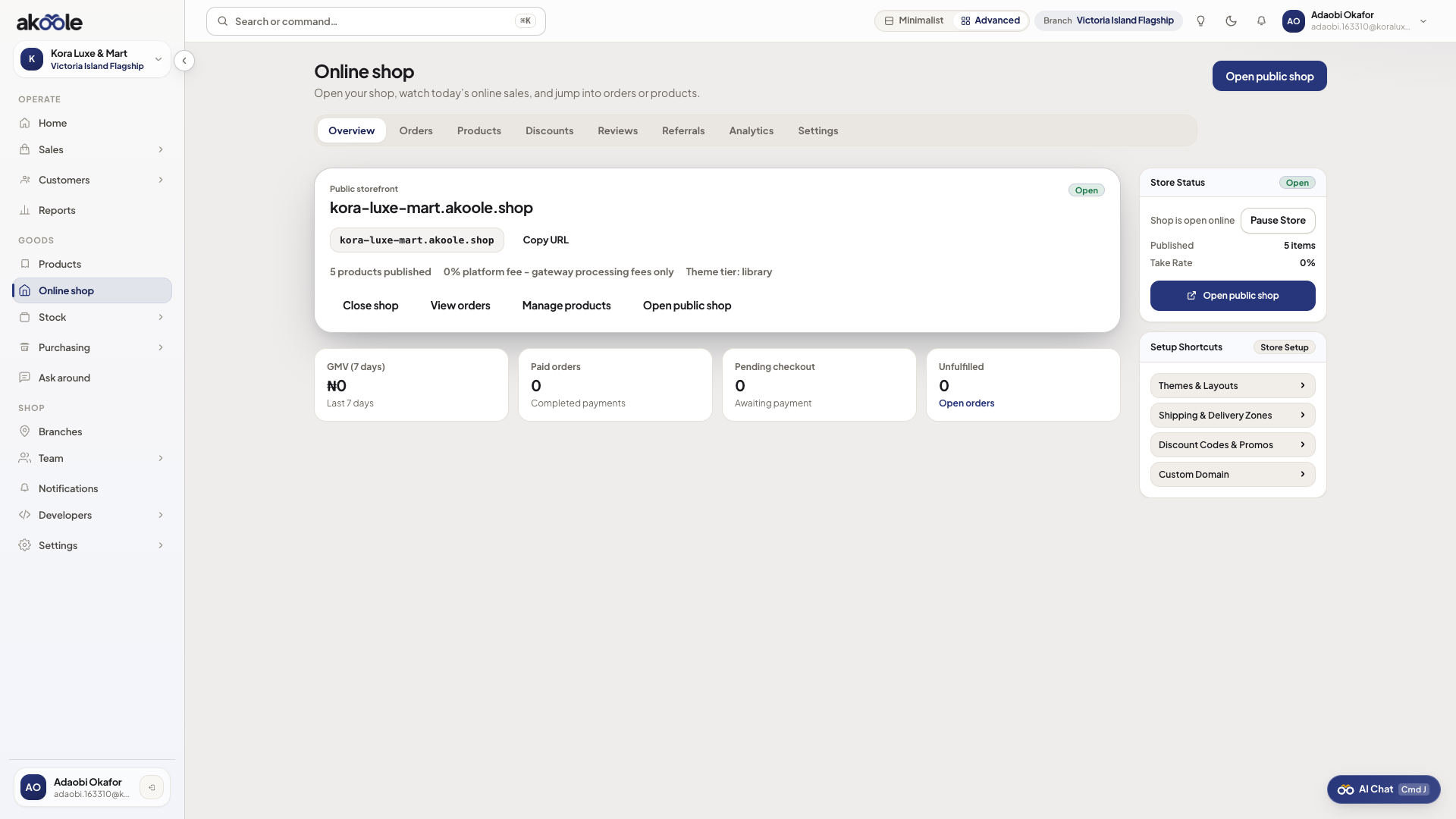
Online shop overview -
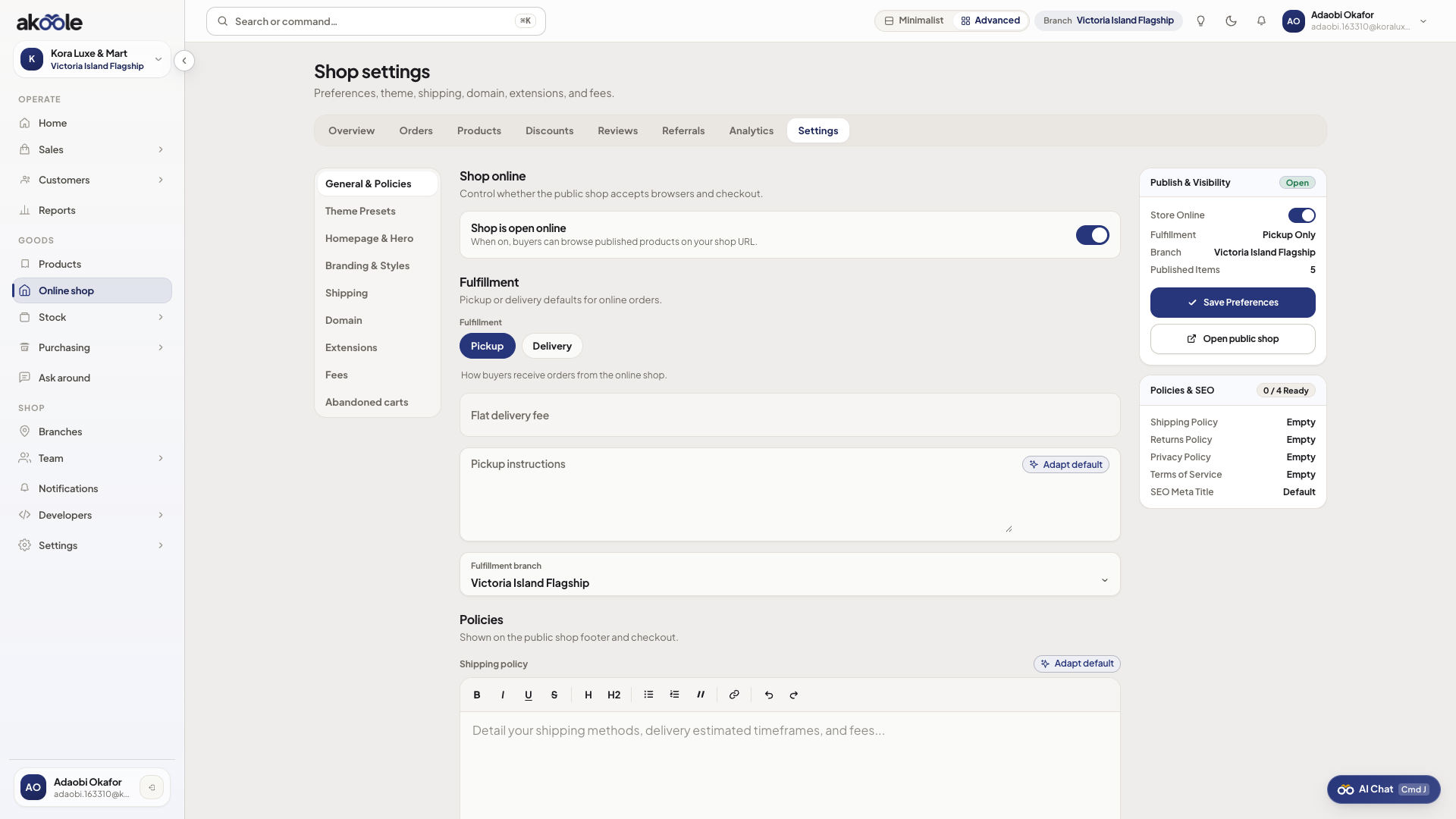
Turn it on in settings
Settings (
/storefront/settings?tab=preferences). Toggle storefront active, confirm WhatsApp order number, pick fulfillment branch (usually Surulere). -
Share
Copy the shop URL or QR for flyers. Instagram and WhatsApp Status should use the shop host, never the POS login host.
-
Publish products next
An empty live shop still 404s usefully. Continue with Publish products.
Show screenshot
If something goes wrong
Section titled “If something goes wrong”Plan gate
Starter cannot enable. Upgrade to Growth.
Opened staff domain as a buyer
That is the till. Send {slug}.akoole.shop instead. See Storefront.