

Send a receipt on WhatsApp
The customer has the receipt on their phone even if they refuse paper, or the printer is out of roll.
-
Finish the sale
Complete tenders on POS. On the done screen, use WhatsApp.
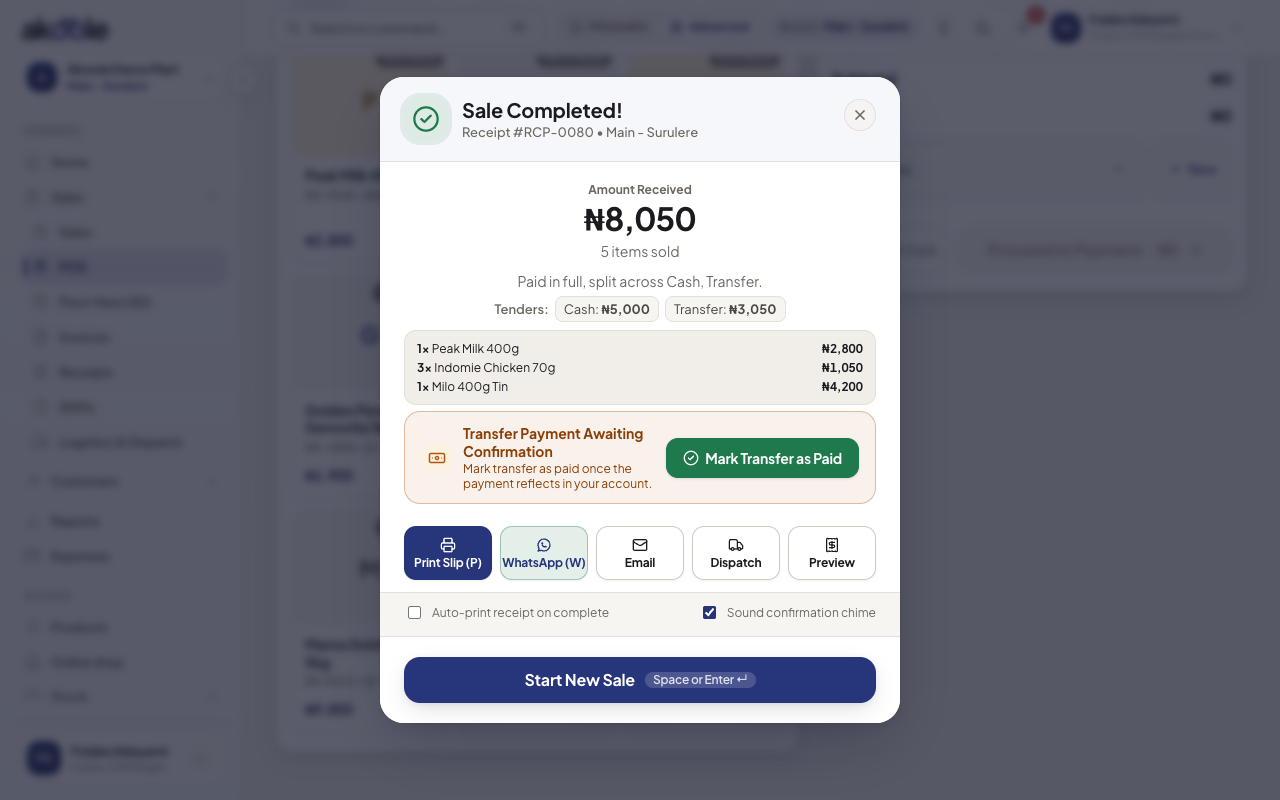
Done screen with Send on WhatsApp -
Confirm the number
Use the customer profile number or type 080/081/090… Akoole sends to WhatsApp, not SMS, unless SMS fallback is configured.
-
Send
Send. The customer gets the receipt (and invoice PDF on credit sales). This can consume a WhatsApp conversation on your bill.
-
Resend from Receipts
If they gave the wrong number, open Receipts and send again to the right line.
-
Offline queue
If you sold offline, WhatsApp waits until sync. Do not promise it arrived until the outbox is clear.
If something goes wrong
Section titled “If something goes wrong”No WhatsApp button
Plan may be Starter, or WhatsApp is not configured for the shop. Print thermal or show the PDF.
Message never arrived
Wrong number, customer blocked the business, or conversation meter. Resend after they confirm the number. Check Notifications for failures.