

Low stock and reorder points
When Indomie hits the reorder point, you see it on Stock and Home before customers hear “we don finish.”
-
Set reorder on the product
Edit the SKU and set reorder level in pieces (remember carton × 12). Variants can have their own levels.
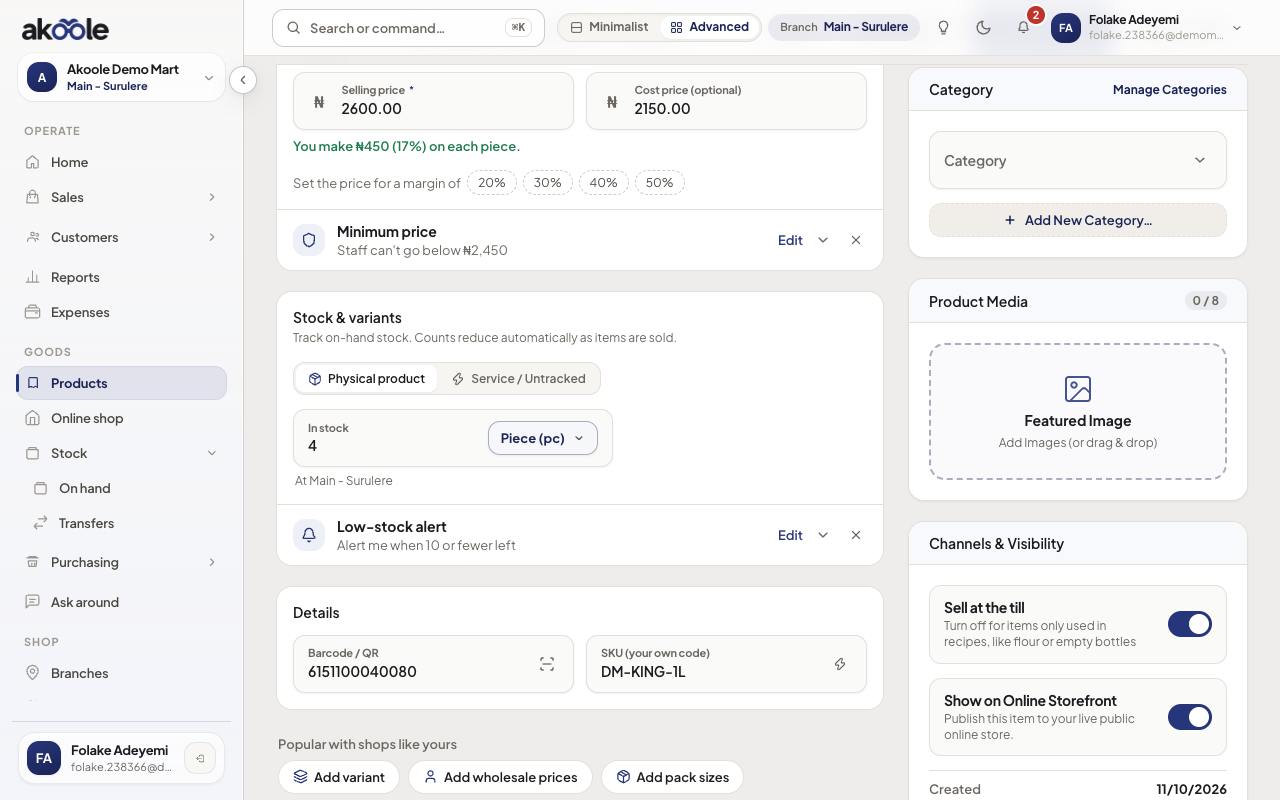
Product form: the reorder level that triggers low-stock alerts -
Watch Stock
On Stock, rows at or below reorder highlight. Filter to low / stockout if the list is long.
Show screenshot
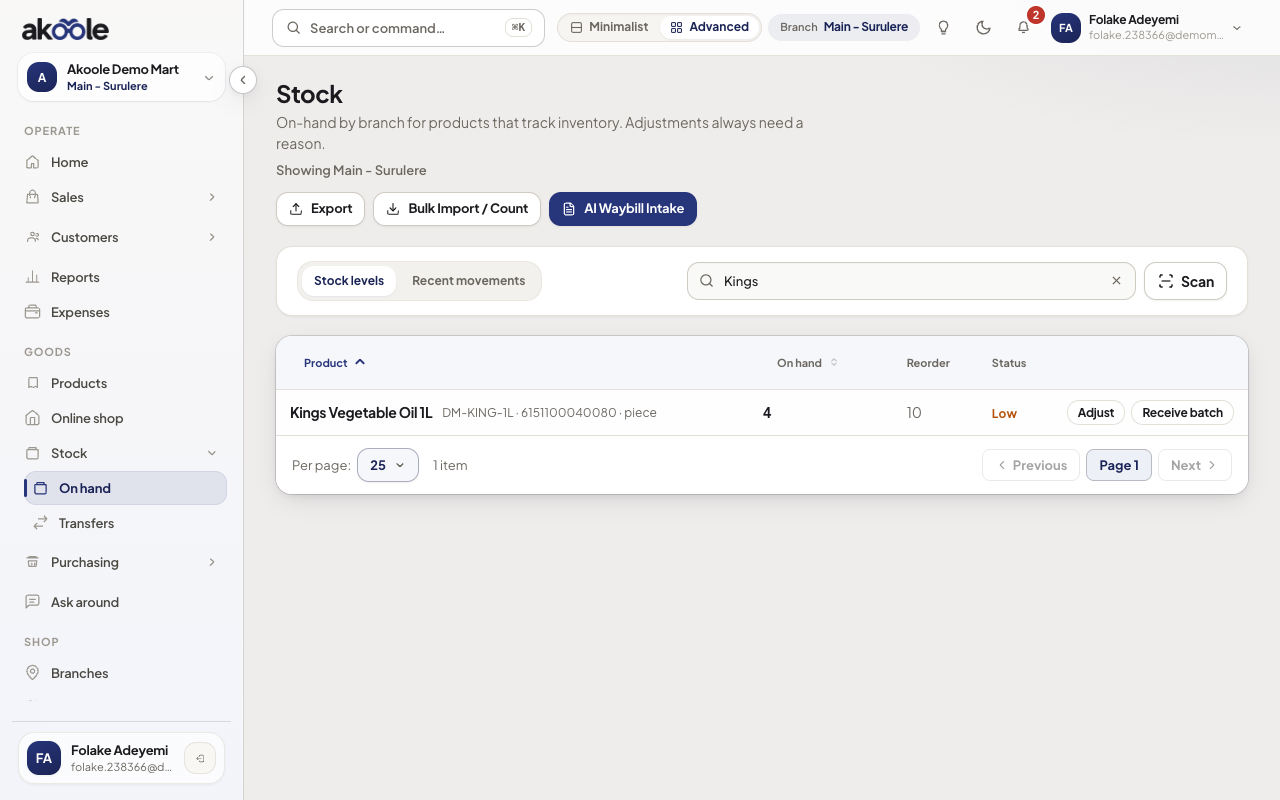
Stock levels with Kings Vegetable Oil flagged low -
Check Home
The dashboard critical watchlist repeats stockouts and low SKUs so you see them at opening.
Show screenshot
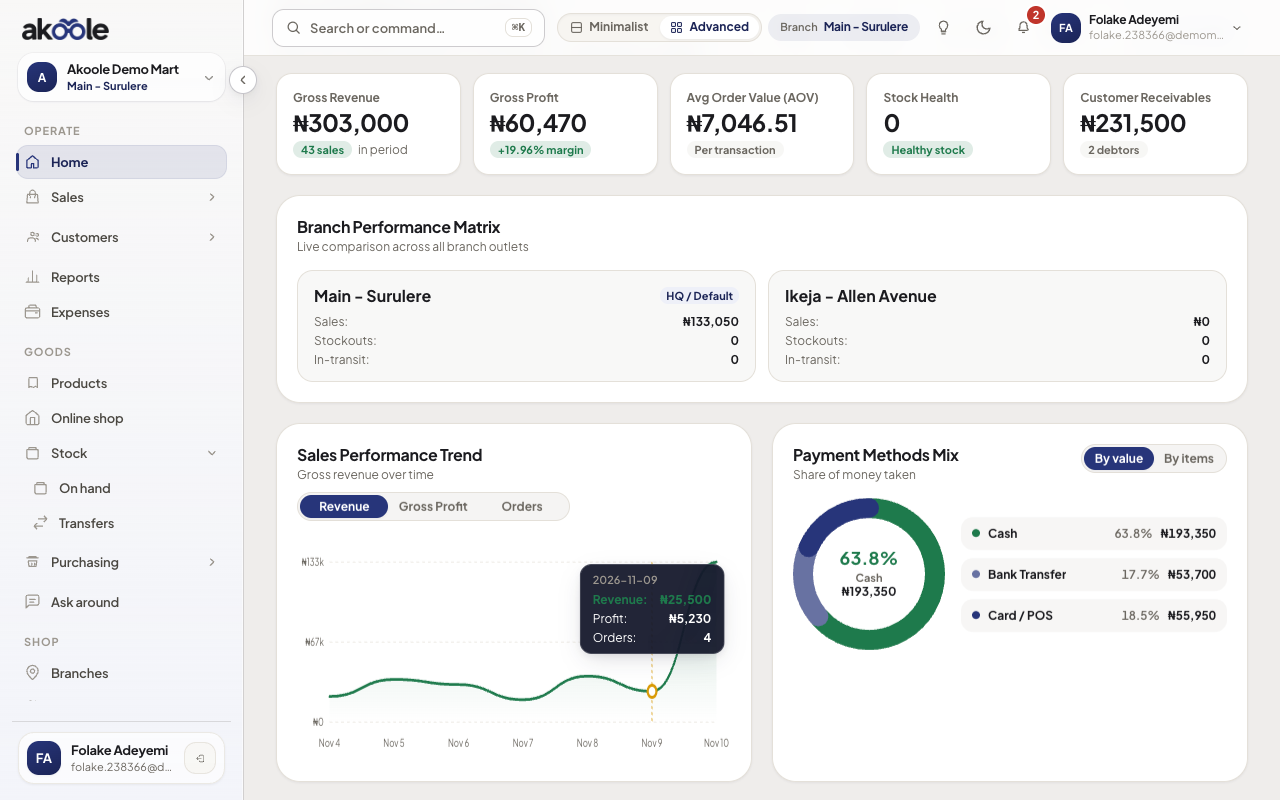
Home: stock health and low-stock items -
Raise a purchase
From the watchlist or Stock, start a purchase order for the supplier instead of scribbling in a notebook.
-
Confirm after receive
When GRN posts, on-hand rises above reorder and the alert clears.
Show screenshot
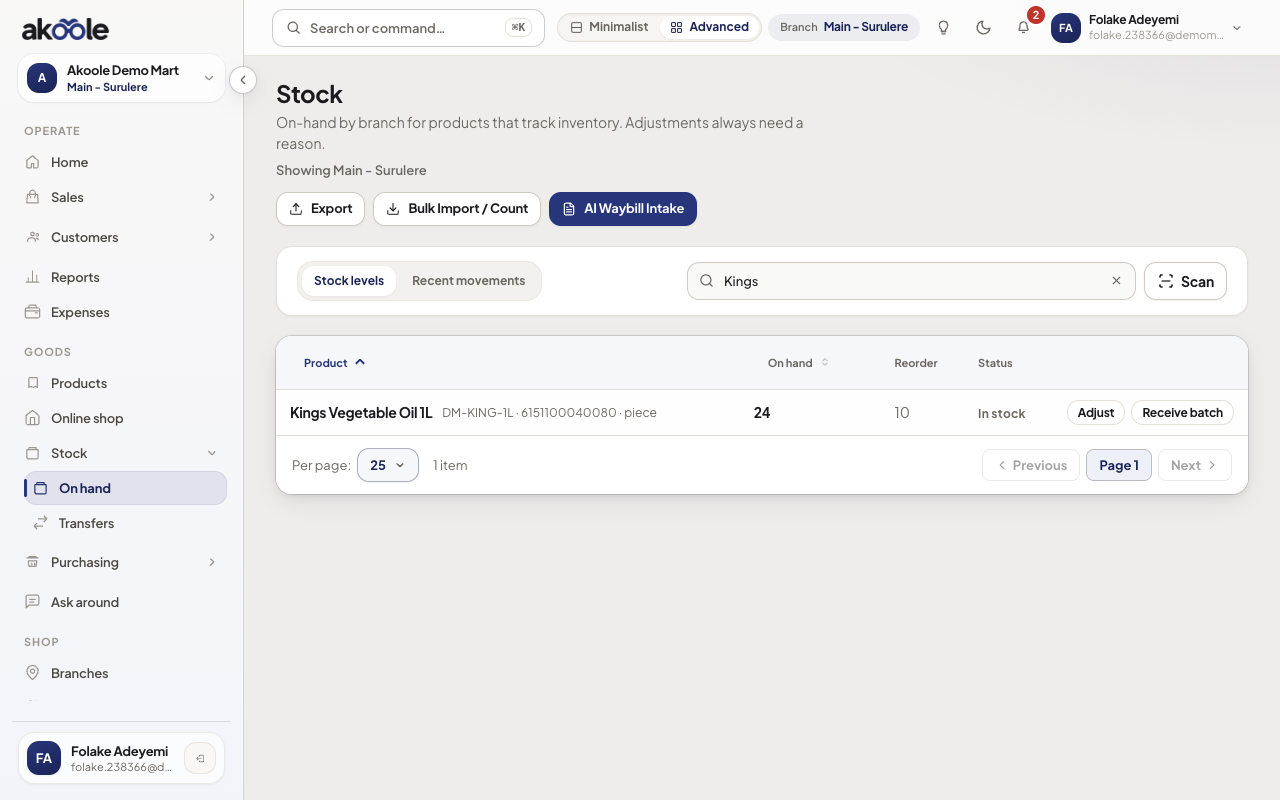
Kings Vegetable Oil back above its reorder level after restocking
Show screenshot

If something goes wrong
Section titled “If something goes wrong”Always in the red
Reorder is higher than you ever keep. Lower the level, or actually restock - alerts are not decoration.
Never alerts
Reorder is 0 or blank, or the product does not track stock. Set a piece quantity that matches how you buy.