

Open and close a cashier shift
You cannot sell without an open shift, and closing is a blind count: you prove the Surulere drawer before Akoole shows expected cash.
-
Open the shift
Go to Shifts (or POS will block you). Tap Open shift and enter the opening float in naira.
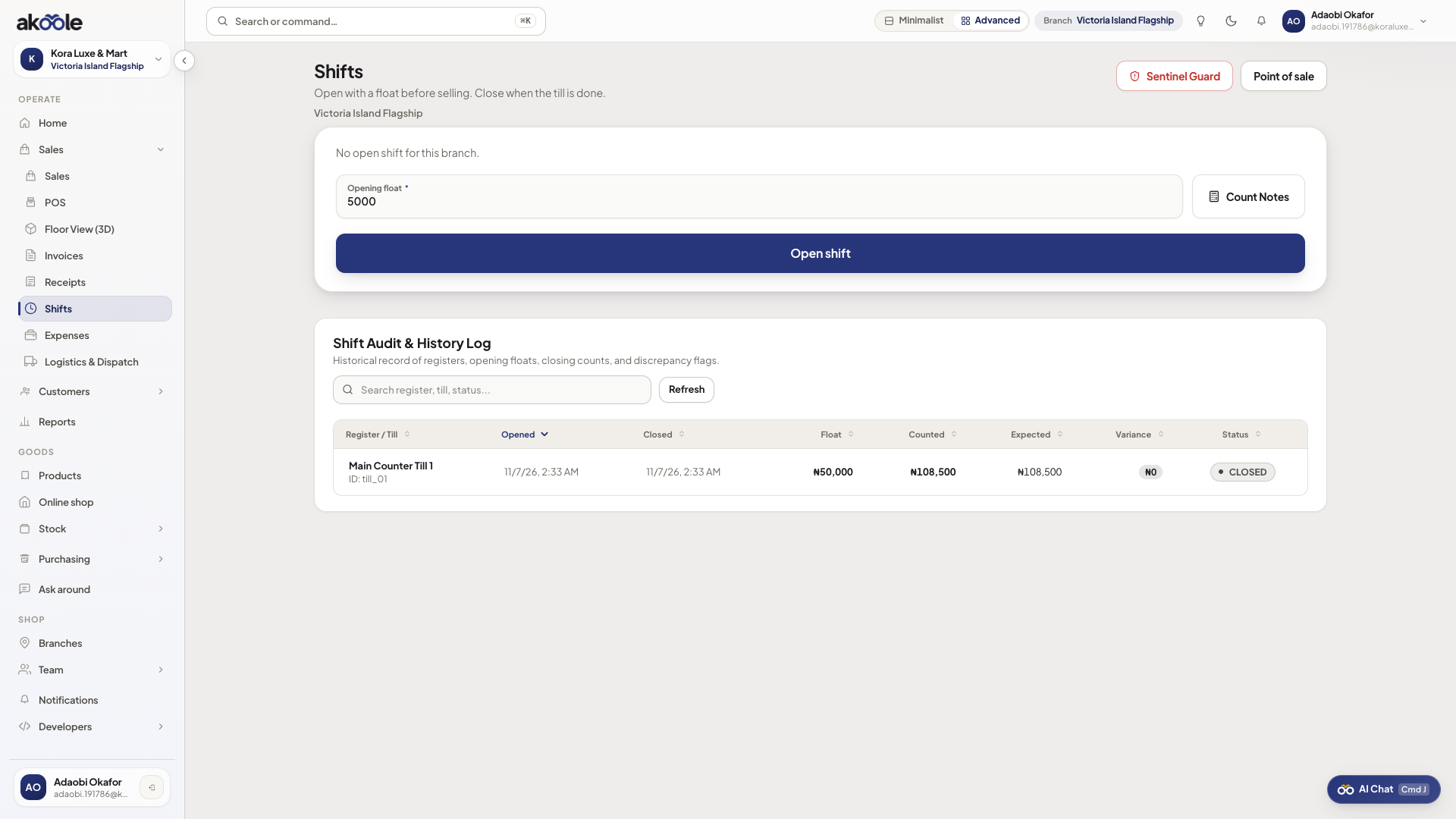
Open a shift with an opening float -
Sell during the shift
All cash, POS, transfer, and credit tenders in this period belong to this shift. While the shift is open, Akoole does not show expected cash or variance - that is the point of a blind close.
Show screenshot
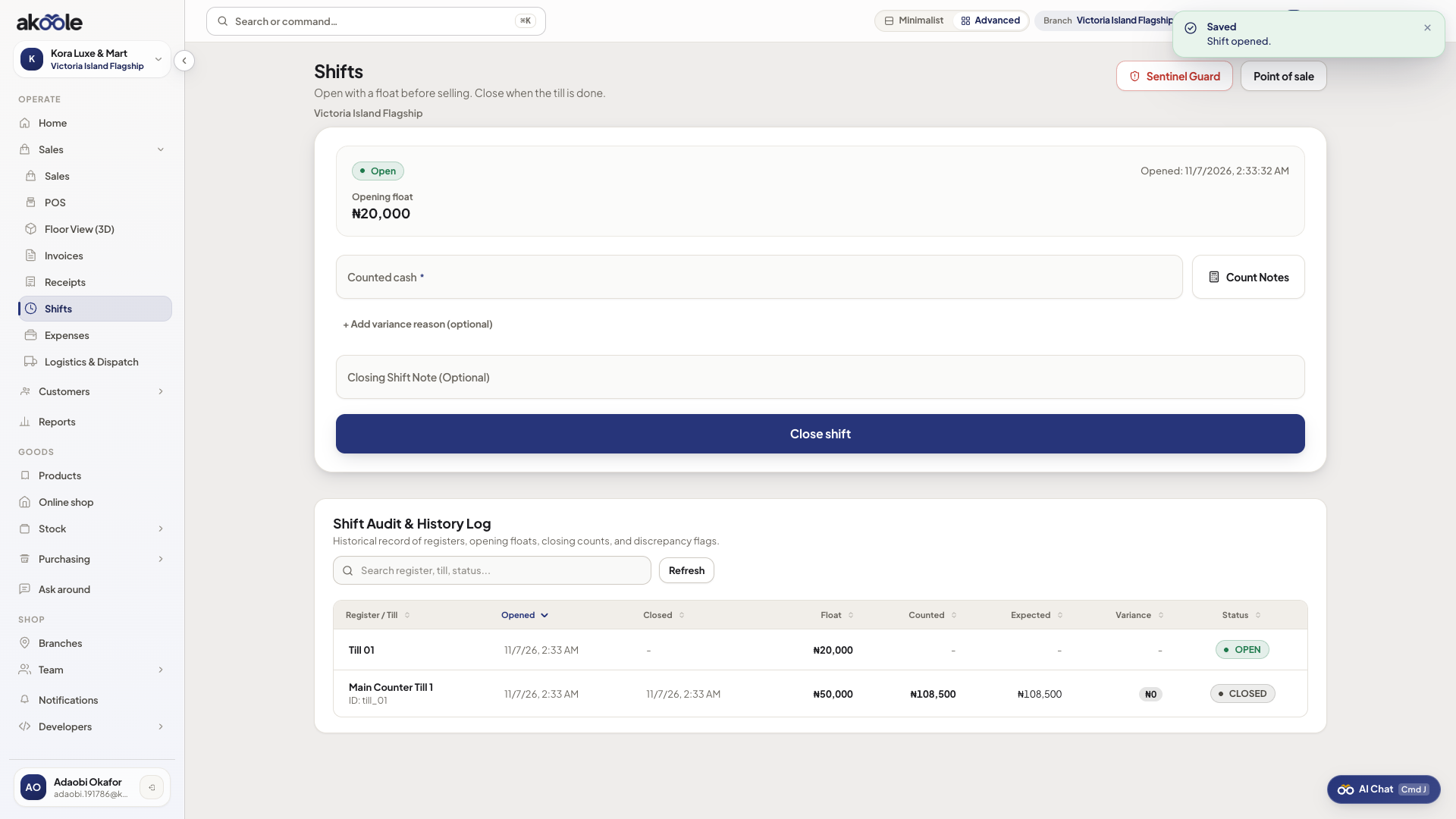
Shift open with its opening float -
Count to close
At close of trade, Close shift. Count physical cash and enter counted naira. A count is required - you cannot close without it. Expected cash is not on this form.
Show screenshot
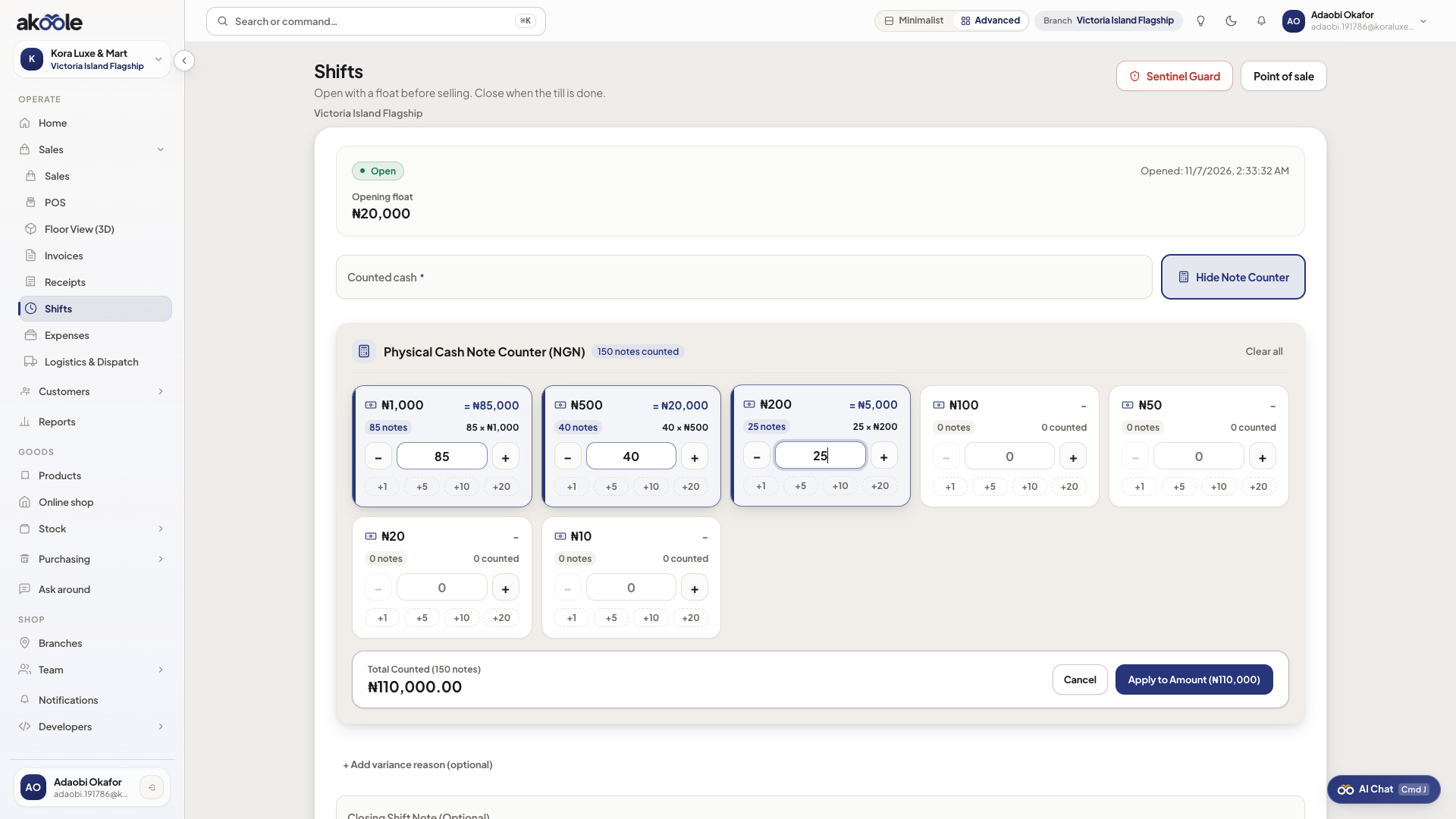
Blind close with the cash note counter -
See expected after close
After the shift closes, Akoole shows expected vs counted and the variance. Read it, then dismiss. Closed shifts are the audit. Owners get WhatsApp when variance is over threshold.
Show screenshot
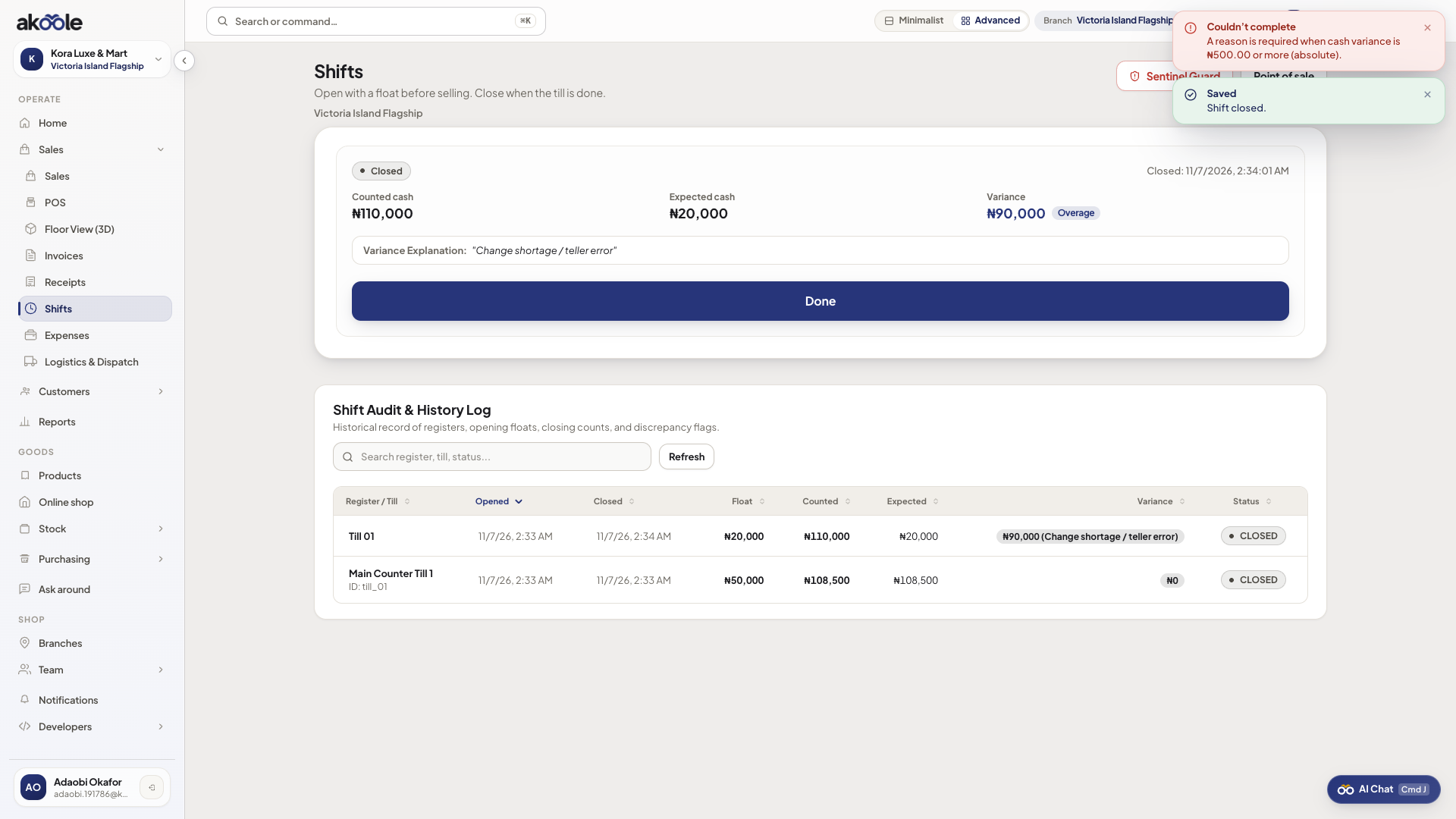
Shift closed: expected vs counted cash and the variance -
Watch the full cycle
From float, through a few tenders, to a blind close - this is the daily Surulere till ritual.
If something goes wrong
Section titled “If something goes wrong”POS says open a shift
Policy: no sale without an open shift. Open one for this branch/till. You cannot piggyback yesterday’s shift.
Cannot close without a count
Counted cash is required. The close fails until you enter what is in the drawer.
Need to edit a closed shift
You cannot. Post an expense or talk to a manager. Closed shifts stay as the audit.