

The three surfaces
Name the three websites around Akoole, pick the right URL for staff vs shoppers, and avoid mixing POS with the public shop.
-
Staff app - where work happens
Your team lives on
app.akoole.com.This is POS, products, stock, shifts, invoices, billing, and settings. Bookmark this. Install it as an app if you like - see Install the app.
-
Public shop - where customers browse
Shoppers use
{slug}.akoole.shop(for exampledemomart.akoole.shop).That surface is the storefront. It is not POS. Staff custom domains never serve the public shop, and shop domains never serve the till.
The public shop is on Growth and above. Starter has no storefront.
-
akoole.com - marketing, pricing, and first signup
akoole.com is the public marketing site: pricing, stories, and the first Create account click. After you have a shop, day-to-day work is the staff subdomain, not the marketing homepage.
Platform staff use
admin.akoole.com. That is not a merchant tool - you will never pay or run POS there. -
One org, many branches - still one staff host
Akoole Demo Mart can add Ikeja later. You still sign in on one staff host. You switch branch inside the app. There is no
ikeja.demomart.akoole.comfor a second outlet.Show screenshot
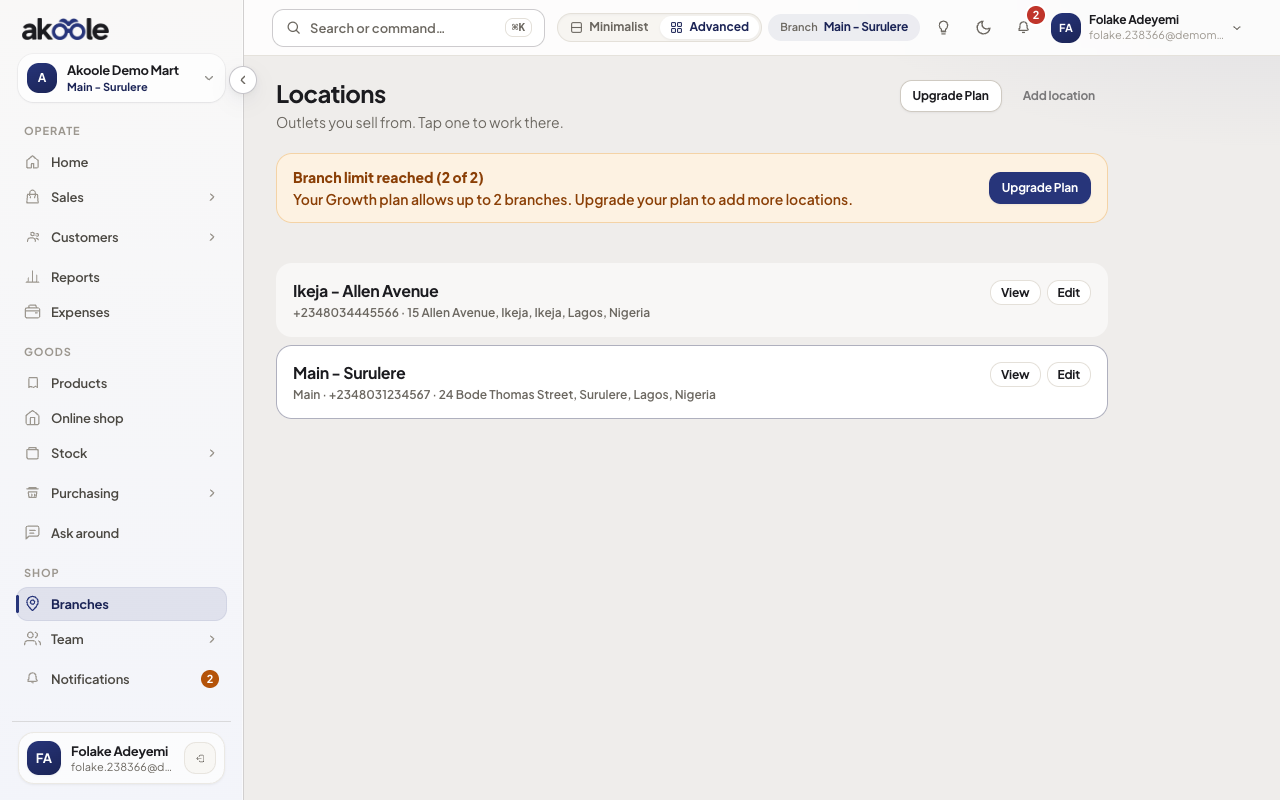
Switching branch from the header -
Optional custom domains (Business+)
On Business or Enterprise you can point a hostname you own at the staff app (for example
pos.demomart.ng) from Staff custom domain. The public shop has a separate custom domain in storefront settings.Until then, staff stay on
app.akoole.comand the public shop stays on{slug}.akoole.shop. Payment links stay onpay.akoole.com.
If something goes wrong
Section titled “If something goes wrong”Staff typed the shop URL and see a storefront
They used {slug}.akoole.shop. Send them to app.akoole.com and have them install the PWA from there.