

Haggle to the floor
A walk-in at Demo Mart haggles Peak Milk from ₦2,800 to ₦2,650 (the floor) without calling the owner, and cannot go to ₦2,400 without Override floor price.
-
Set the floor on the product
On Products, edit Peak Milk. Floor price is the lowest the till can haggle without override. Leave it empty if you do not want haggling. The public shop never shows this number.
-
Add the line on POS
Scan or search. The line starts at the tag (retail or wholesale). Cashiers still never see cost.
Show screenshot
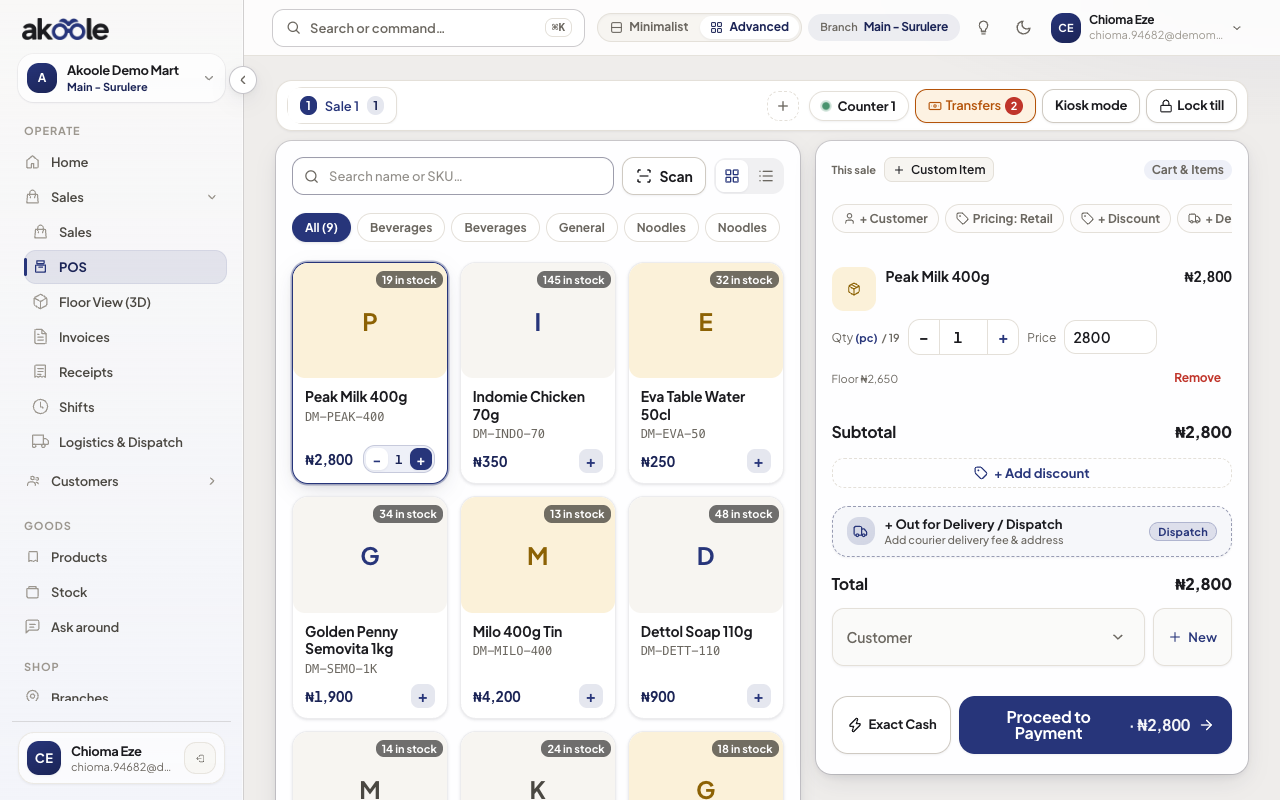
Peak Milk at the tag price ₦2,800, with the floor shown under the price -
Haggle down to the floor
Change unit price on the line to ₦2,650. No manager PIN. Complete the sale as usual. The receipt stores tag, floor, and the price you actually charged.
Show screenshot
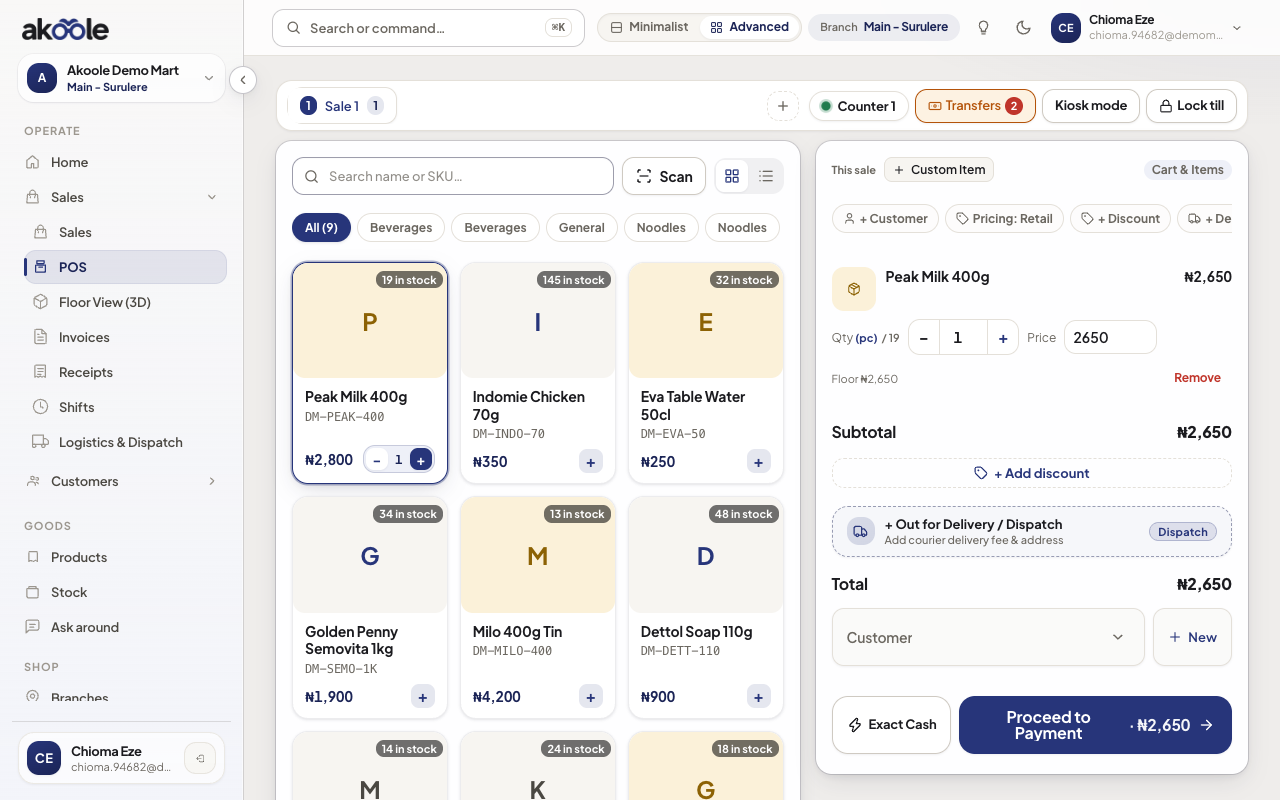
Bargained down to ₦2,650, right at the floor: no PIN needed -
Try to go below as cashier
Type ₦2,400. POS snaps back to the floor. Completing below floor is rejected unless the signed-in role has Override floor price.
Show screenshot
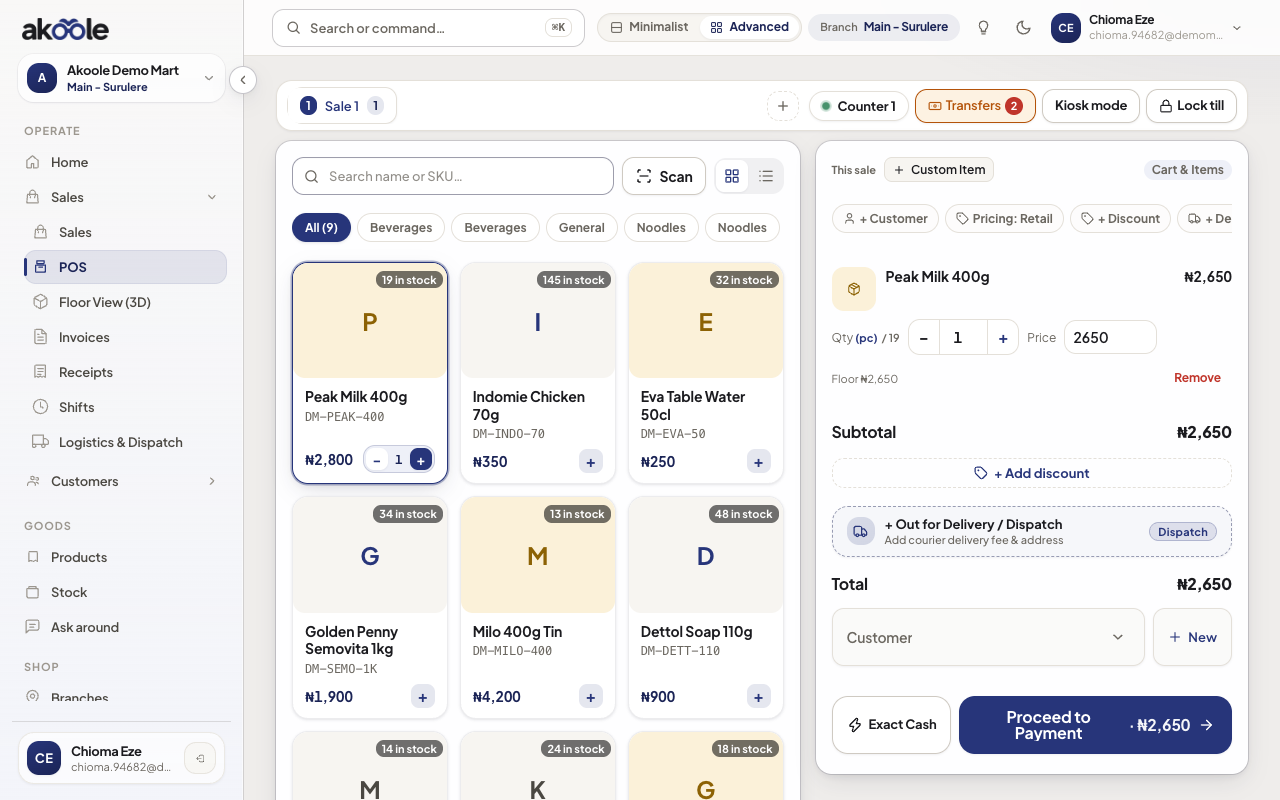
Typed ₦2,400, below the floor: the POS holds the price at ₦2,650 -
Below-floor is a permission, not a PIN
A Manager (or Owner) with Override floor price can type below the floor and complete. That is not the discount-override PIN. Percent discounts still use Discount override.
If something goes wrong
Section titled “If something goes wrong”POS will not go below the tag
No floor is set, so the till has nothing to haggle to. Set Floor price on the product (or variant).
Need to sell cheaper than the floor
That is Override floor price on the role (Manager/Owner presets). Do not share the owner PIN, and do not confuse this with a percent discount cap.