

Electronics serials and IMEI
Every handset at Demo Mart has an IMEI, a condition grade A–D, and a trail from receive to sale.
-
Set tracking to serial
Add or edit the phone SKU. Set tracking mode to serial / IMEI. Enable condition if you buy used or swaps (grades A–D).
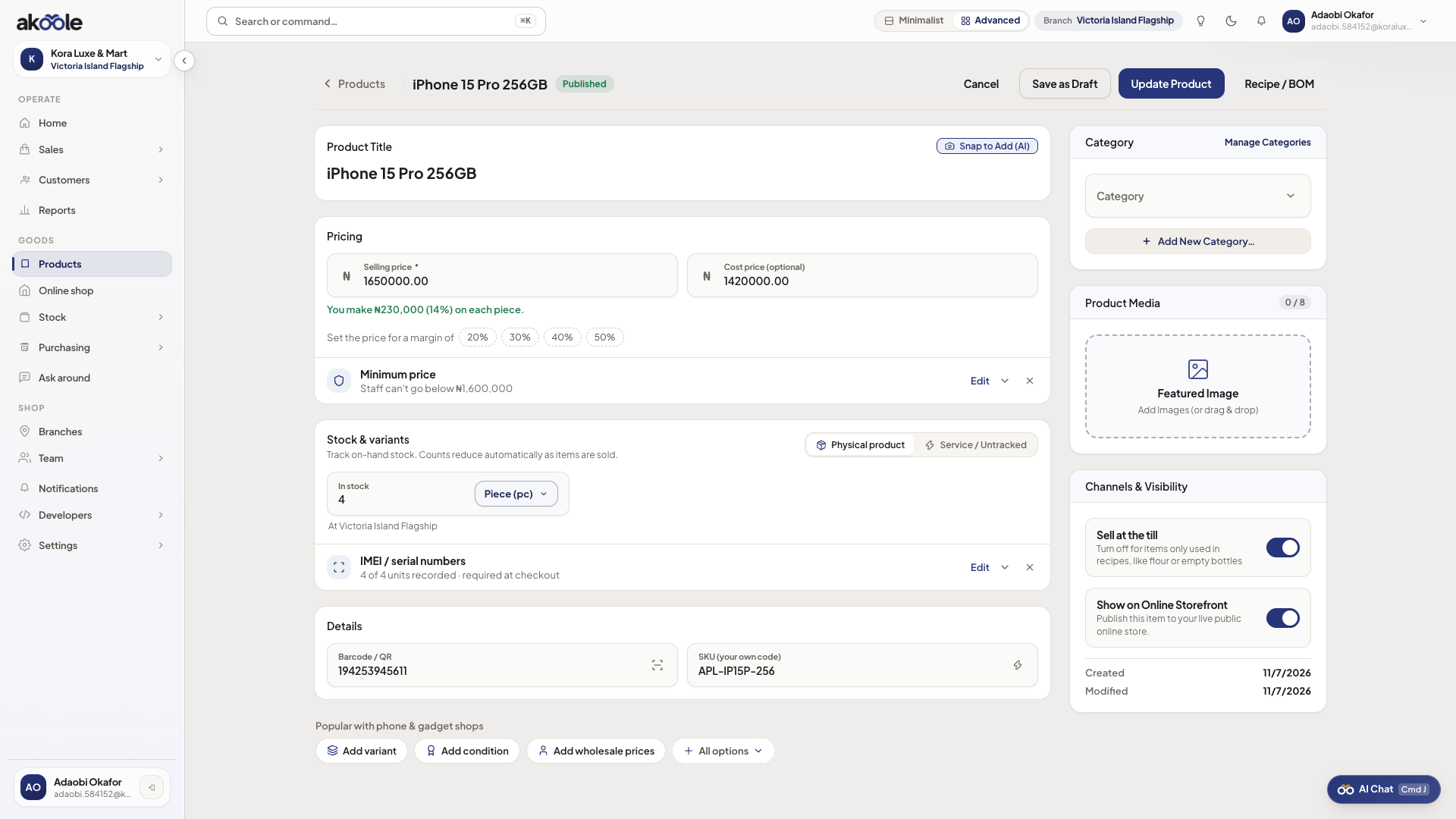
Product tracked by IMEI or serial number -
Receive units with IMEI
When stock comes in (opening balance, GRN, or adjustment), capture each serial/IMEI. Do not dump a qty without identities.
-
Grade condition
For used units, set condition A (like new) through D (fair/faulty) so POS valuation and swaps stay honest.
Show screenshot
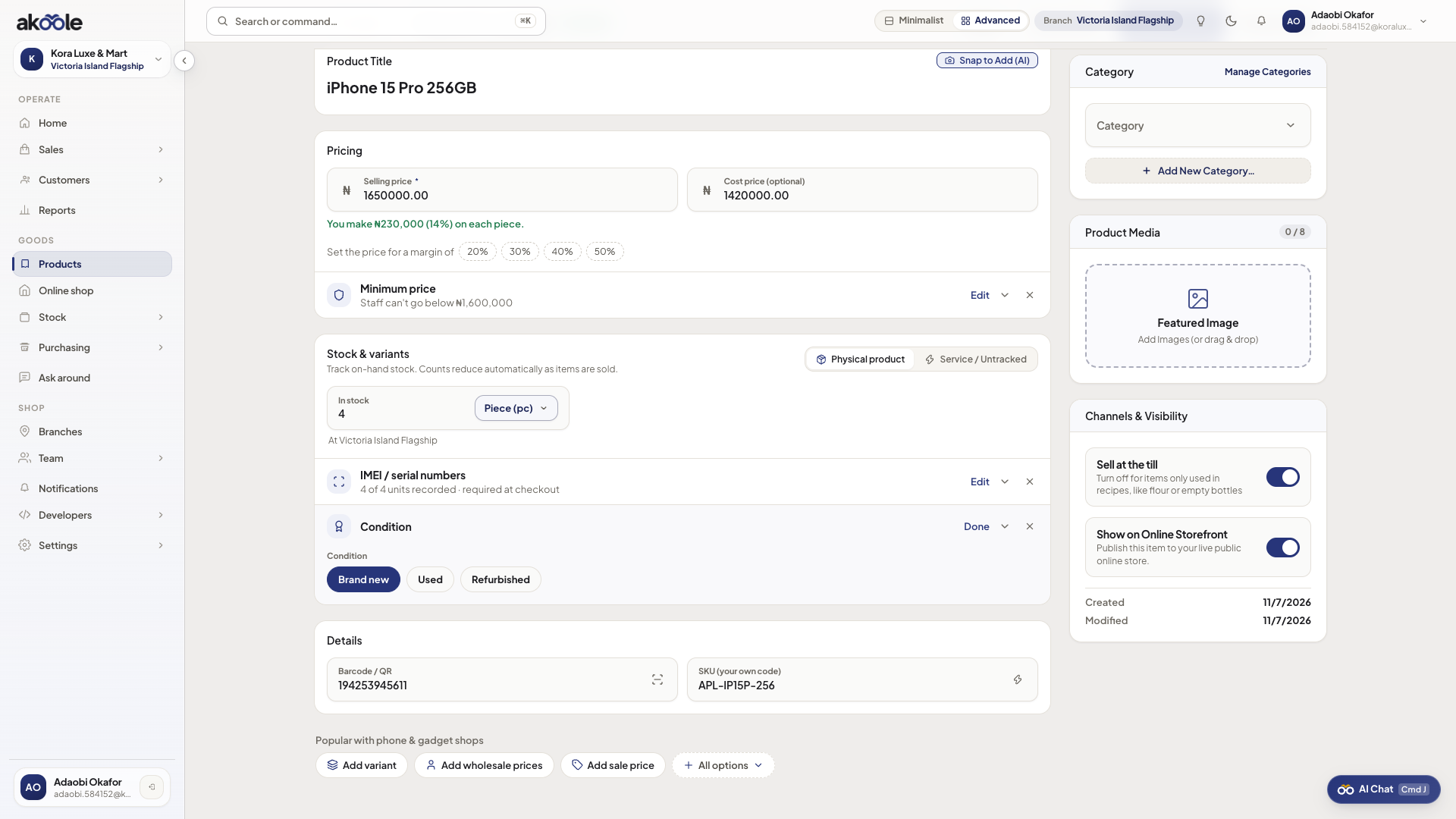
Condition grades for serialised stock -
Sell a specific unit
At POS, add the phone and select or scan the IMEI leaving the shop. It prints on the receipt for warranty.
Show screenshot
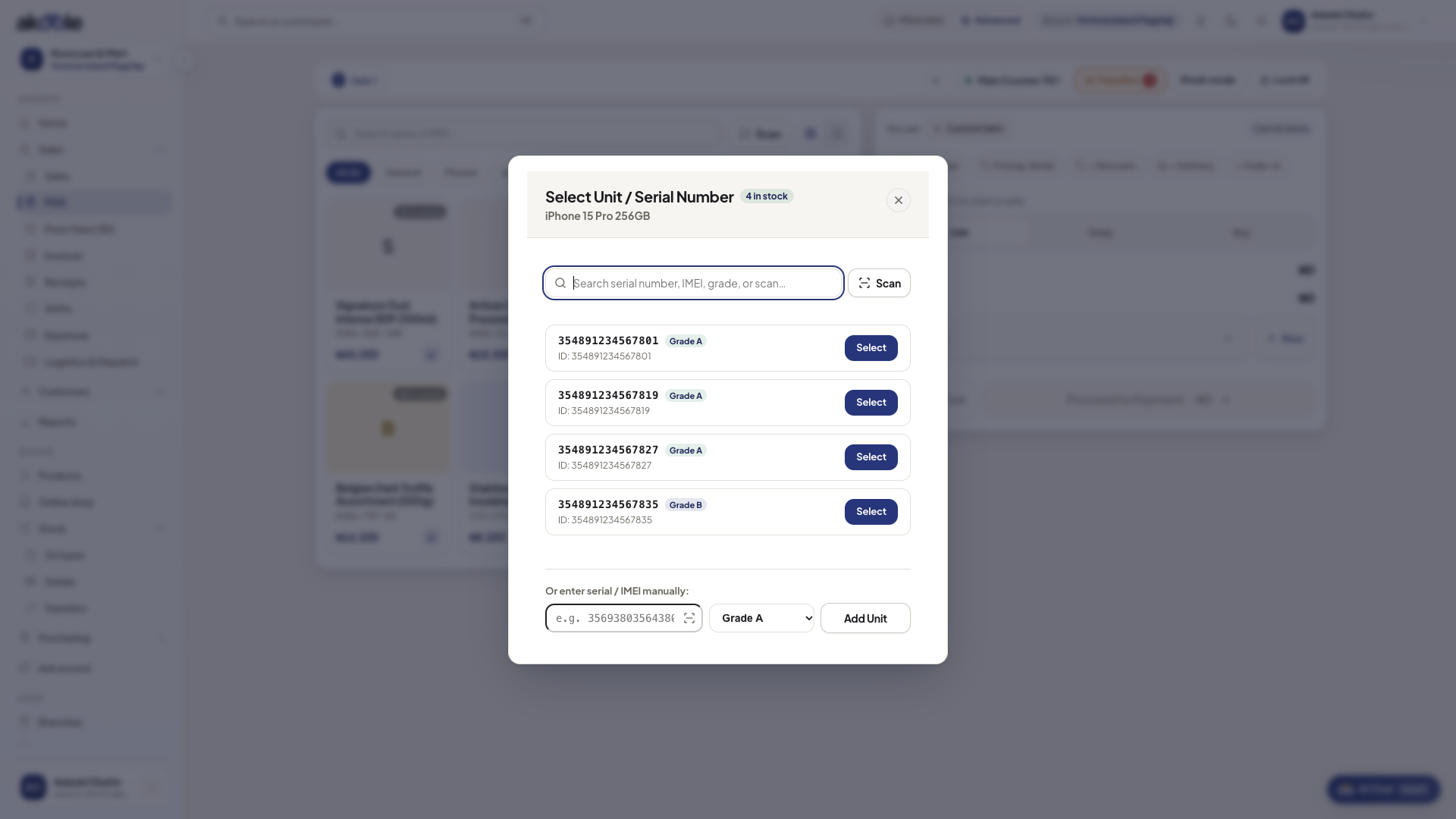
Picking the IMEI for a phone at the POS -
Look it up later
On Serial tracker, search the IMEI to see if it is in stock, sold, or swapped.
Show screenshot
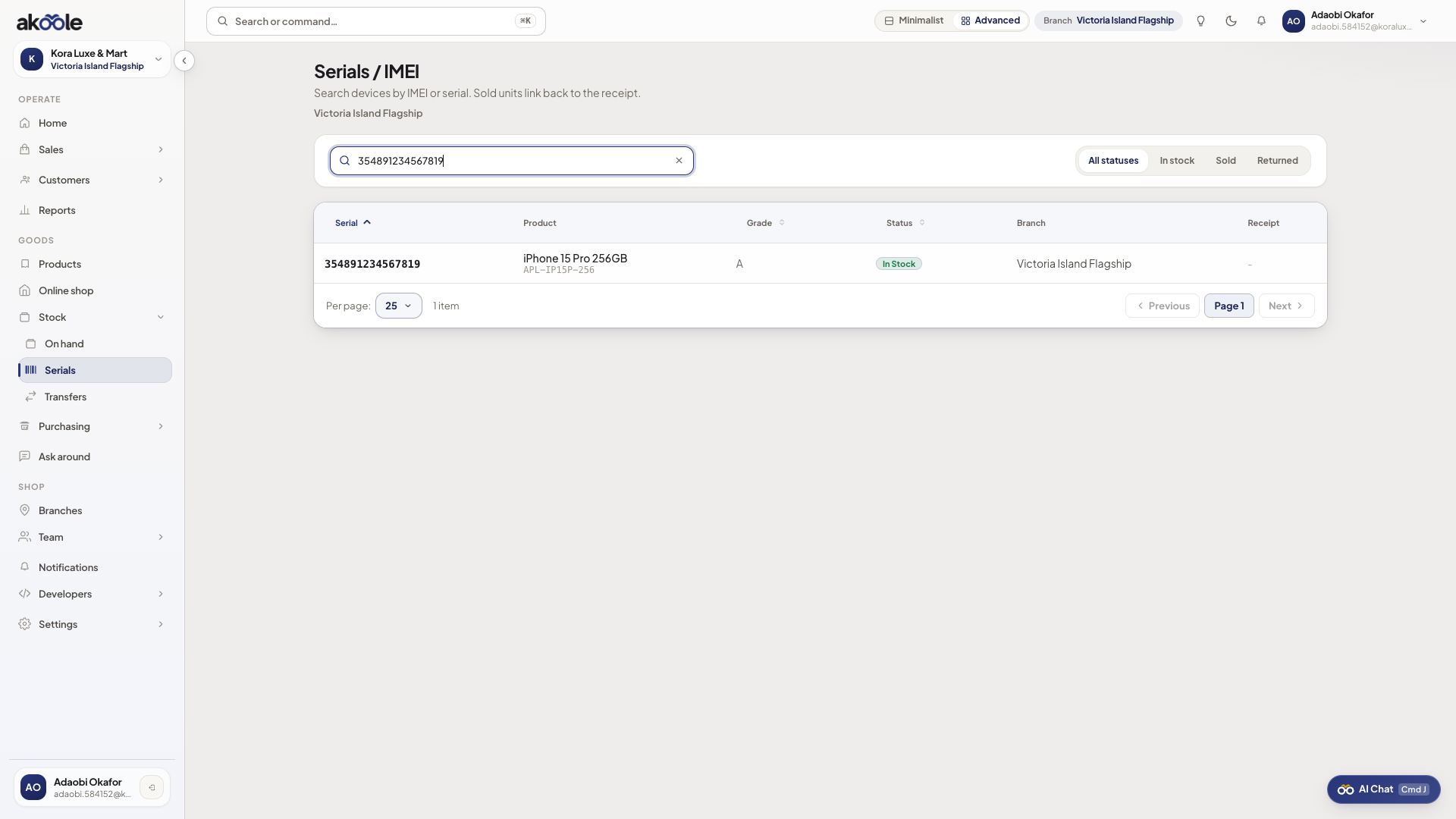
Serial tracker search result for an IMEI
If something goes wrong
Section titled “If something goes wrong”POS blocks the sale
Serial-tracked SKUs need an IMEI at checkout. Scan or type it. Duplicate IMEIs are rejected.
Tracking options missing
Serial/IMEI and pharmacy batch are Business+ features. Starter/Growth keep simple qty stock.