

What Akoole is
Akoole is the retail operating system built so you can see everything without standing behind the counter all day. Think of it as binoculars for your business: today’s NGN sales, gross profit, SKUs selling below cost, cash drawer leakage, who owes you on the debt book, and which fast-moving items are running out.
Video Overview
Section titled “Video Overview”Understand what Akoole does for a Nigerian shop, what it does not do, and where to go next to open your first sale.
Before you start
Section titled “Before you start”Owners and managers who are new to Akoole. Cashiers can skim this, then jump to making a sale.
- You do not need an account to read this page.
- Examples use Akoole Demo Mart in Surulere, selling in NGN.
-
Start from Home
When you sign in to your staff app, you land on Home. For a shop like Akoole Demo Mart, that is today’s sales and gross profit in NGN, a pulse of cash vs bank transfer vs POS, a Needs attention strip (below-cost SKUs, till short this week, overdue on the book, days of cover with Create PO, idle stock, weekly return/discount/haggle counts, stockouts), and a Finish setting up checklist until branding, bank details, and a teammate are done.
This is the owner view. A cashier on the same shop can stay in a simpler layout - see Minimalist vs Advanced.
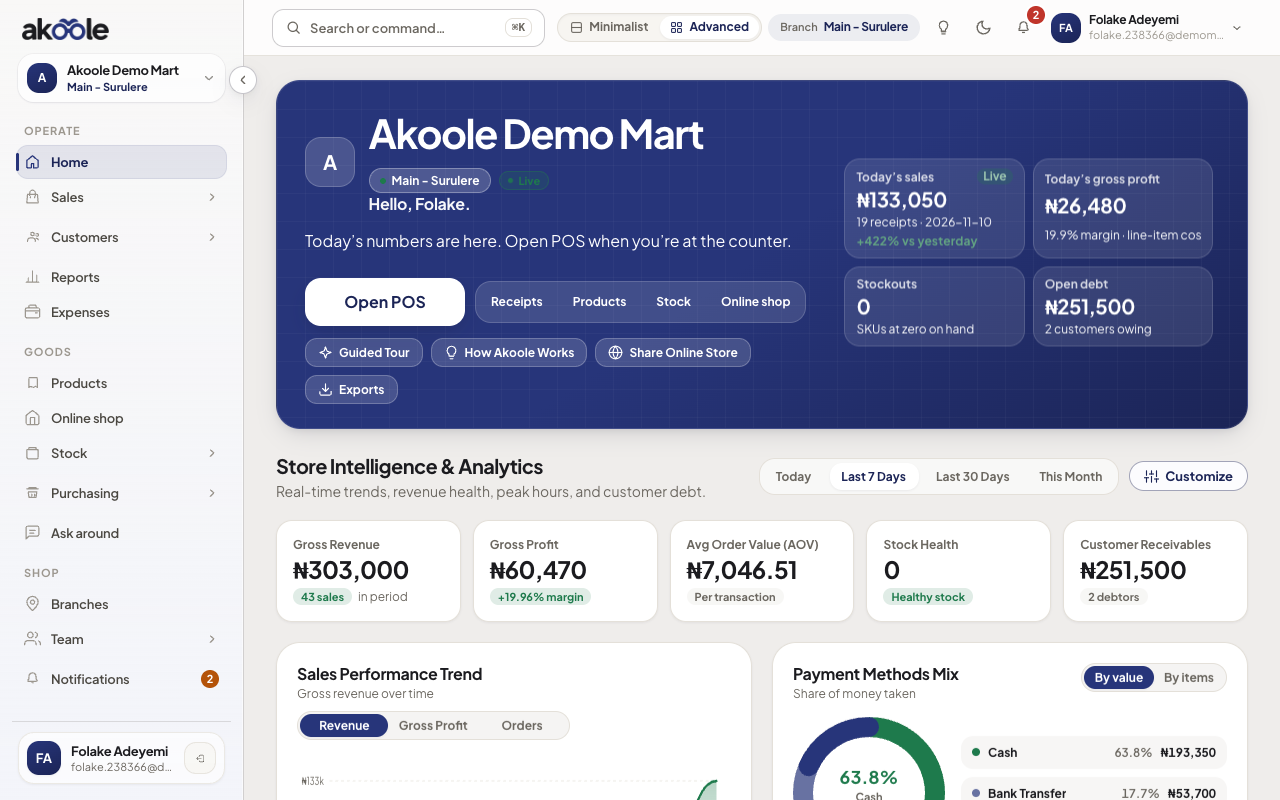
Home for Akoole Demo Mart: today's sales, gross profit, stockouts and open debt -
See stock and products, not a spreadsheet
Open Products. Each item has a sell price in NGN, optional photo, barcode, and on-hand quantity at the branch you are on (Main for a single Surulere shop).
Akoole keeps stock truth when you sell, receive a purchase, count, or transfer. You are not maintaining a parallel Excel for “the real numbers.”
Show screenshot
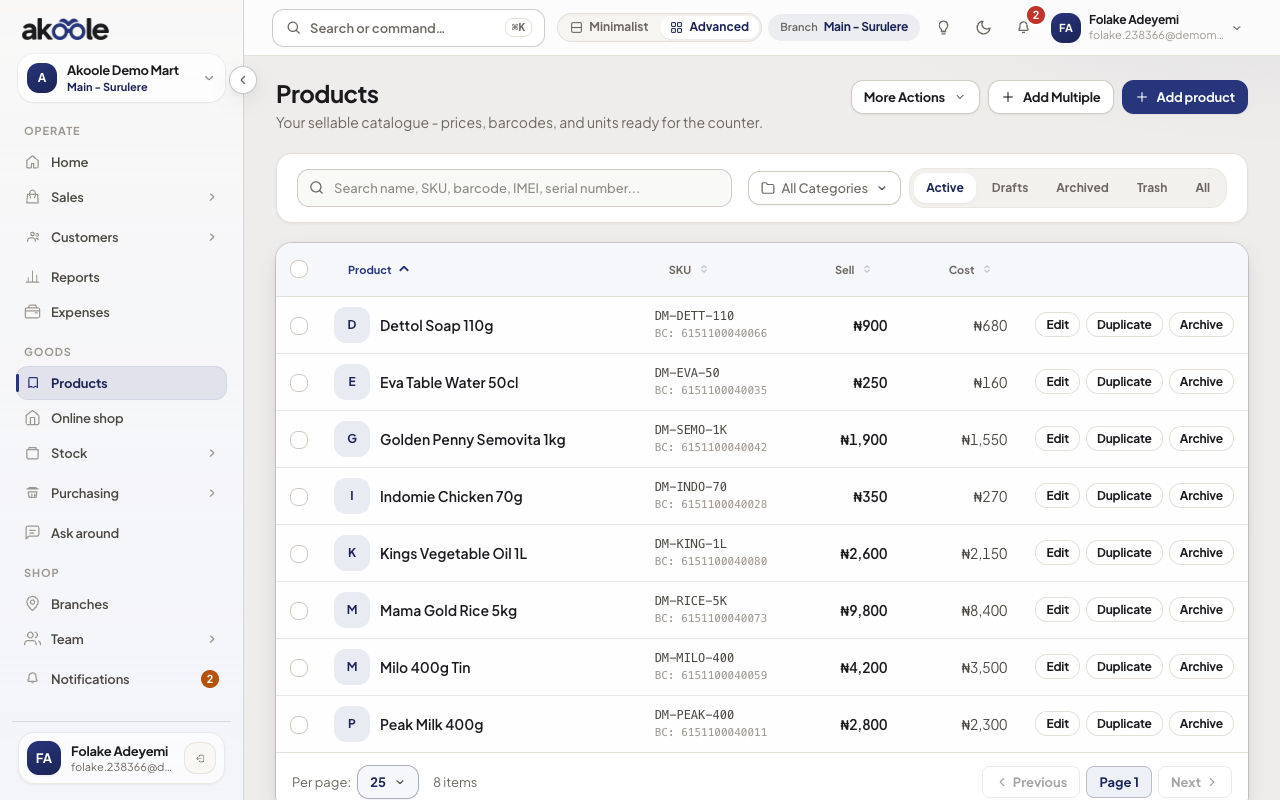
Products list with prices, barcodes and costs for Akoole Demo Mart -
Sell the Nigerian way at POS
Open POS. Ring up a walk-in, then take cash, bank transfer, POS, or a split (for example ₦5,000 cash + ₦2,000 transfer). Put the rest on the book when you trust the customer.
Receipts can go to WhatsApp or a thermal printer. POS still works when the network drops; sales wait in an outbox and sync when you are back online.
Show screenshot
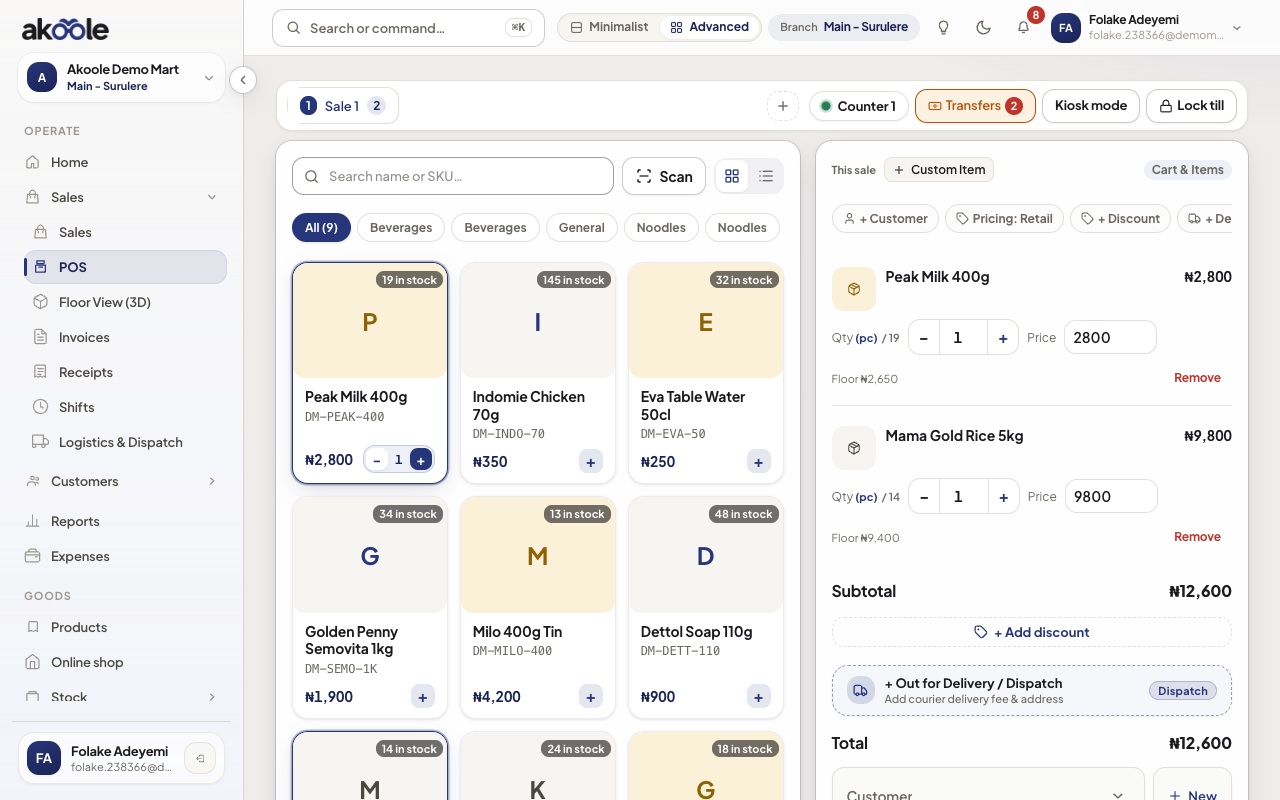
The POS at Akoole Demo Mart: products on the left, the cart on the right -
Collect on the book
Customer credit is first-class, not a sticky note. Growth and above include the credit book: who owes, ageing, and reminders. Starter still lets you sell; the full book and WhatsApp document sending scale up with plan.
Akoole is not a lending wallet or a bank. It is your shop ledger.
Show screenshot
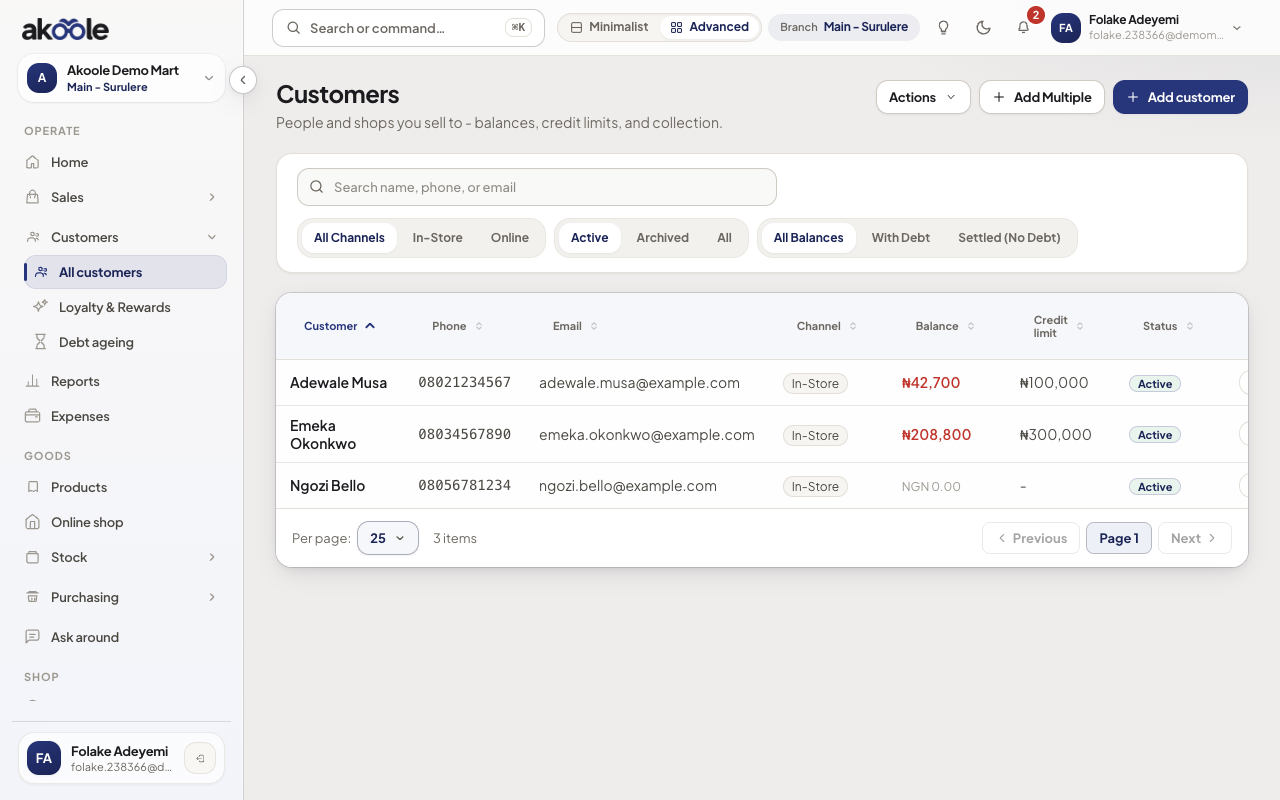
Customers list for Akoole Demo Mart -
Know the boundaries
Akoole does help you put CAC, TIN, and VAT on invoices and show VAT summaries for your accountant. It does not file tax for you.
WhatsApp in Akoole is the official document and alert channel you connect for the shop - not an unofficial personal WhatsApp hack.
Plans are limited by people, branches, imports/exports, and what features you unlock - not by how many receipts you ring in a month.
-
See your shop in 3D Floor View
Akoole renders your store as an interactive 3D Commercial Digital Twin (
/floor-view). Watch tills process sales with live laser scan animations, simulate rush hour foot traffic, and inspect shelf stock fullness visually. See 3D Digital Twin overview.Show screenshot
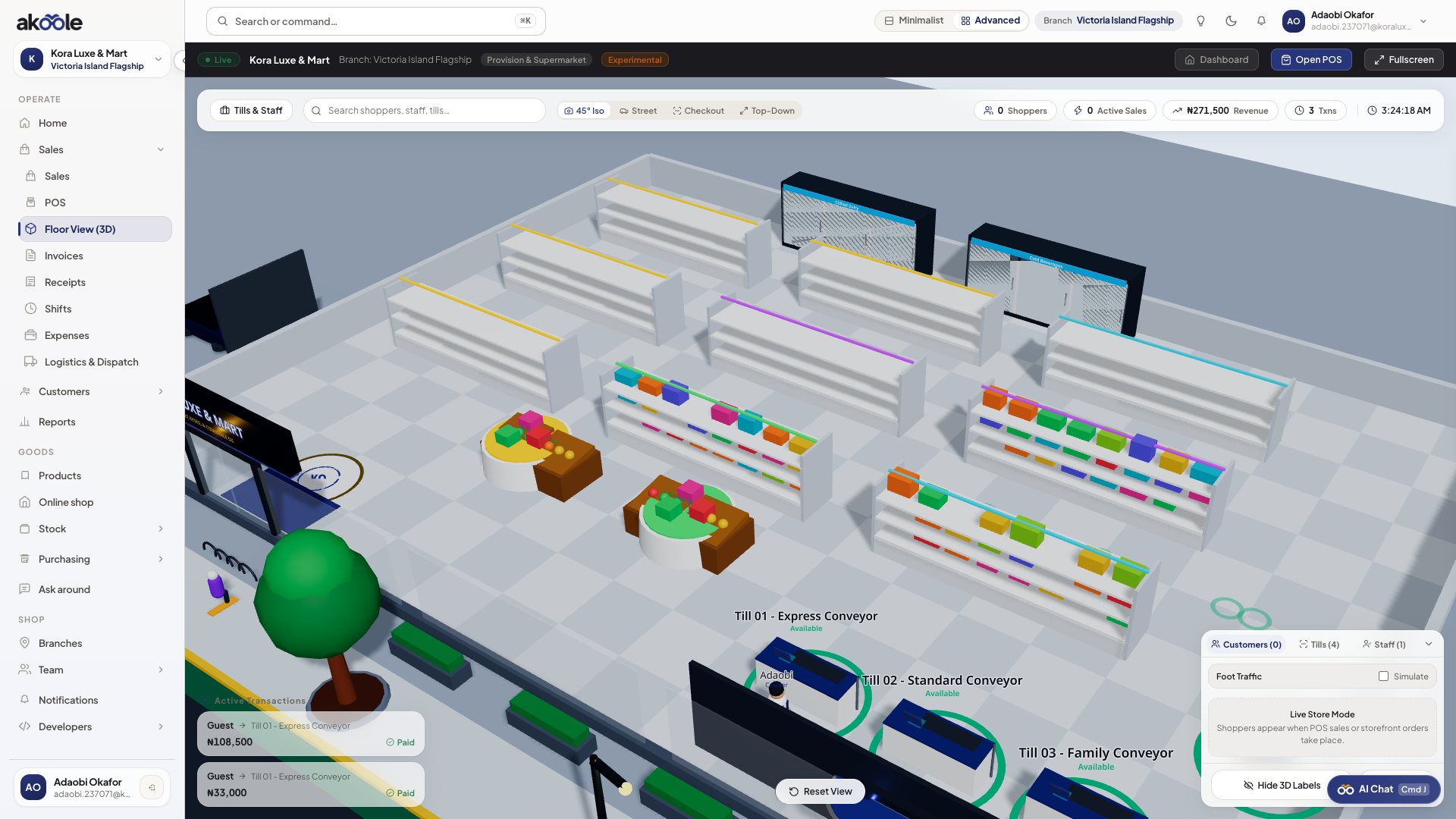
3D Floor View of the shop -
Copilot your operations with AI
Ask natural-language business questions, snap photos of shelves to auto-stock items, scan paper supplier waybills into Goods Received Notes via OCR, and run the Binocular Leakage Sentinel to audit cashier discounts and till leakage. See AI Copilot overview.
Show screenshot
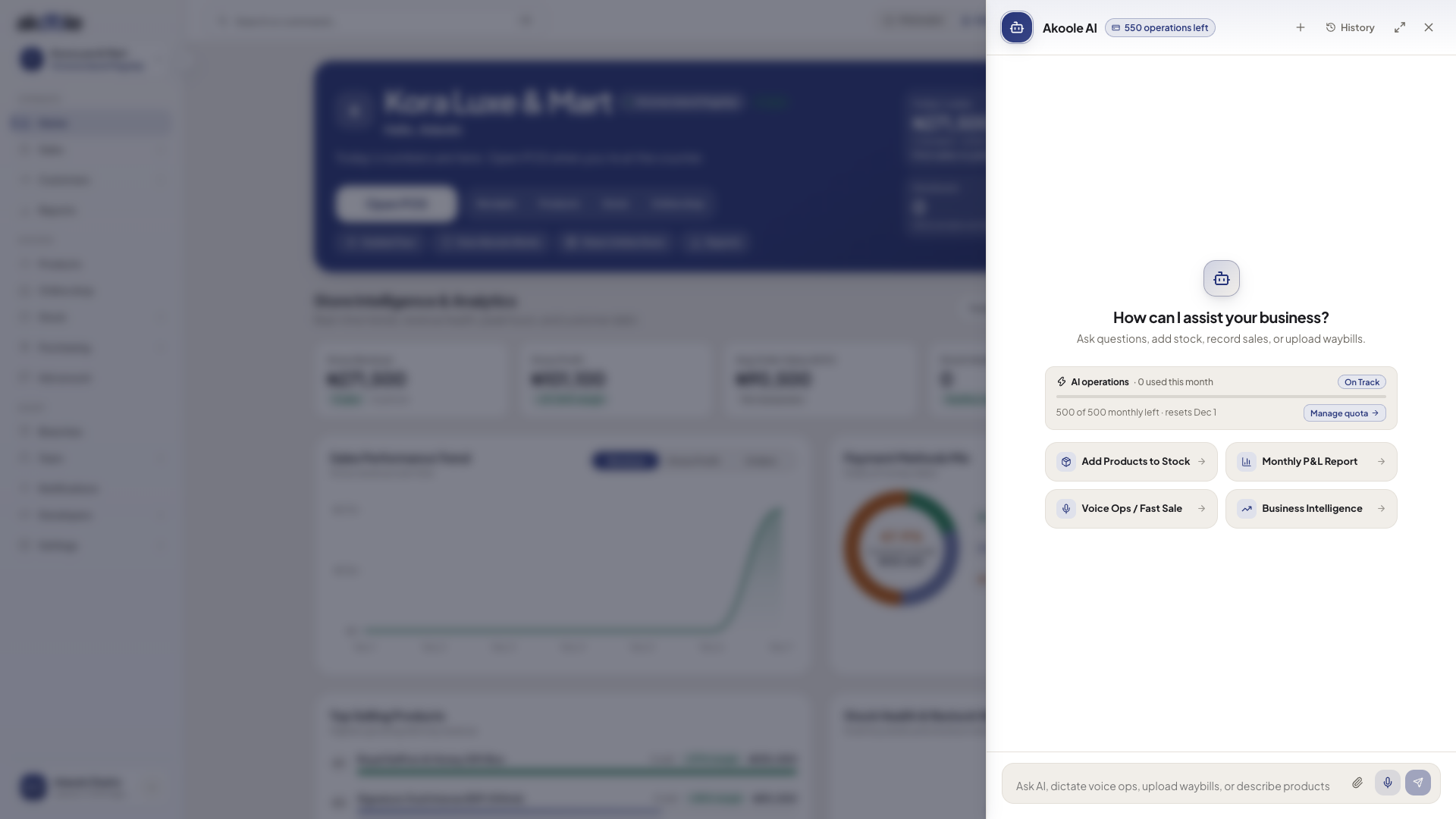
AI Copilot drawer open on Home with starter prompts and the message box -
Activate in three moves
World-class setup is shop → one product → Open POS. Branding, bank details, extra locations, and invites wait on Home. You can sell Peak Milk at ₦2,800 before the logo is perfect.
Show screenshot
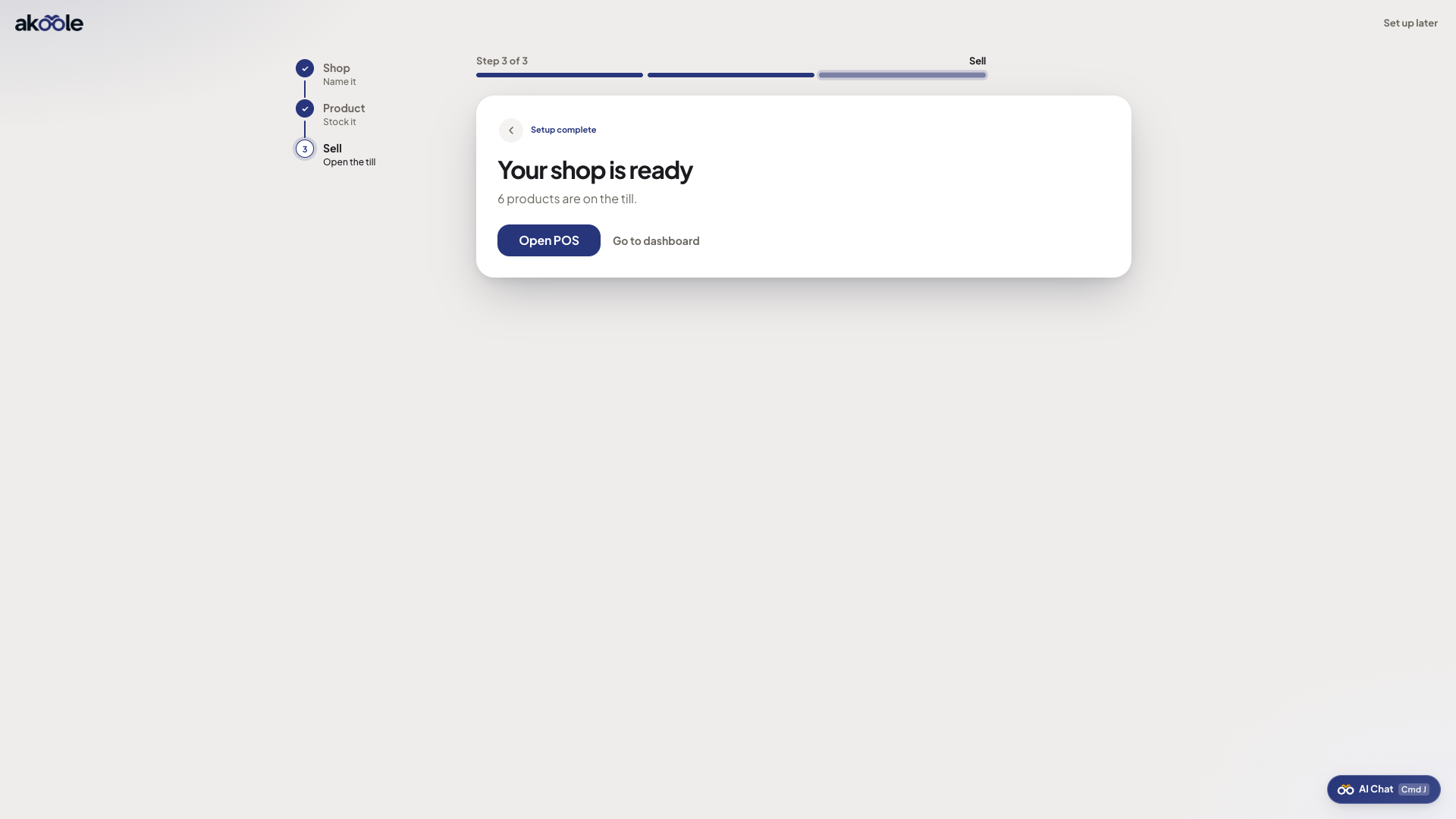
Onboarding step 3: ready to sell
What success looks like
Section titled “What success looks like”You can explain Akoole in one sentence (see what to do next: stock, sales, leakage, staff, and the book), you know POS takes cash / transfer / POS / credit, and you know activation is shop → product → Open POS - not a 20-field wizard.
If something goes wrong
Section titled “If something goes wrong”This looks like “another inventory app”
If the demo still feels generic, open POS and take a split tender (cash + transfer) or put a sale on the book. Those two flows are why Akoole is Nigeria-first.
I need an online shop on day one
Starter is counter + stock on app.akoole.com. A public shop on {slug}.akoole.shop starts on Growth. See Plans.