

Custom receipt fields and dispatch
Add order-specific metadata-such as warranty terms, serial numbers, customer notes, or dispatch rider assignments-directly to the receipt at checkout.
-
Open Receipt Custom Data Editor
In the POS cart header or bottom actions bar, click Custom Details & Notes (
ReceiptCustomDataEditor). -
Fill in transaction-specific fields
- Warranty Terms: (e.g. 6 Months Screen Replacement Warranty).
- Client Reference / Plate Number: (e.g. Customer Car: Toyota Camry KJA-829XA).
- Staff Footnote: Custom instruction for warehouse or collection counter.
-
Toggle Out for Delivery (Dispatch)
If the customer requested delivery instead of carrying the goods immediately, toggle Mark for Delivery (
DispatchOrderModal).- Select or enter the delivery destination address.
- Assign an internal or third-party dispatch rider with their phone number.
- The sale is booked into Logistics and waybills for live tracking.
Show screenshot
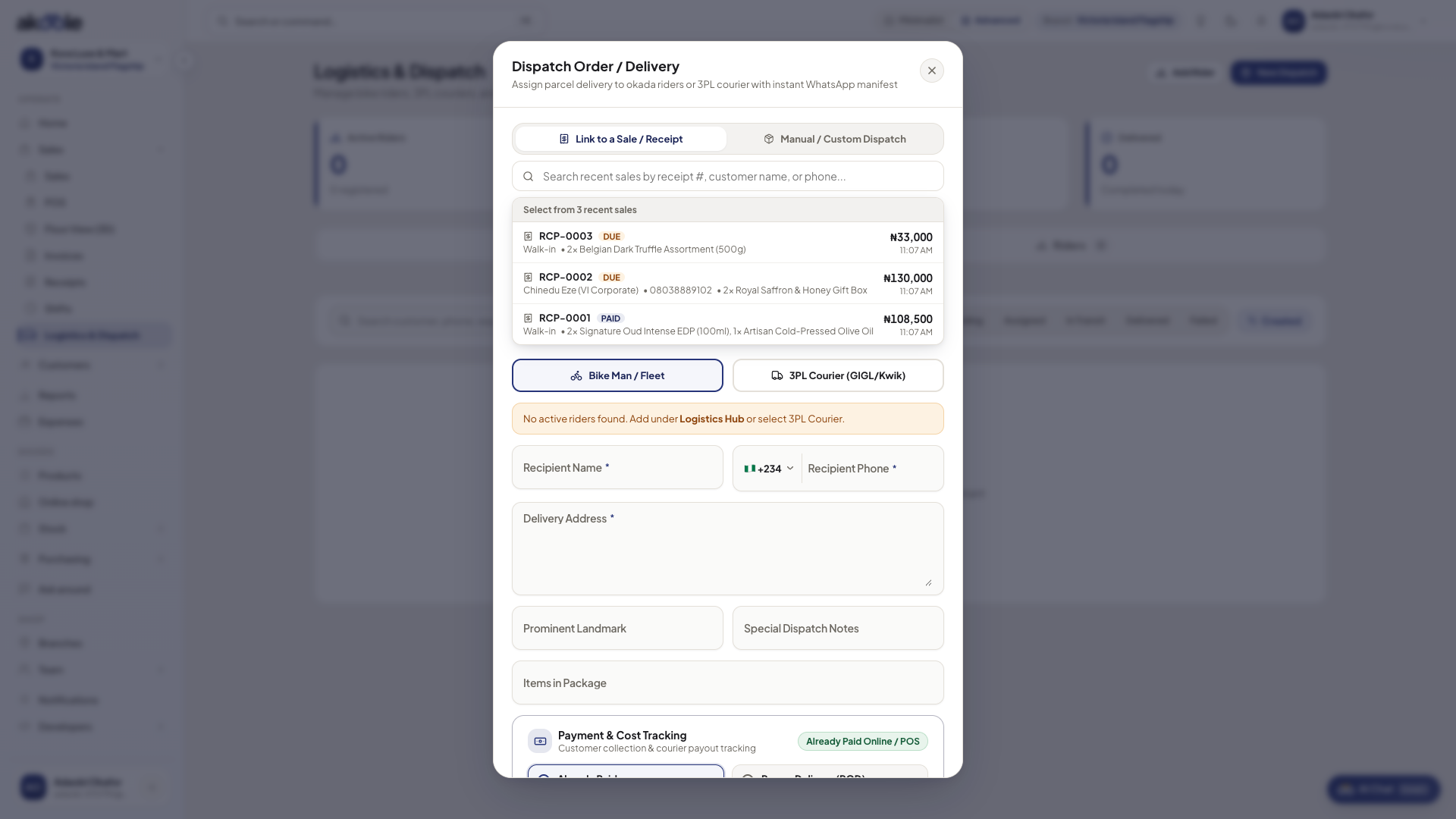
Dispatch dialog linking a recent sale, with rider or 3PL courier and delivery details -
Complete and print receipt
The custom details are permanently printed in a dedicated section on thermal receipts, digital A4 copies, and WhatsApp receipt summaries.
Common problems & fixes
Section titled “Common problems & fixes”- Receipt notes cut off on 58mm printer: Keep custom notes under 3 lines for narrow 58mm rolls, or switch printer settings to 80mm roll mode in Document designs.