

Theme and homepage
Make the public shop look like Demo Mart - green accent, Surulere story, not the default skeleton.
-
Open theme settings
/storefront/settings?tab=theme. Growth = core themes. Business = full library. Custom themes are Business/Enterprise.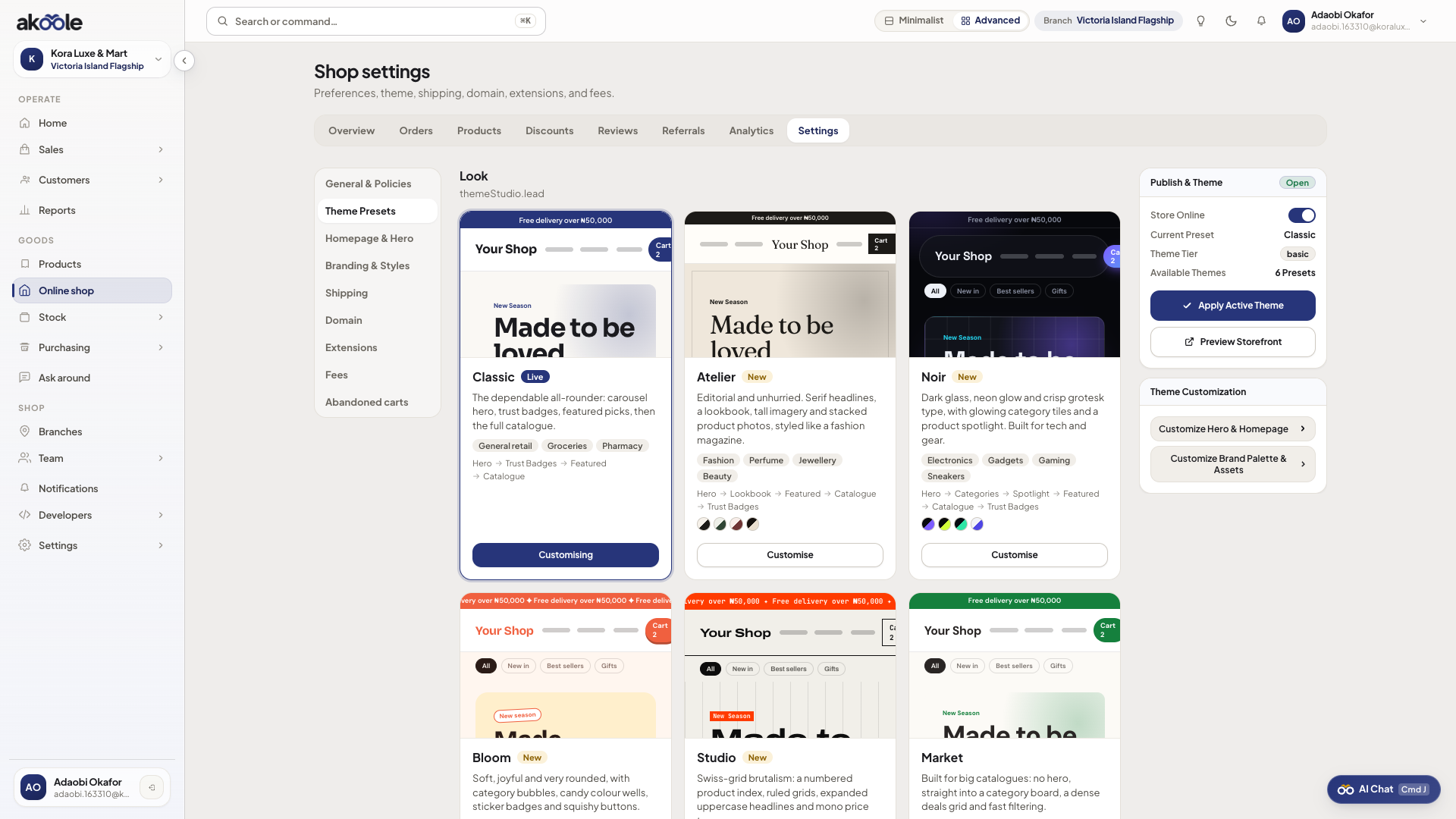
Online shop theme presets -
Homepage builder
tab=homepage: hero, featured products, banners. Keep mobile-first - most buyers are on phones. -
Branding tokens
Colours, typography, announcement bar. This is not Document designs.
-
Preview as a buyer
Open the shop host. Confirm the hero on a 390-wide phone layout. See Storefront.
Show screenshot
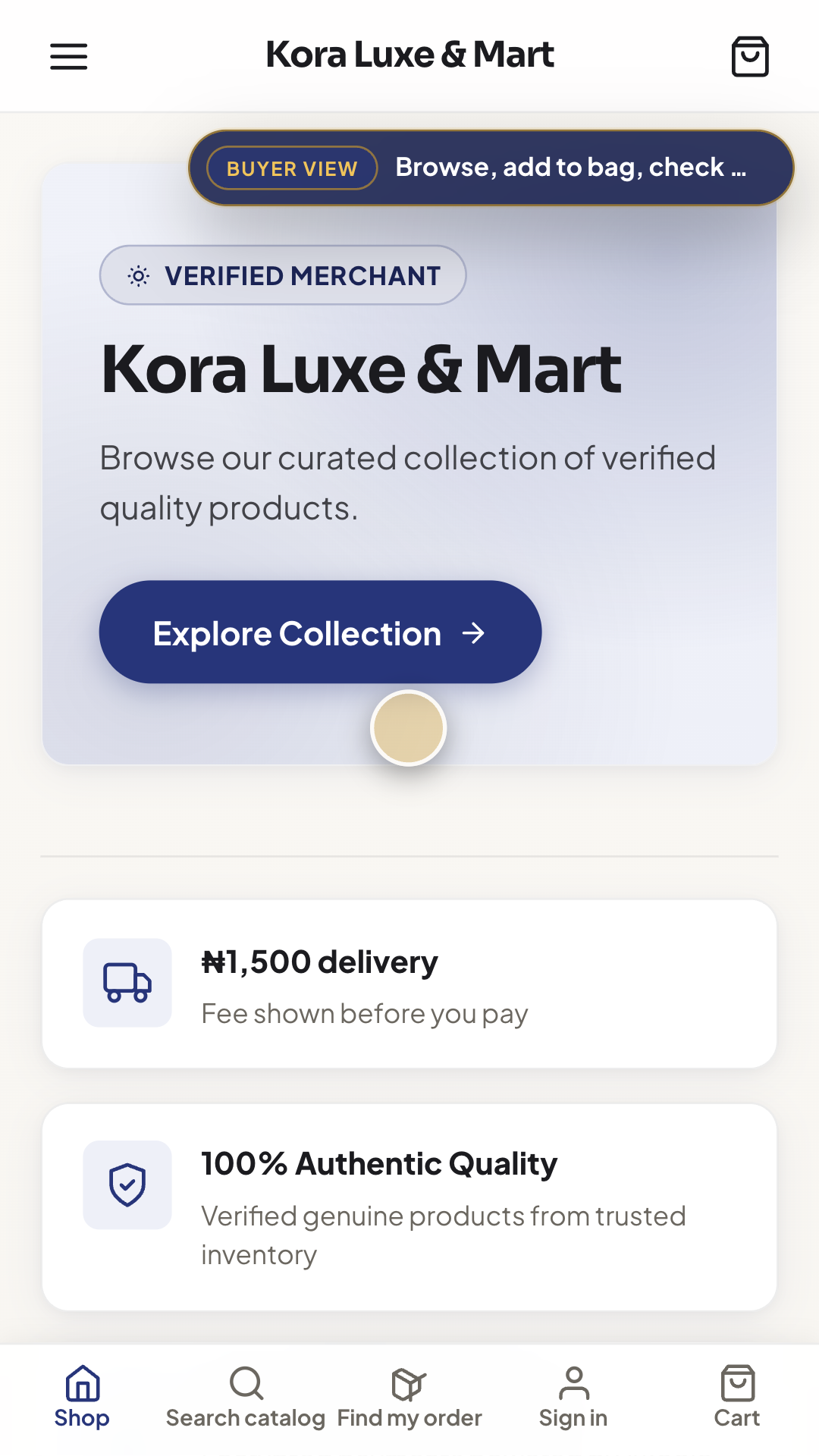
The public online shop on a phone
If something goes wrong
Section titled “If something goes wrong”Want a pixel-custom theme on Growth
Upgrade for library/custom. Do not paste random CSS into product names.
Policies missing
Fill policies/SEO in settings so buyer policies are not empty.