

Opening balance and stock adjustments
Day-one stock matches the Surulere count, and later corrections have reasons you can audit.
-
Open the product on Stock
Go to Stock, find the SKU, and start an adjustment / count.
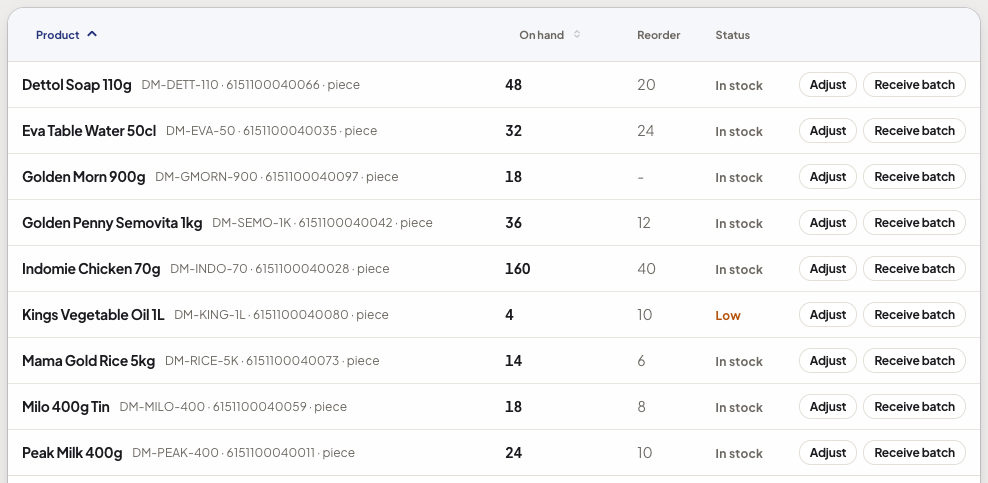
Stock levels with the Adjust action on each row -
Post opening balance
For go-live, set quantity to the counted pieces and reason
opening_balance. That is the baseline, not a sale. -
Later: damage or variance
When a carton is crushed or a count is short, post an adjustment with a clear reason (damage, theft, recount). Do not fake a POS return unless goods came back.
Show screenshot
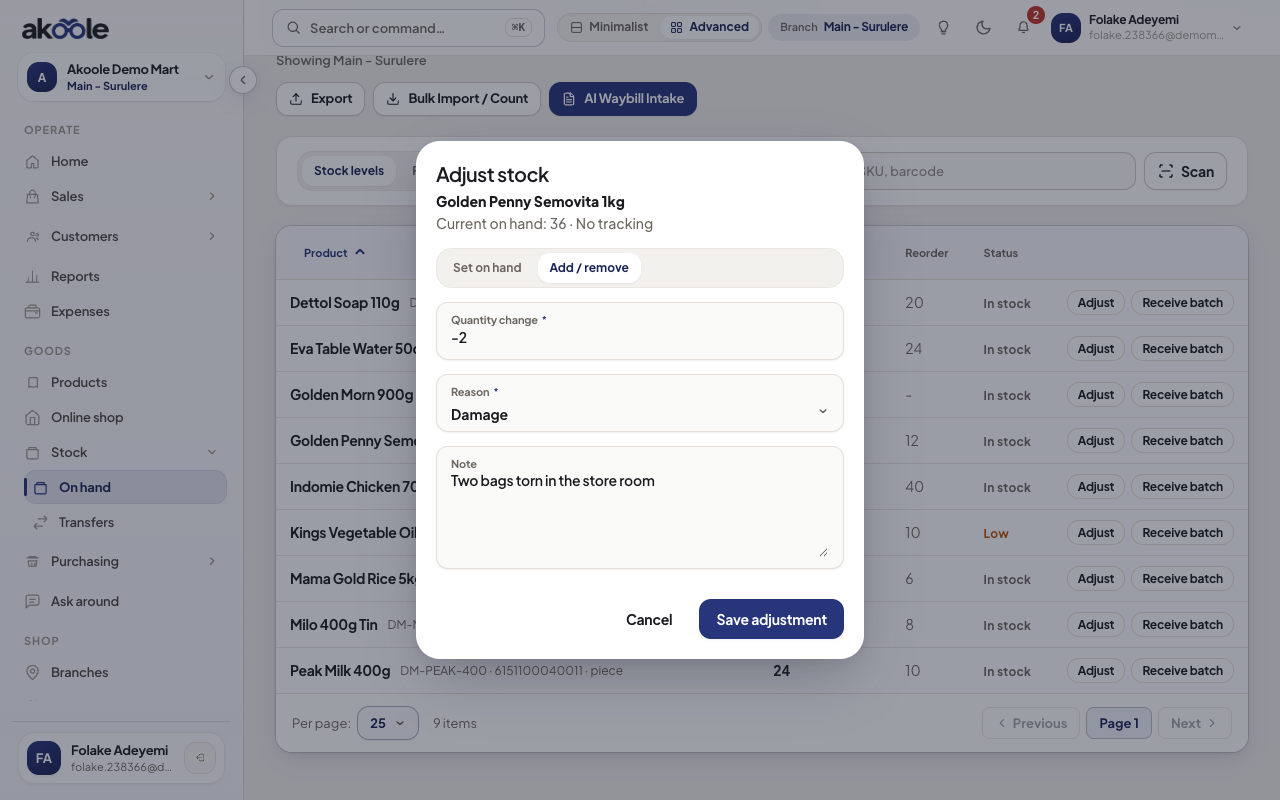
Adjust stock: 2 bags of Semovita damaged, with a reason and note -
Serial or batch if required
Phones need IMEIs; medicines need batch/expiry even on opening and adjustments.
-
Confirm movements
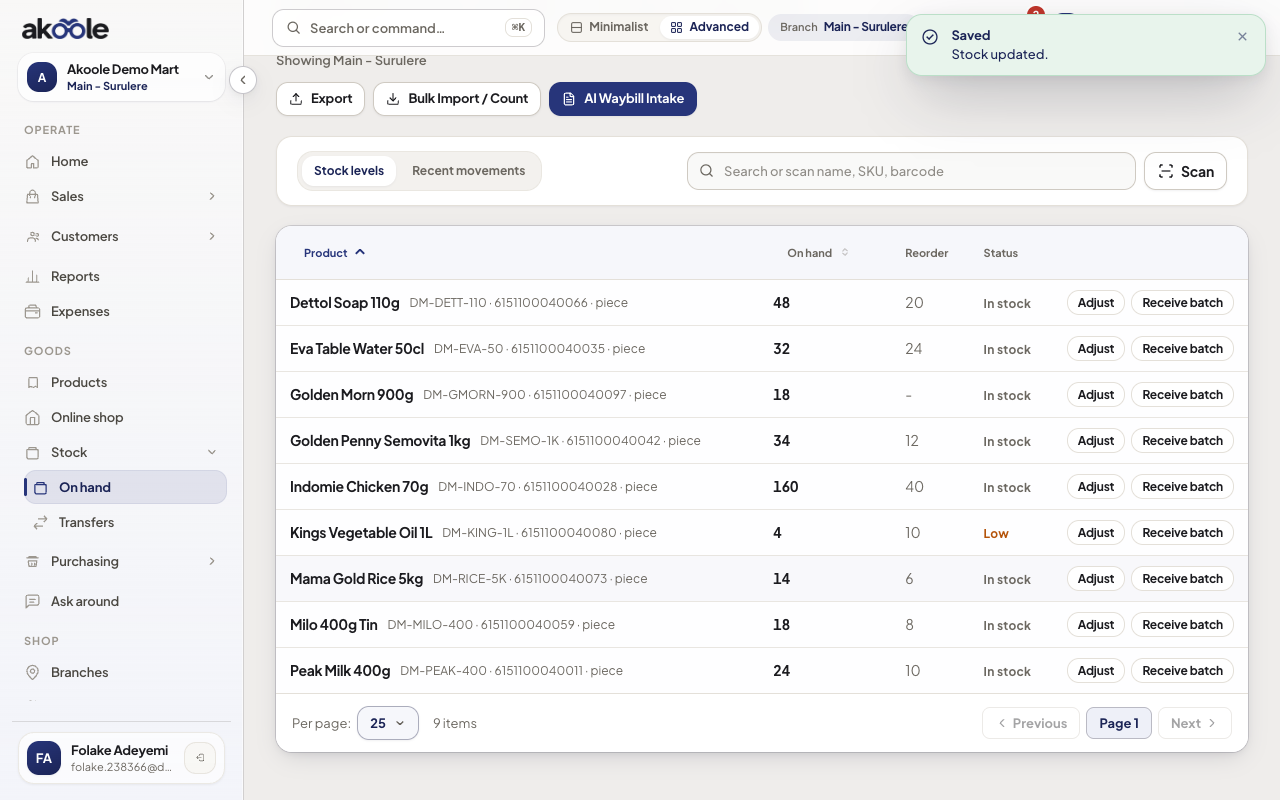
On-hand matches the shelf. Movement list shows
opening_balancethen any later adjustments.Show screenshot
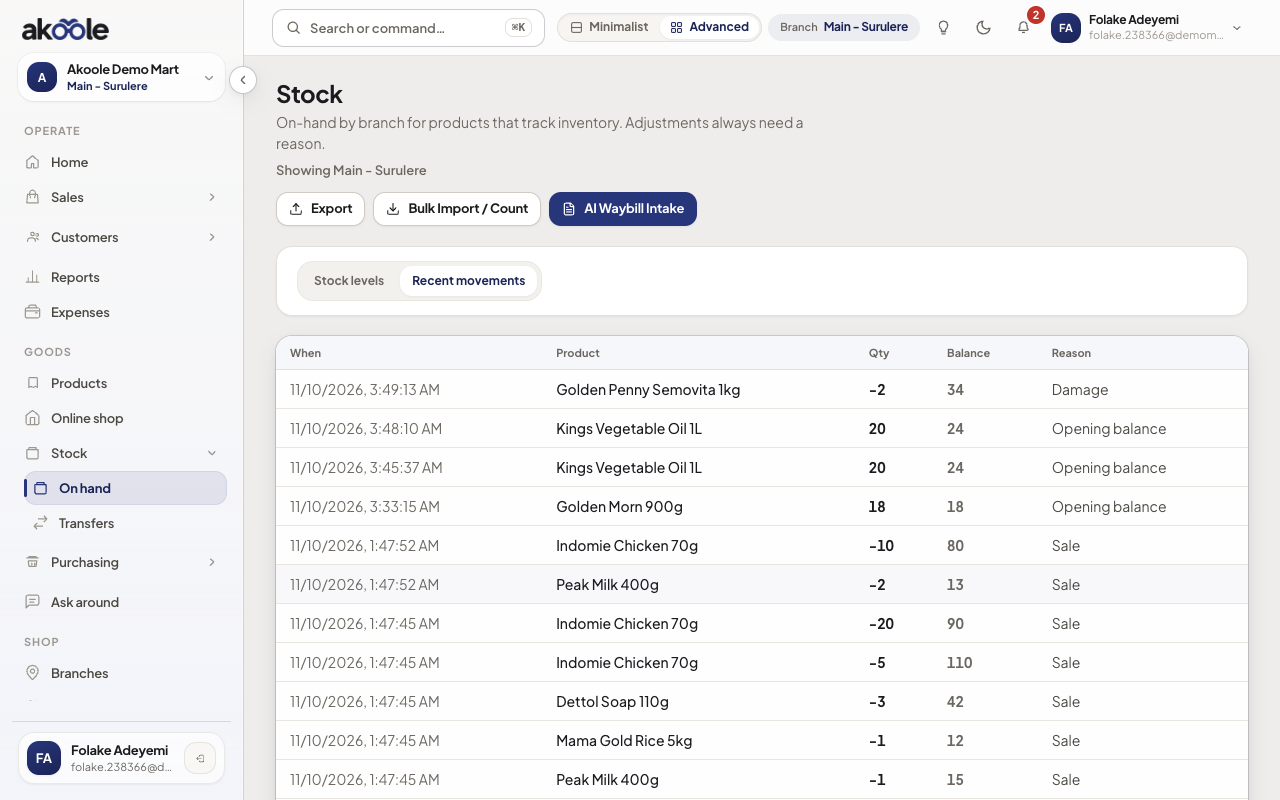
Movements with the opening balance and the damage adjustment
Show screenshot
If something goes wrong
Section titled “If something goes wrong”Double-counted opening
If you imported opening qty and also posted opening_balance, stock is doubled. Post a correcting adjustment; do not delete history.
Cashier wants to “just change the number”
That hides theft and error. Use adjustments with a manager. Cost stays hidden from Cashier either way.