

Recipes and bill of materials
You attach ingredients to a finished product so POS of that item consumes the BOM, not a mystery pack.
-
Open the finished product
Go to Products, open the finished SKU, and tap Recipe. The editor lives at
/catalogue/products/:id/recipe. -
Add ingredient lines
Add each ingredient product and the quantity consumed per one finished unit. Keep it one level - no nested recipes.
Show screenshot
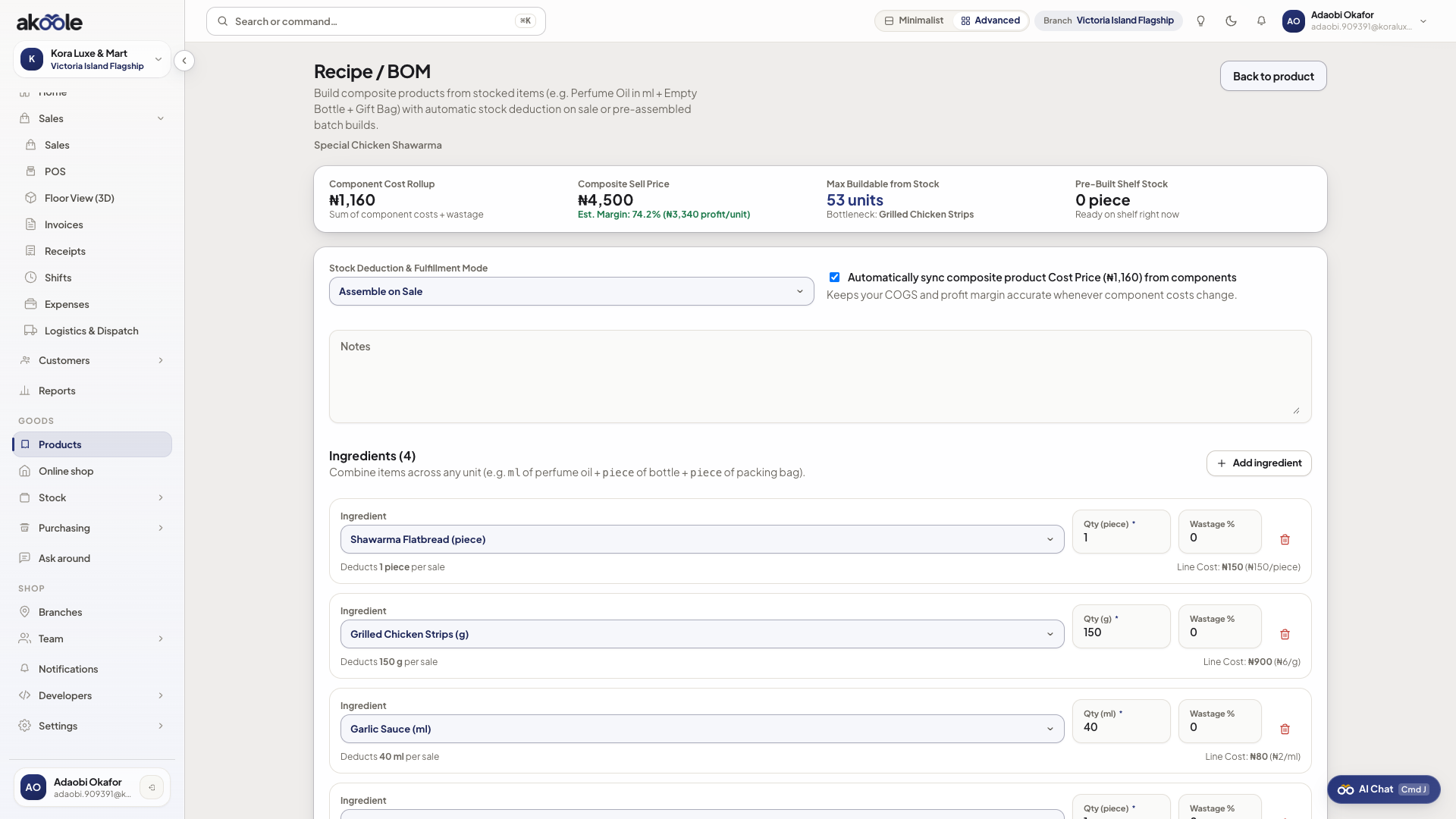
Recipe with ingredient lines and quantities -
Save the BOM
Save. Selling the finished item will pull those quantities from on-hand via inventory.
-
Sell one finished unit
On POS, sell the finished product. Ingredient on-hand should drop by the recipe quantities.
Show screenshot
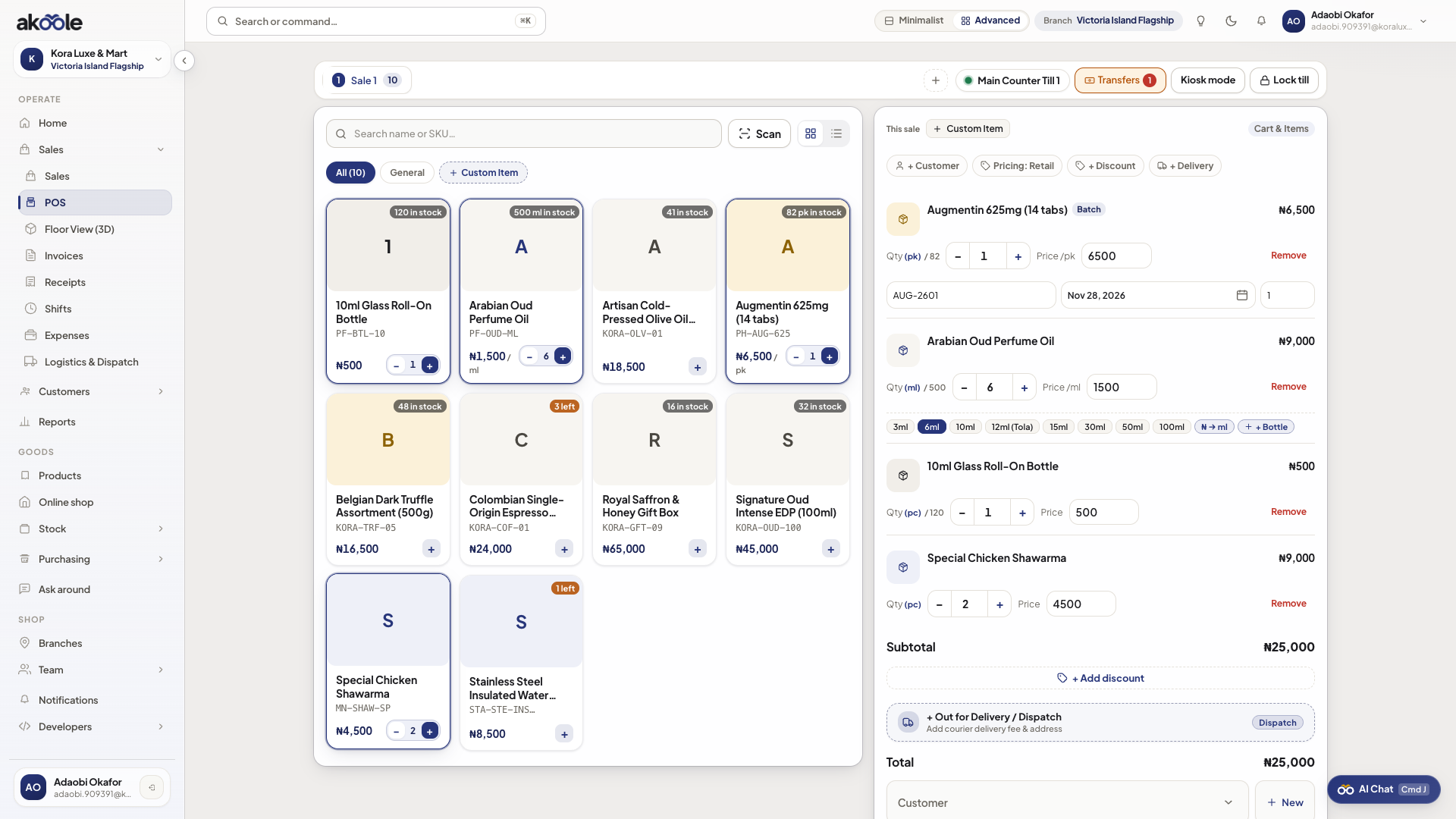
Selling a recipe item at the POS -
Confirm movements
On Stock, open movements for an ingredient. You should see the deduction tied to the sale.
If something goes wrong
Section titled “If something goes wrong”Cannot add an ingredient
That SKU already has a recipe. Akoole allows one-level BOM only. Use the raw ingredients instead.
Duplicate ingredient on the recipe
Combine quantities onto one line. The API rejects duplicate ingredient products on the same recipe.