

Soundbox transfer verification
Eliminate fake bank transfer alerts and counter delays by verifying customer bank transfers in real time directly on your POS register screen.
-
Select Bank Transfer at checkout
When ringing up a sale on the POS, click Charge and select Bank Transfer (or select transfer as part of a Split tender).
-
Display dynamic virtual account or QR code
Akoole displays a dedicated, dynamic one-time virtual account number (e.g. Wema Bank / Titan Trust Bank) matching the exact order total in NGN. The customer opens their mobile banking app and transfers the exact amount.
-
Instant Soundbox audio chime & visual confirmation
The instant the transfer clears the Nigerian Inter-Bank Settlement System (NIBSS), Akoole’s Pending Transfers Soundbox modal flashes green with an audible confirmation chime, showing:
- Payer name from the originating bank.
- Exact amount received.
- Unique bank session ID / reference.
Show screenshot
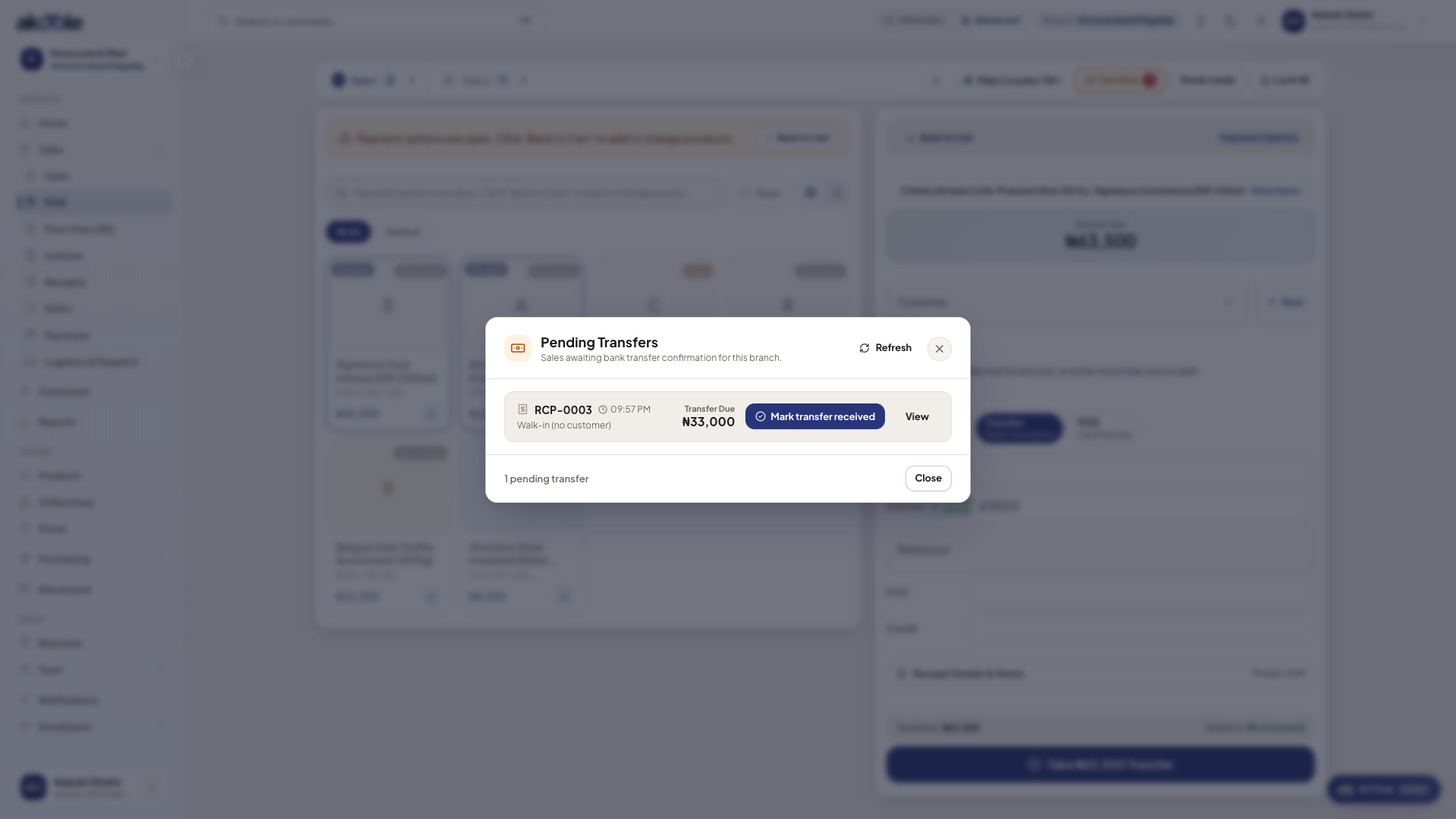
Confirming a transfer before completing the sale -
Complete the sale automatically
Click Confirm & Print (or enable auto-completion). The receipt prints immediately and stock deducts with zero manual risk.
Common problems & fixes
Section titled “Common problems & fixes”- Customer claims transfer left their account but screen hasn’t chimed: Check the Pending Transfers modal to review unallocated transactions, or verify the session reference with the customer’s bank debit alert.