

Show a product on the online shop
You publish selected products to {slug}.akoole.shop without putting every back-of-shop SKU online.
-
Find the product
Open Products and edit the SKU you want shoppers to buy online, for example Indomie.
-
Turn on Show on online shop
Enable Show on online shop (
storefront_visible). Archived or hidden products stay off the public shop even if they still sell at POS.Show screenshot
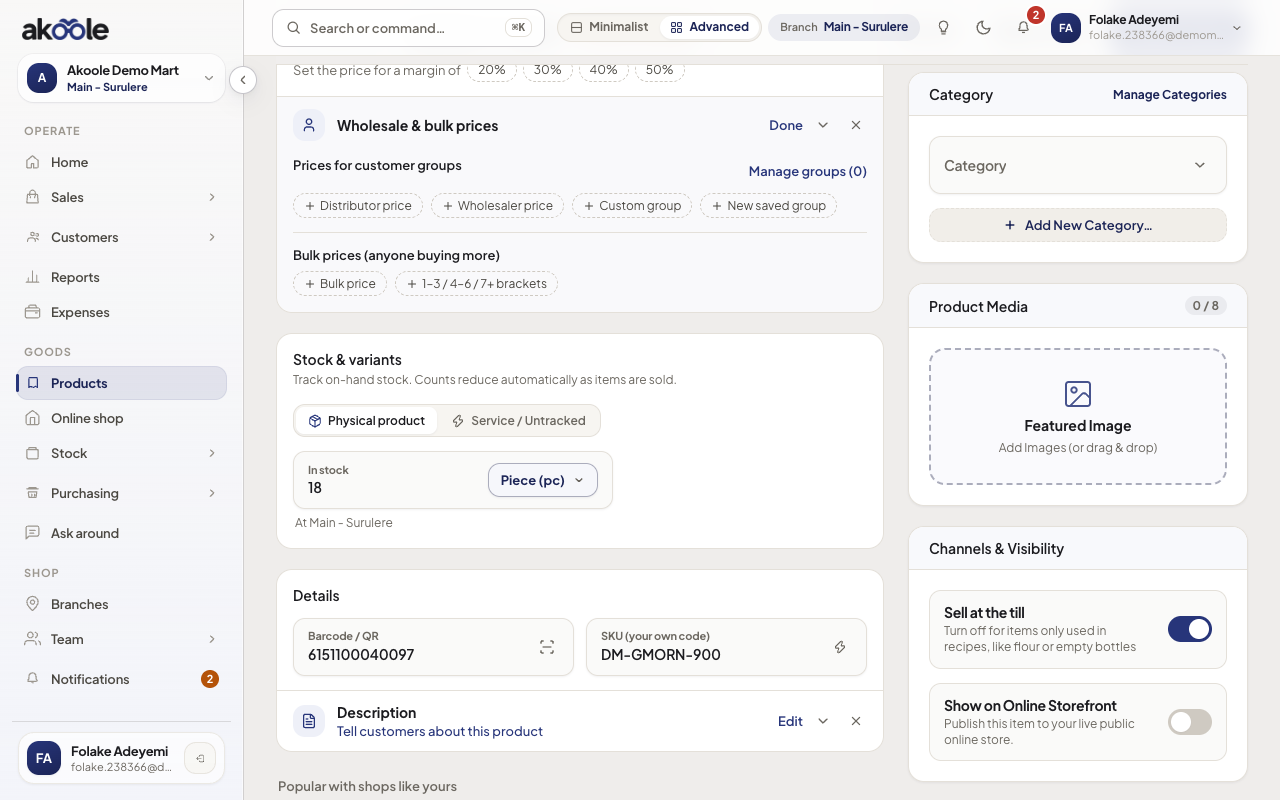
Channels and Visibility: show this product on the online shop -
Optional: bulk visibility
On Storefront → Products you can mark several SKUs visible at once. Respect published-SKU soft caps on your plan.
-
Check the public shop
Open your shop URL. The product should appear with photo, price, and variants. Counter-only SKUs stay off the site.
-
Hide it again if needed
Turn visibility off when a promo ends or stock is for walk-in only. POS is unchanged.
If something goes wrong
Section titled “If something goes wrong”Nothing on the public shop
Starter has no storefront. Upgrade to Growth, activate the shop, and set storefront_visible on at least one product.
Product online but out of stock
Inventory is still the truth. Restock or hide the SKU until you can fulfil WhatsApp or checkout orders.