

Shop custom domain
Staff host ≠ shop host. POS must never be served on the shop domain.
Buyers open shop.demomart.ng and never see a login for the till.
-
Open shop domain settings
/storefront/settings?tab=domain. Growth shops stay on{slug}.akoole.shoponly.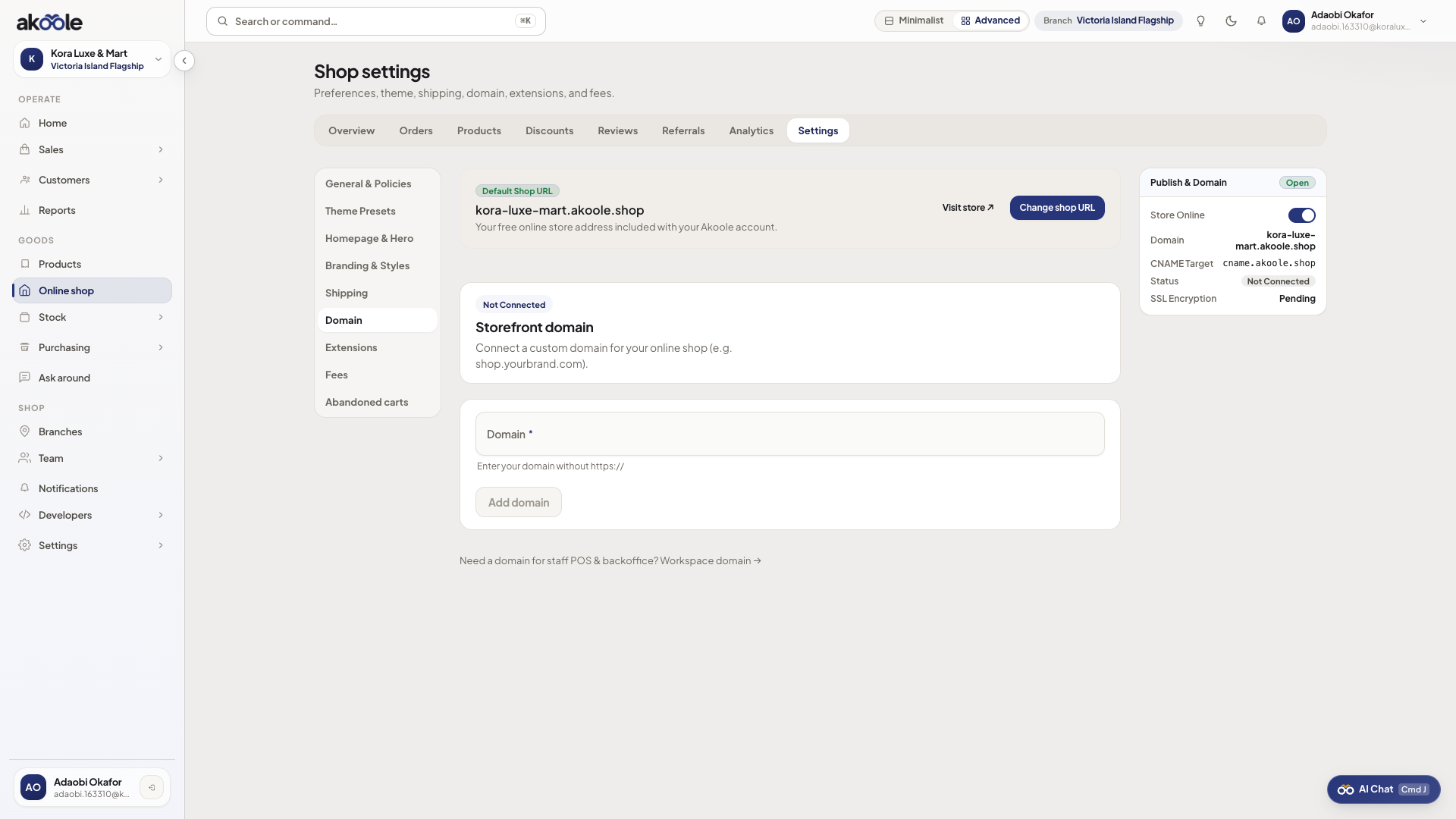
Custom domain for the online shop -
Add DNS
TXT
_akoole-shop-verify.{domain}=akoole-shop-verification={token}or CNAME toshop-cname.akoole.com. Do not point this record at the staff app. -
Wait for SSL
Akoole verifies and provisions HTTPS. Until verified, keep sharing the
.akoole.comURL. -
Confirm as a buyer
Open
https://shop.demomart.ng. You should see the catalogue, not/login. Staff still useapp.akoole.comor the staff custom domain.
If something goes wrong
Section titled “If something goes wrong”CNAME to staff host
Wrong. Shop CNAME goes to shop-cname.akoole.com. Staff domain is Organisation settings.
Growth plan
Upgrade to Business for shop custom domain.