

Pharmacy batch and expiry
You never sell an expired pack, and cashiers are nudged toward the batch that expires first (FEFO).
-
Enable batch + expiry
On the medicine product (for example Paracetamol 500mg), set tracking to batch and expiry.
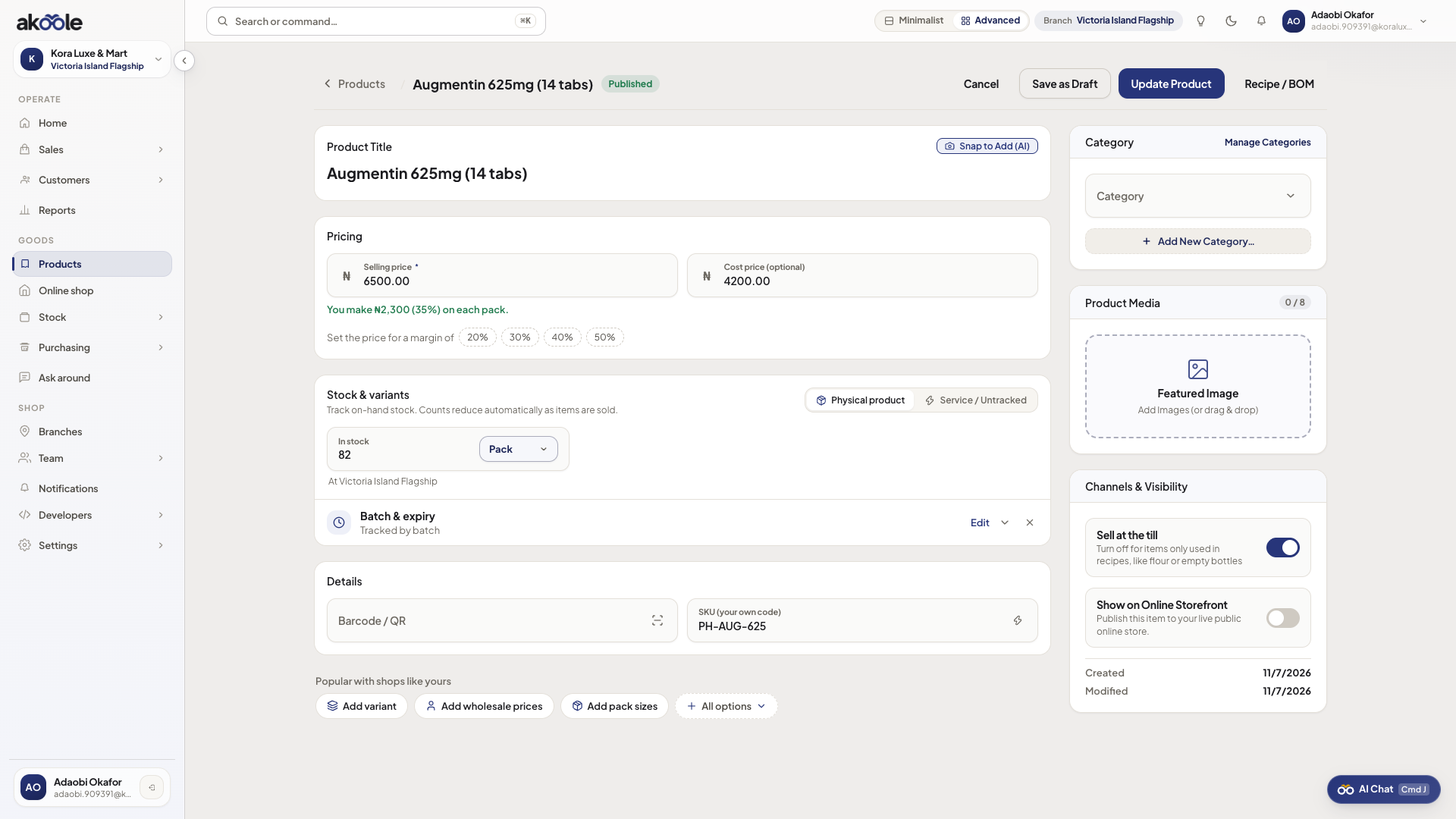
Product tracked by batch and expiry date -
Receive with batch data
When you take opening stock or a GRN, enter batch number, expiry date, and quantity. Do not mix batches on one line.
-
Watch near-expiry
Stock and home alerts surface batches inside your expiry window so you can discount or return to the supplier.
-
Sell with FEFO hint
At POS, pick or confirm the batch. Akoole hints the earliest expiry so you do not sell a later batch first.
Show screenshot
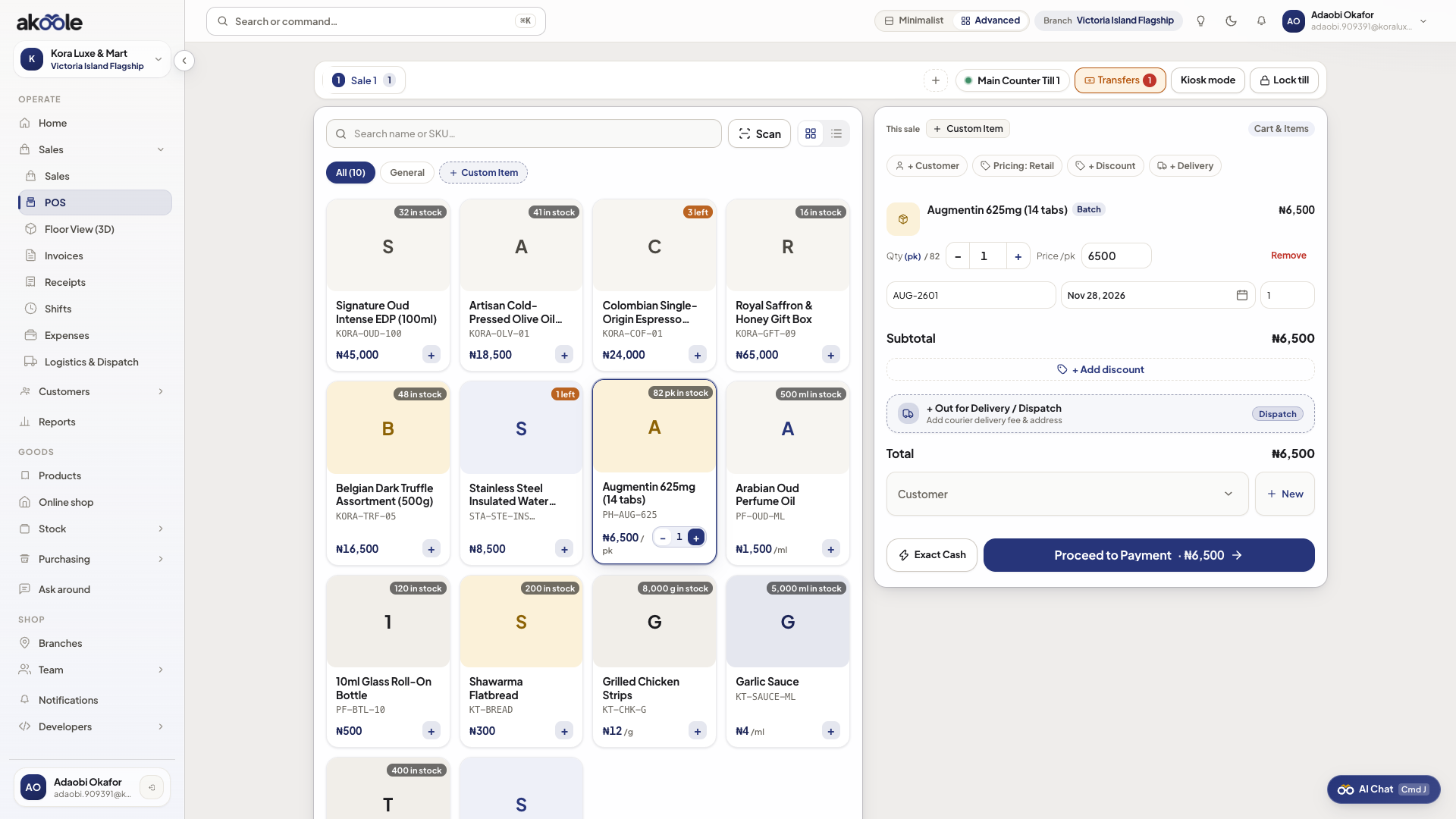
POS picking the batch that expires first (FEFO) -
Confirm the receipt
The receipt can show batch/expiry where required. Movements keep the batch identity.
If something goes wrong
Section titled “If something goes wrong”Cannot sell without a batch
That is the point. Receive the pack with batch/expiry first, or you are flying blind on NAFDAC-style shelf life.
Feature missing on Starter
Upgrade to Business for pharmacy batch/expiry and electronics serials.