

WhatsApp reminders
Chase Adewale with a templated WhatsApp that includes balance and pay link - not a broadcast from your personal phone.
-
Start from the debt, not a blast list
Open the invoice, ageing row, or profile. One conversation per customer keeps the book and the chat aligned.
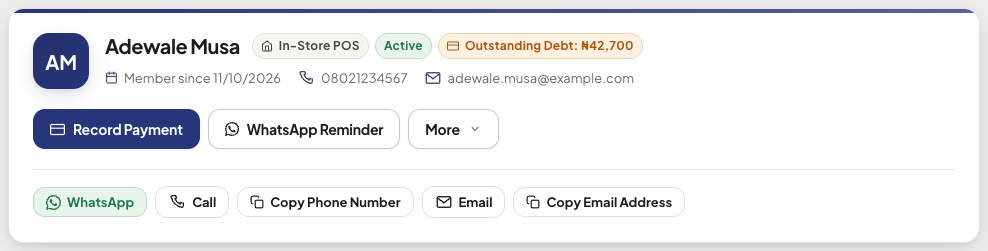
Customer profile with WhatsApp Reminder next to Record Payment -
Send the template
Akoole fills greeting, balance, and a public pay link. Manual send from here uses the same pay button as the 09:00 scheduled reminders (T-3 before due when payment terms are set, then 7/14/30/60 past due). Shop WhatsApp only - not unofficial bulk tools.
Show screenshot
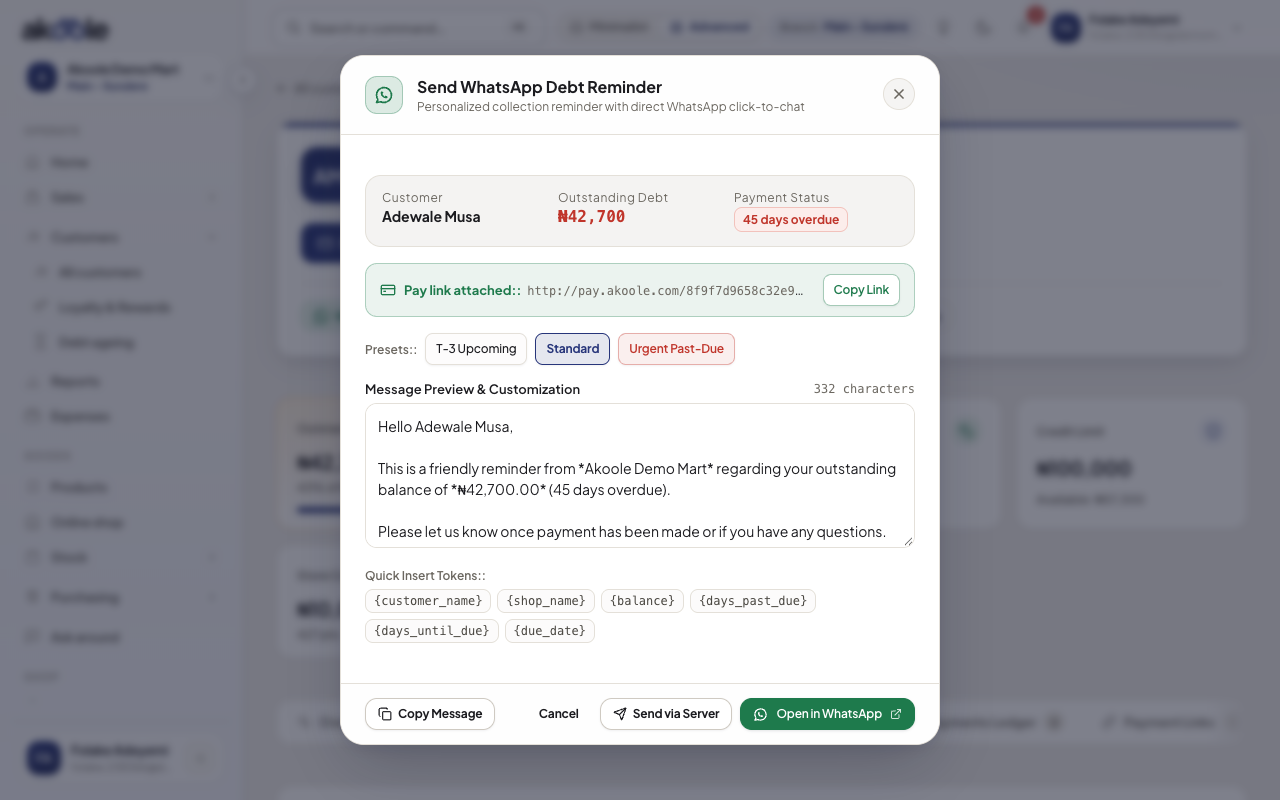
WhatsApp reminder preview with the balance and a pay link -
Stop when they are current
After a full collect or pay-link settlement, do not keep sending. Ageing empty = stop.
-
Respect night hours
If quiet hours ship, reminders wait until morning WAT. Until then, do not chase people at 11pm from your private WhatsApp either.
If something goes wrong
Section titled “If something goes wrong”Starter plan
WhatsApp documents are Growth+. Upgrade or send the PDF another way.
Wrong number
Fix the profile phone. Templates go to whatever is stored.