

Logistics and waybills
Hand a Gokada or in-house rider a waybill for a Surulere drop and mark it delivered.
-
Open logistics
Go to Logistics (
/logistics). Tabs: dispatches and riders.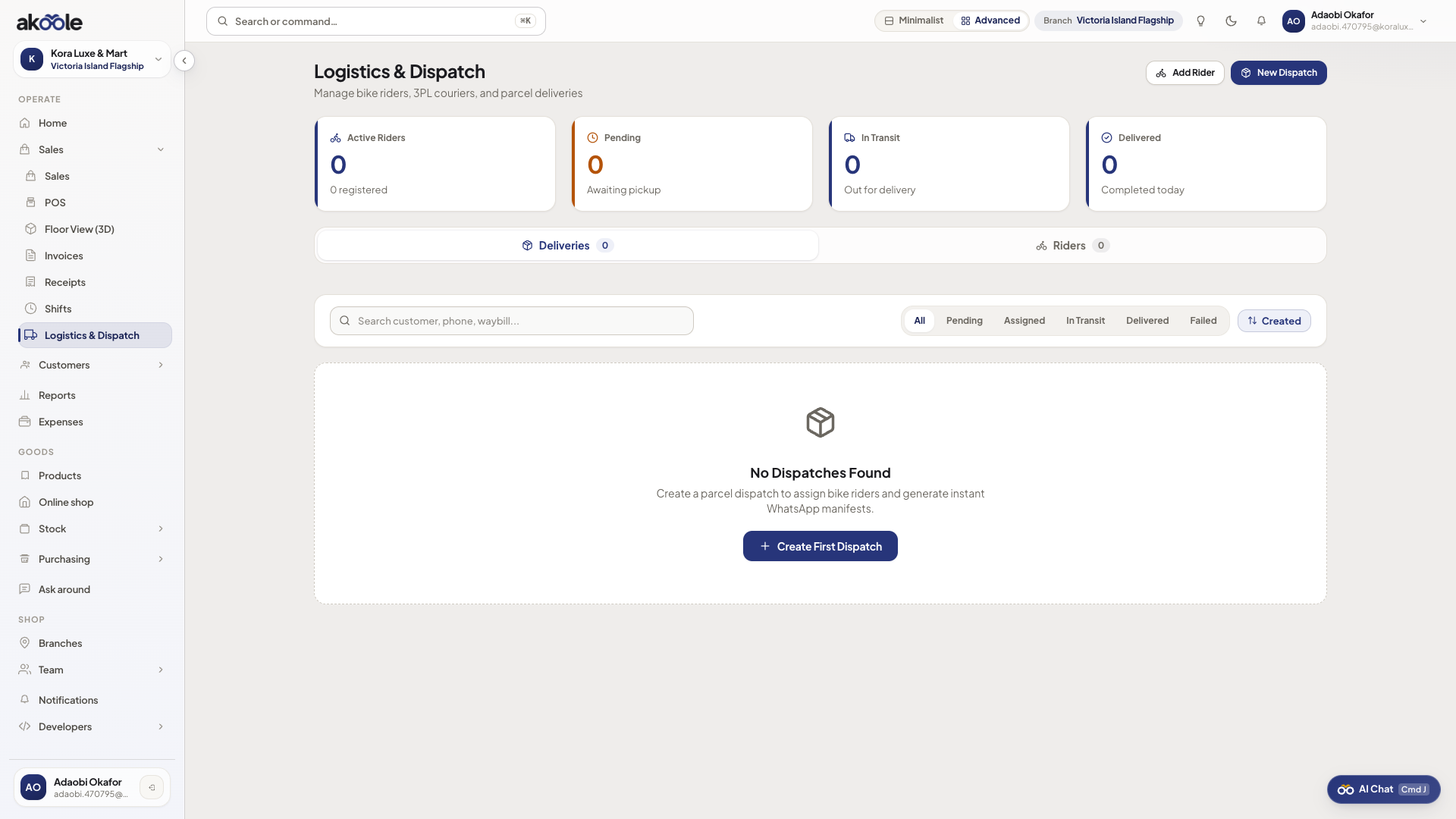
Logistics and Dispatch with riders, deliveries and New Dispatch -
Add a rider
On Riders, add name, phone, and vehicle type (bike/van). This is your dispatch book, not a public courier marketplace.
Show screenshot
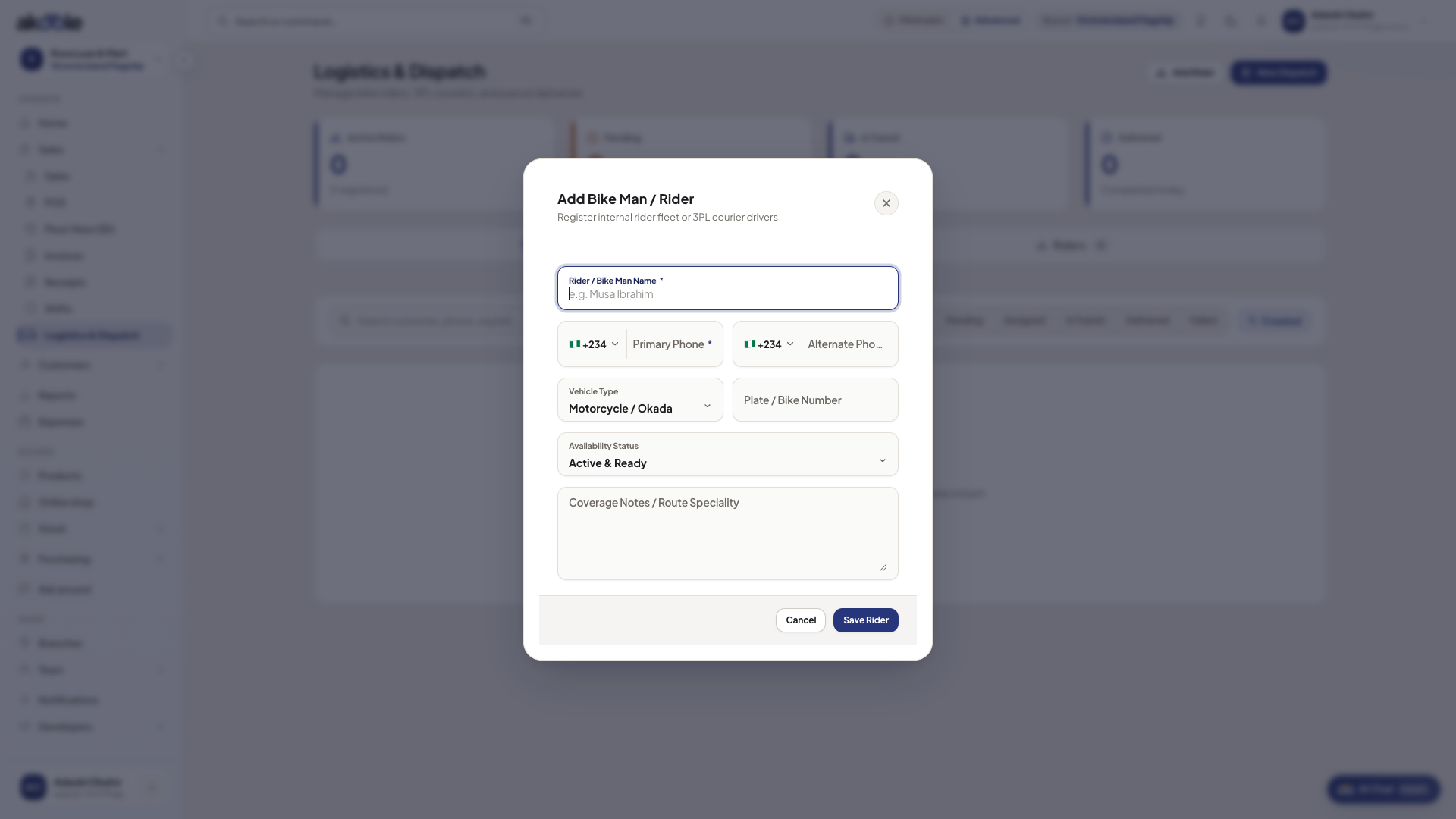
Add rider form -
Create a dispatch
New dispatch: pick the sale/order, drop-off area (Surulere streets), rider, and fee if the customer pays delivery.
Show screenshot
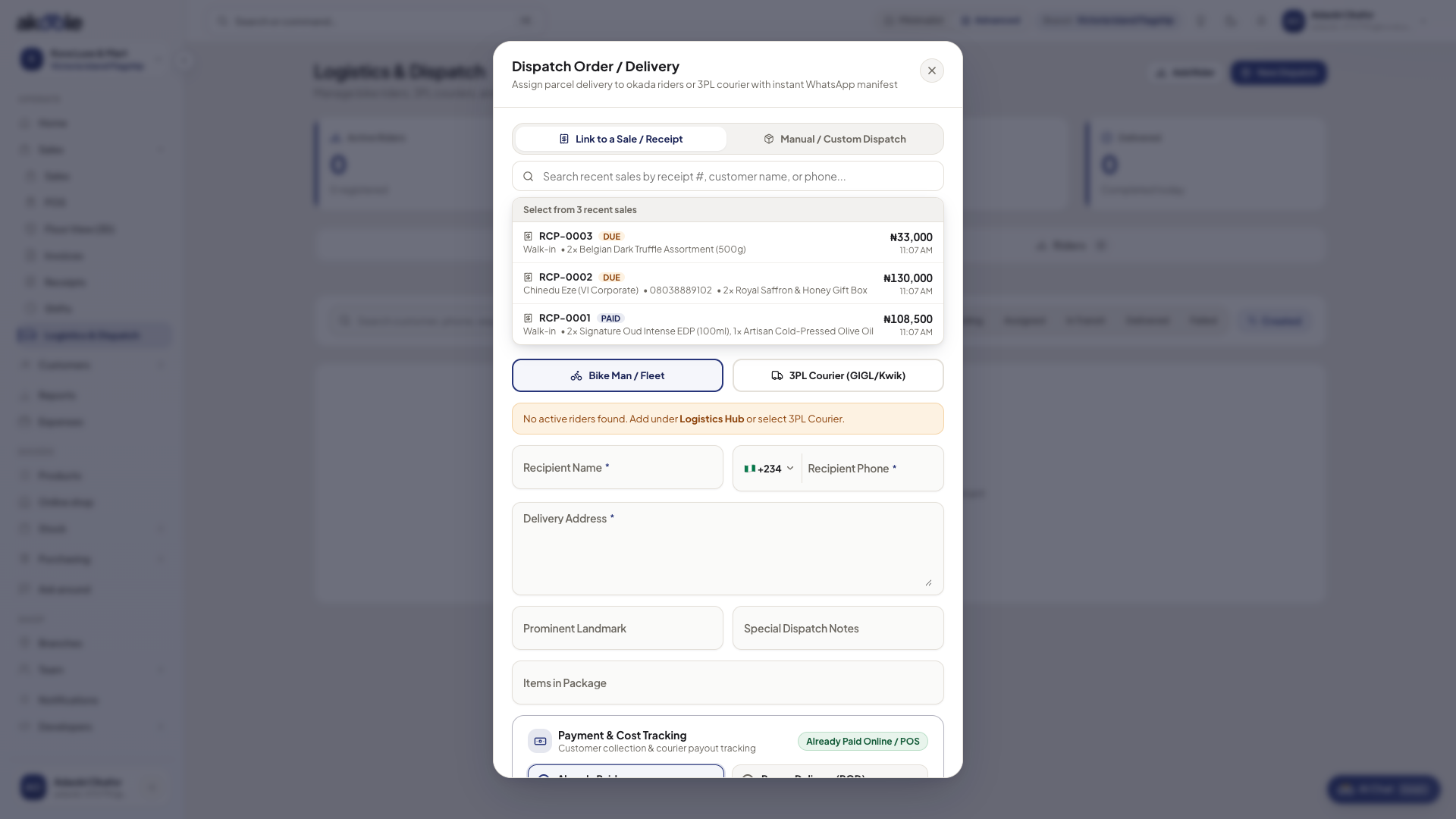
Dispatch dialog linking a recent sale, with rider or 3PL courier and delivery details -
Print waybill
Print the waybill slip for the rider’s pouch. WhatsApp the customer the rider’s phone if you use that workflow.
-
Mark delivered
When Tunde confirms, update dispatch status. Online order fulfillment should match - do not leave the shop “unfulfilled” if the bike already dropped.
If something goes wrong
Section titled “If something goes wrong”No order to pick
Complete the sale or online order first. Logistics does not create stock.
Rider cash not in the till
Delivery fees you collect must still be recorded as tender or expense policy - waybill print is not a cash drawer.