

Quick-measure and containers
Ring up fractional and measured quantities accurately-such as perfume oils by the milliliter or tola, textiles by the yard, and foodstuffs by the derica or mudu-along with physical packaging containers.
-
Tap a measured product on POS
Tap any item marked with fractional units (e.g. Arabian White Oud Oil). Instead of adding 1 unit blindly, the Quick-Measure modal pops open.
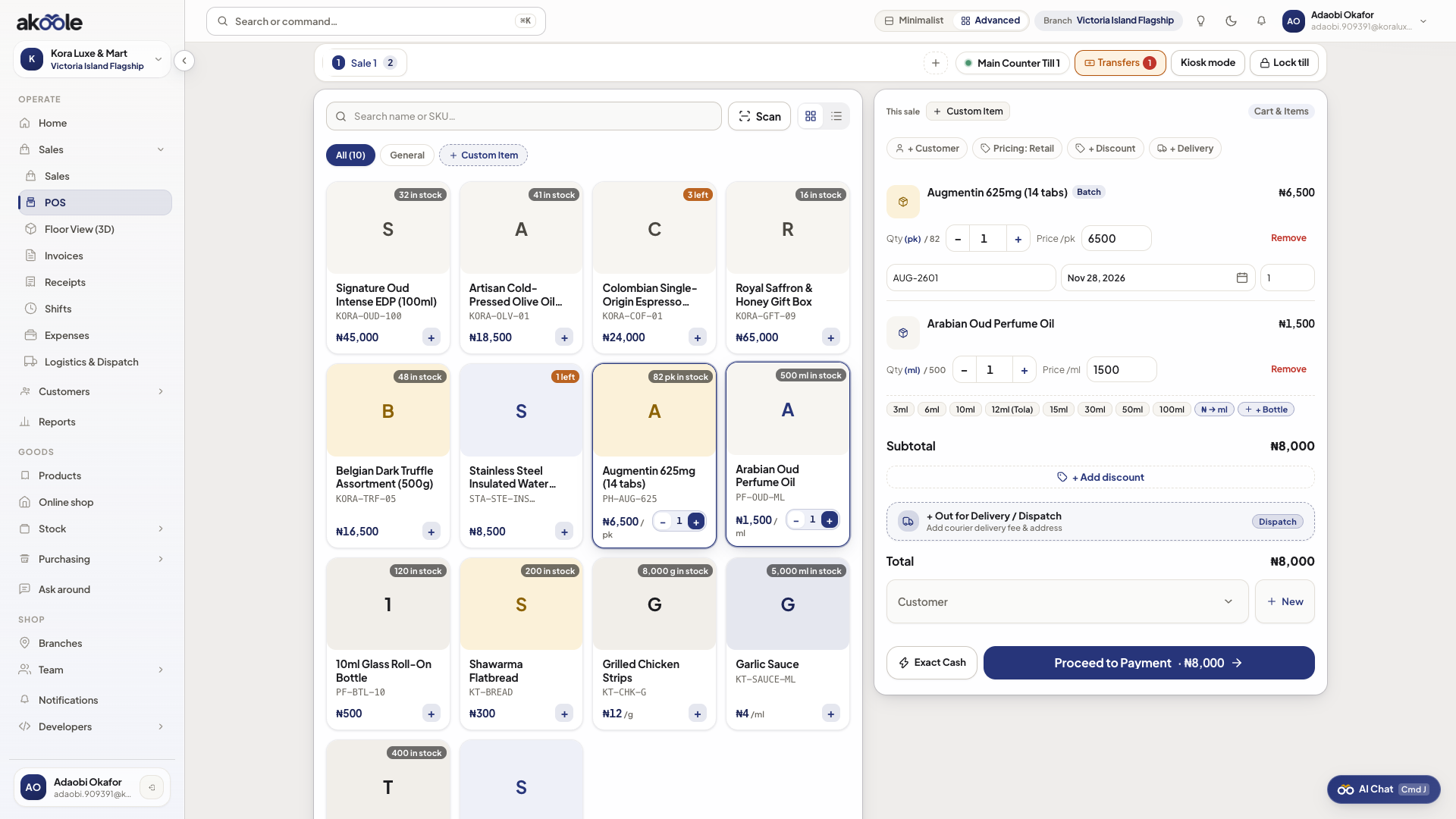
Quick-measure presets for selling by volume -
Select a preset or enter a custom amount
- Liquids / Oils: Tap preset chips (
3ml,6ml,12ml,1 Tola = 11.66g) or type custom milliliters. - Textiles / Fabrics: Tap
Half Yard,1 Yard,2 Yards,6 Yards (Full Piece). - Grains / Provisions: Tap
Half Derica,1 Derica,1 Mudu,1 Painter Bucket.
- Liquids / Oils: Tap preset chips (
-
One-tap companion bottle / container prompt
If a companion container is linked (e.g. 12ml Octagonal Glass Bottle or Packaging Pouch), Akoole presents a single prompt: Add Container (+ ₦800)? Tap to bundle both items into the cart together.
Show screenshot
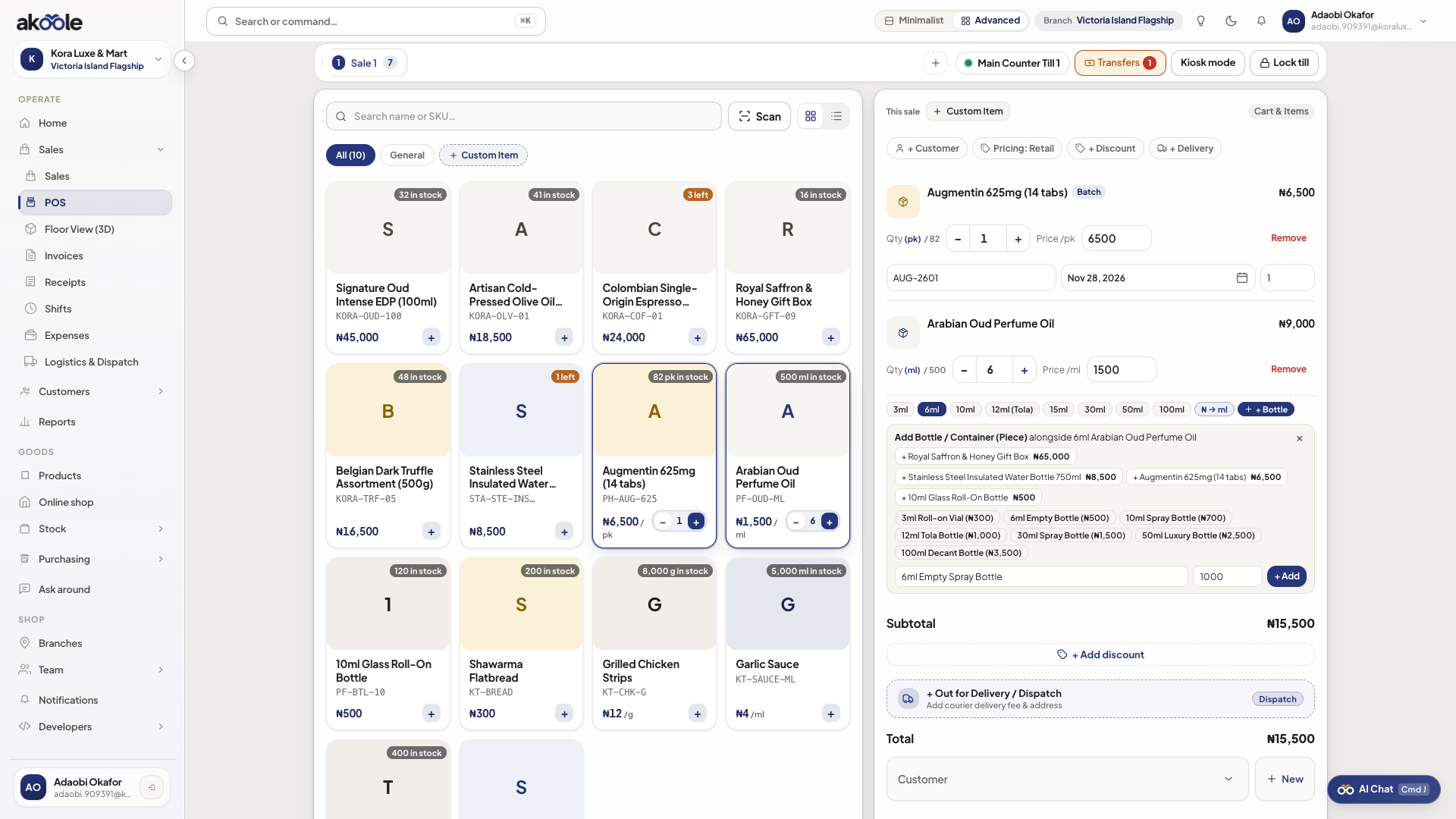
Companion bottle offered with a measured sale -
Verify cart deduction
The cart displays the exact measured quantity and line price, while inventory tracks the bulk liquid reduction and the physical container count simultaneously.
Common problems & fixes
Section titled “Common problems & fixes”- Customer brings their own bottle: Tap Skip Container in the prompt to sell only the liquid volume without adding a container charge.