

Customer wallet
Park a ₦10,000 overpayment or return as wallet, then spend it on the next till sale.
-
Open the wallet tab
Customer profile → Wallet. Balance is separate from credit (money they owe you). Wallet is money you owe them or they prepaid.
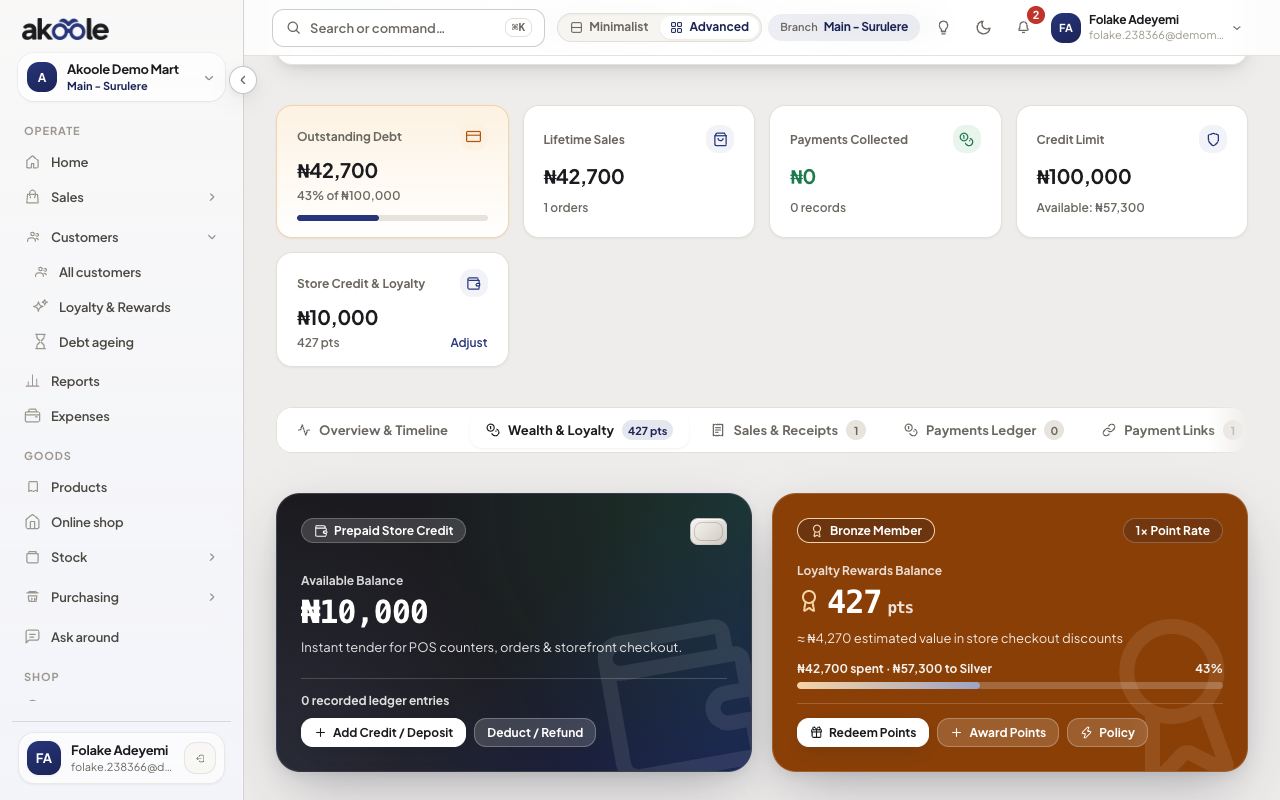
Adewale's Wealth and Loyalty tab: wallet balance and points -
Credit or debit with a reason
Adjust wallet (credit for overpay/return, debit only with a real reason). Every movement lists type: wallet_credit, refund_credit, sale redemption.
Show screenshot
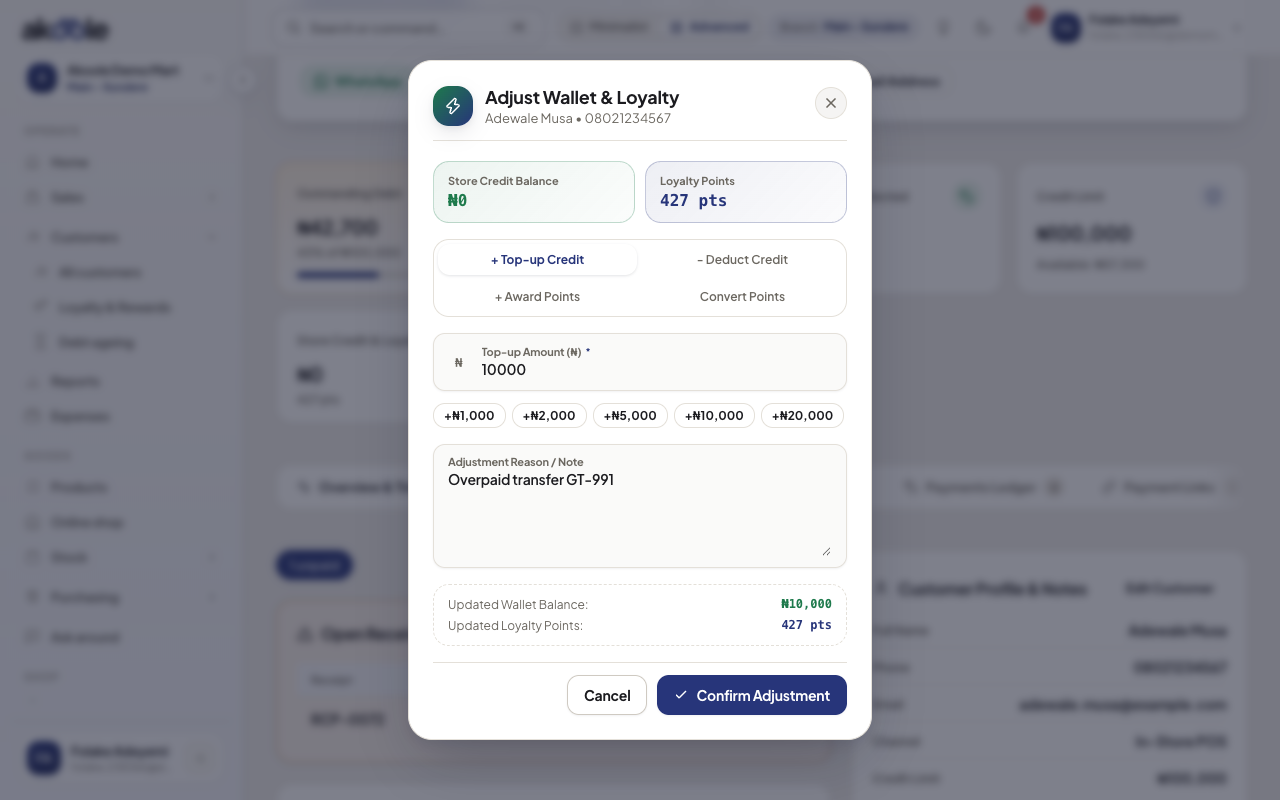
Adjust wallet: add ₦10,000 credit with a note -
Spend on the till
On POS, select the customer. Wallet tender shows available naira. You cannot tender more than the wallet.
-
Confirm the ledger
After checkout, wallet transactions show a sale redemption. Credit balance (the book) is unchanged unless they also paid debt.
Show screenshot
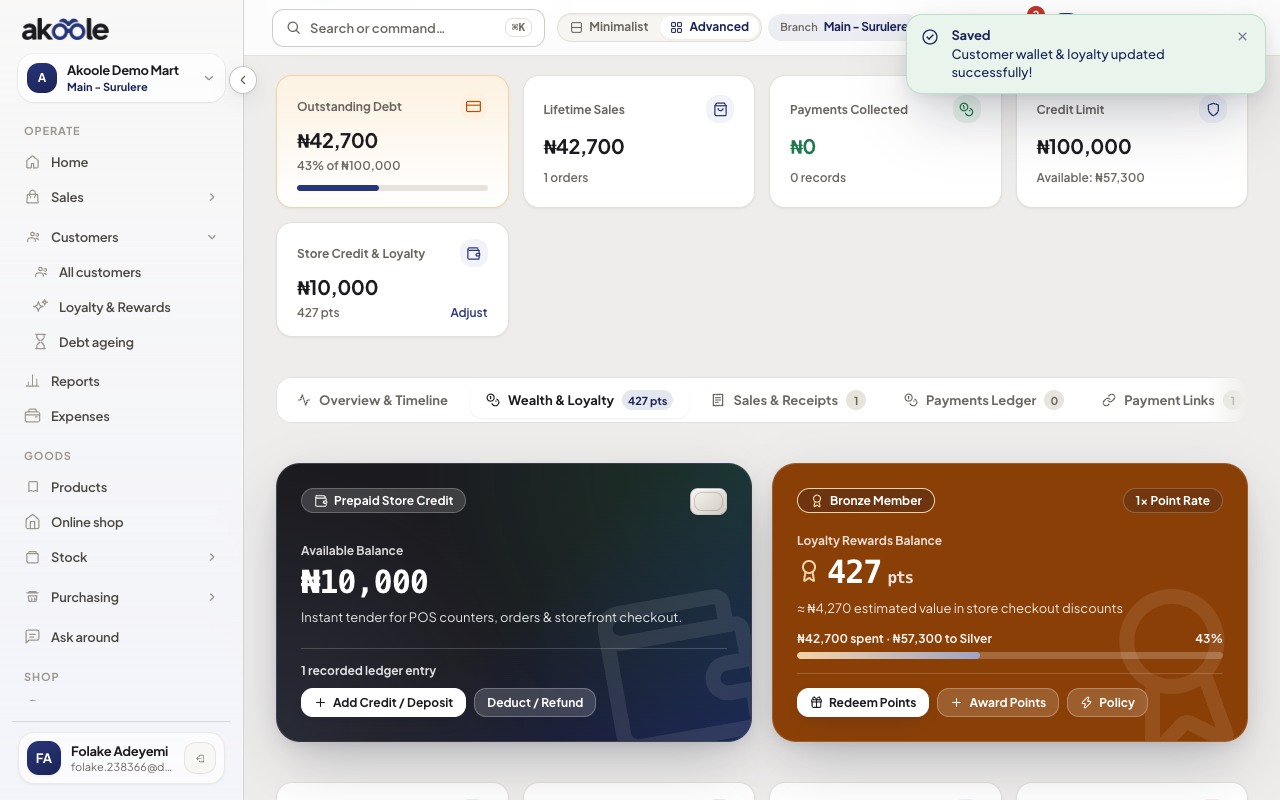
Wallet and loyalty tab with the ₦10,000 credit
Show screenshot
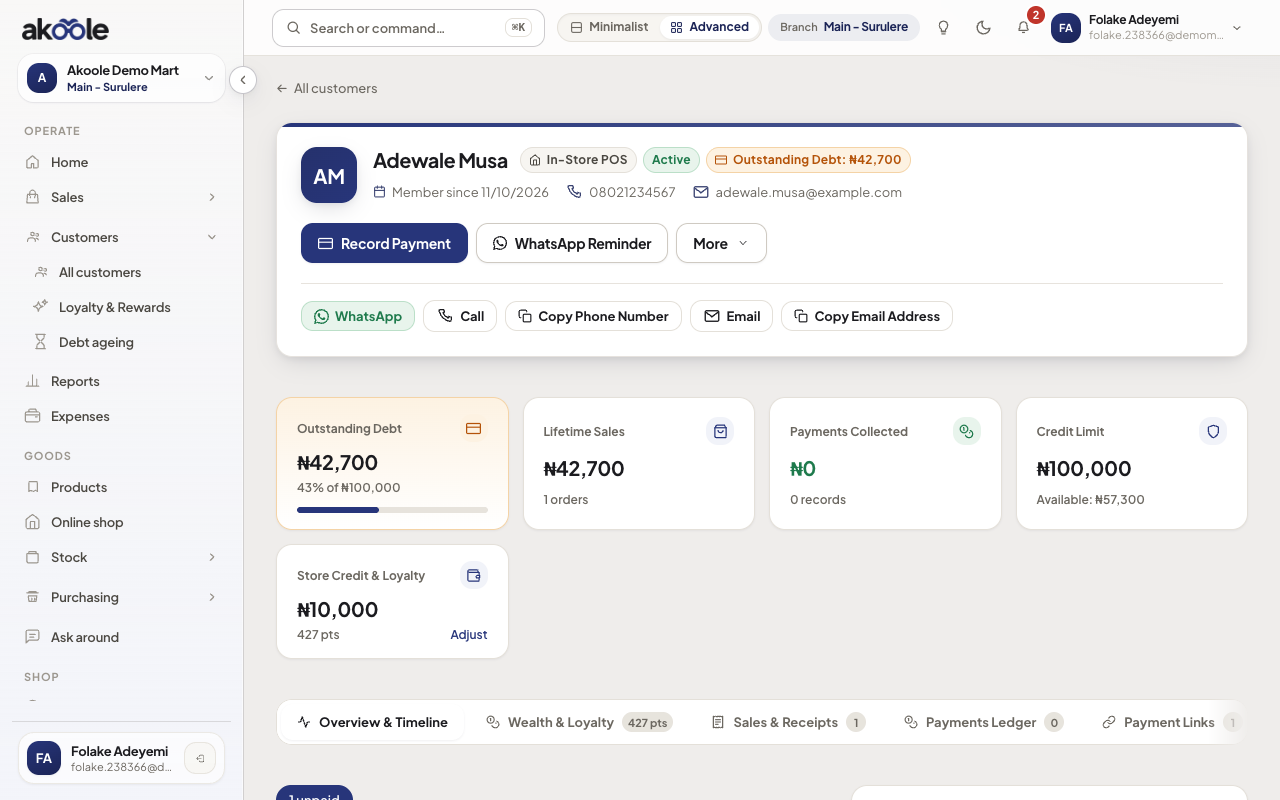
If something goes wrong
Section titled “If something goes wrong”Mixed up wallet and credit
Credit = they owe you. Wallet = you hold their naira. Collecting debt does not fill wallet.
Silent till discount instead of wallet
Use wallet or a documented discount. Informal “we go balance am” disappears from reports.