

Live store vs simulation
Understand how Floor View operates in Live Store Mode (reflecting real register transactions) versus Foot Traffic Simulation Mode (stress-testing queue capacities and shopper flows).
-
Observe Live Store Mode
By default, Floor View runs in Live Store Mode. As cashiers ring up sales on Everyday counter POS, red laser scan animations trigger at the corresponding till, conveyor belts move, and customer avatars queue up to checkout in sync with real receipts.
-
Switch to Foot Traffic Simulation
In the top-right controls of Floor View, toggle the mode switch from Live to Simulation.
-
Select traffic density
Choose from three pre-calibrated foot traffic presets:
- Quiet (Morning): 2 to 4 shoppers leisurely browsing aisles with minimal queue buildup.
- Normal (Mid-Day): Steady aisle movement with 1 to 2 shoppers waiting at each open till.
- Rush Hour (Evening / Weekend): Heavy customer volume, filled queues, and fast checkout pacing designed to reveal bottlenecks in register coverage.
Show screenshot
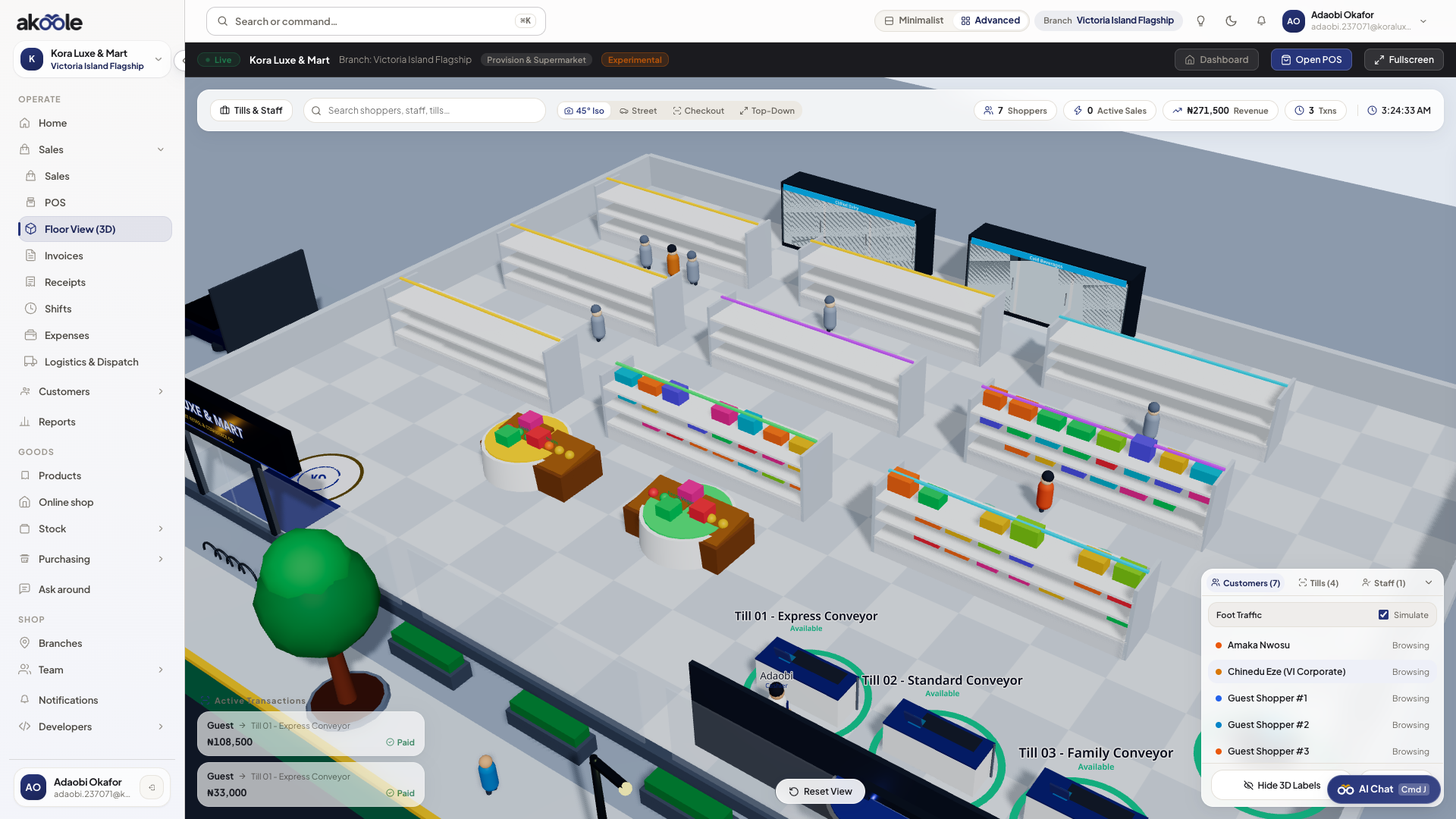
Foot traffic simulation on the Floor View -
Review queue bottlenecks
When queue lines exceed 3 avatars at a single till in Rush Hour simulation, the register indicator shifts from green to amber-alerting you that opening an additional register is recommended.
Common problems & fixes
Section titled “Common problems & fixes”- Avatars stop walking in simulation: Check that your browser tab has not been placed in background throttling by keeping the tab active.