

Receive goods (GRN)
Count the water cartons that actually arrived, post the GRN, and see Surulere on-hand jump by that count.
-
Open the PO
From Purchase orders, open the order. The receive form appears when status is ordered or partial and lines remain.
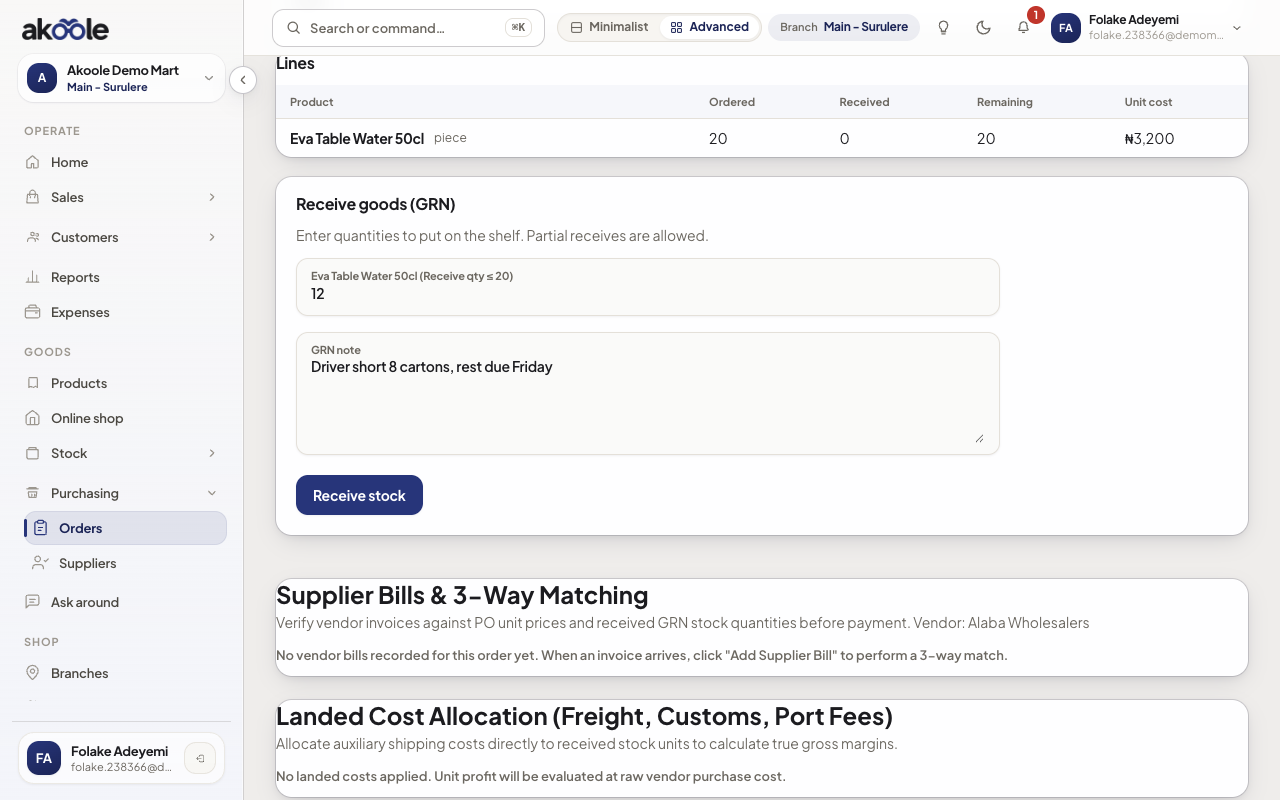
Receive goods (GRN): 12 of 20 received, with a note for the driver shortfall -
Enter counted quantities
Type what is on the floor, not what was ordered. Short-ships leave the PO open. Add a note (“3 cartons wet, rejected”).
-
Post the GRN
Submit. Inventory increases by received qty only. Cost policy updates from this receipt without rewriting historical sale COGS.
Show screenshot
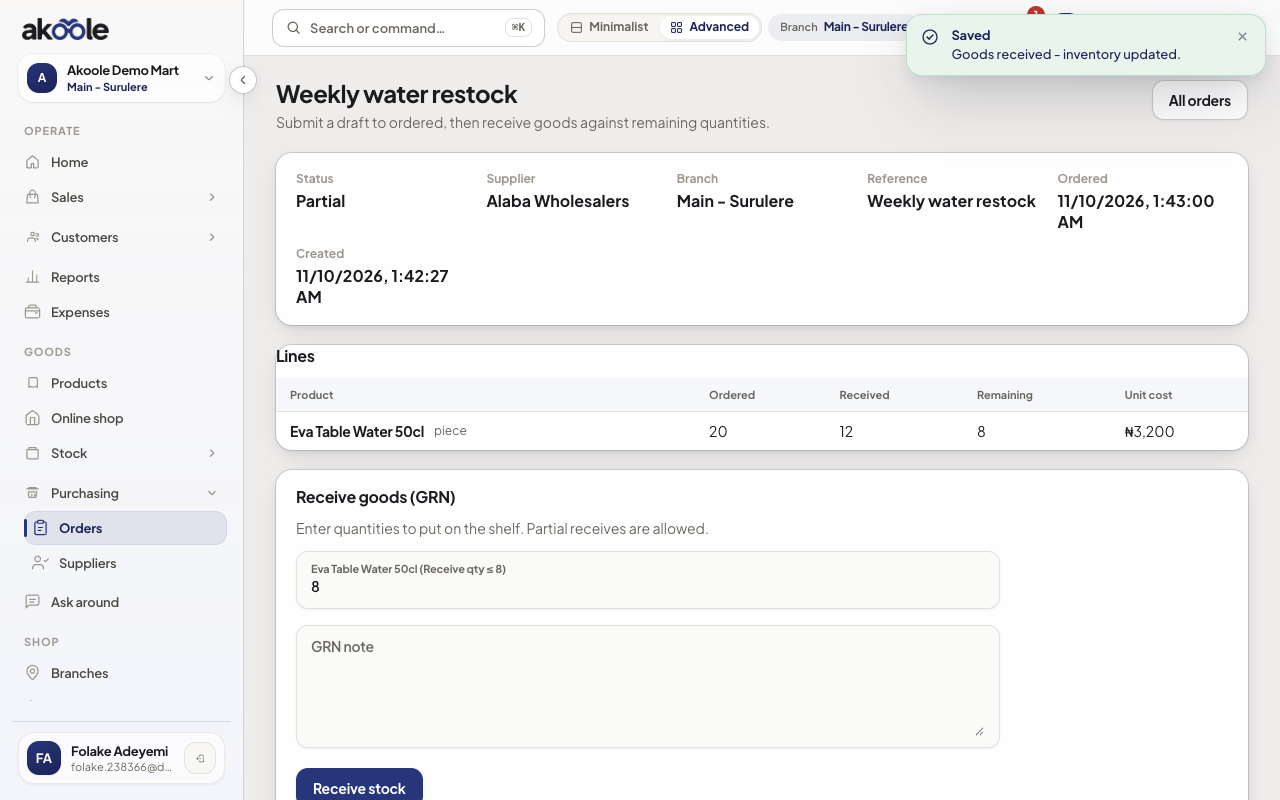
Purchase order after receiving: 12 received, 8 remaining, status Partial -
Check on-hand
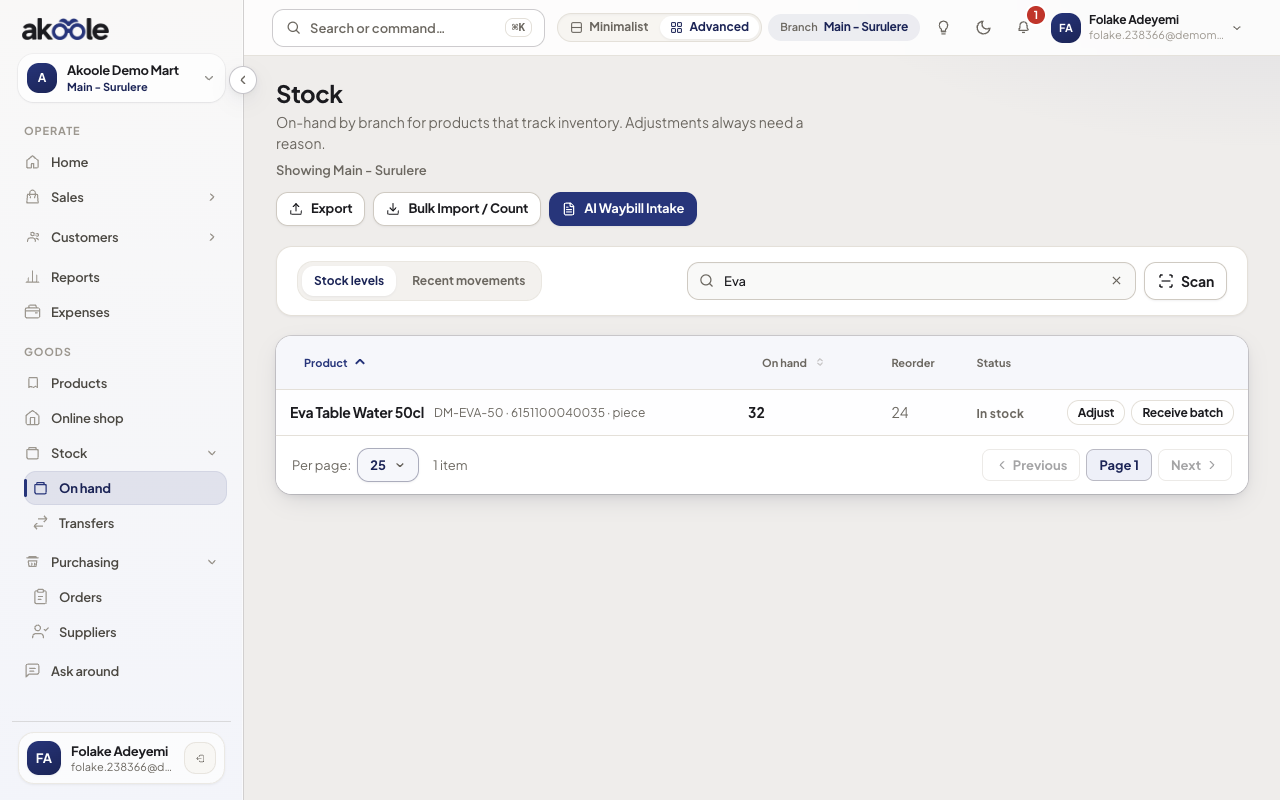
Open Stock for the product at Surulere. Movement type should show the GRN, not a manual adjustment.
Show screenshot
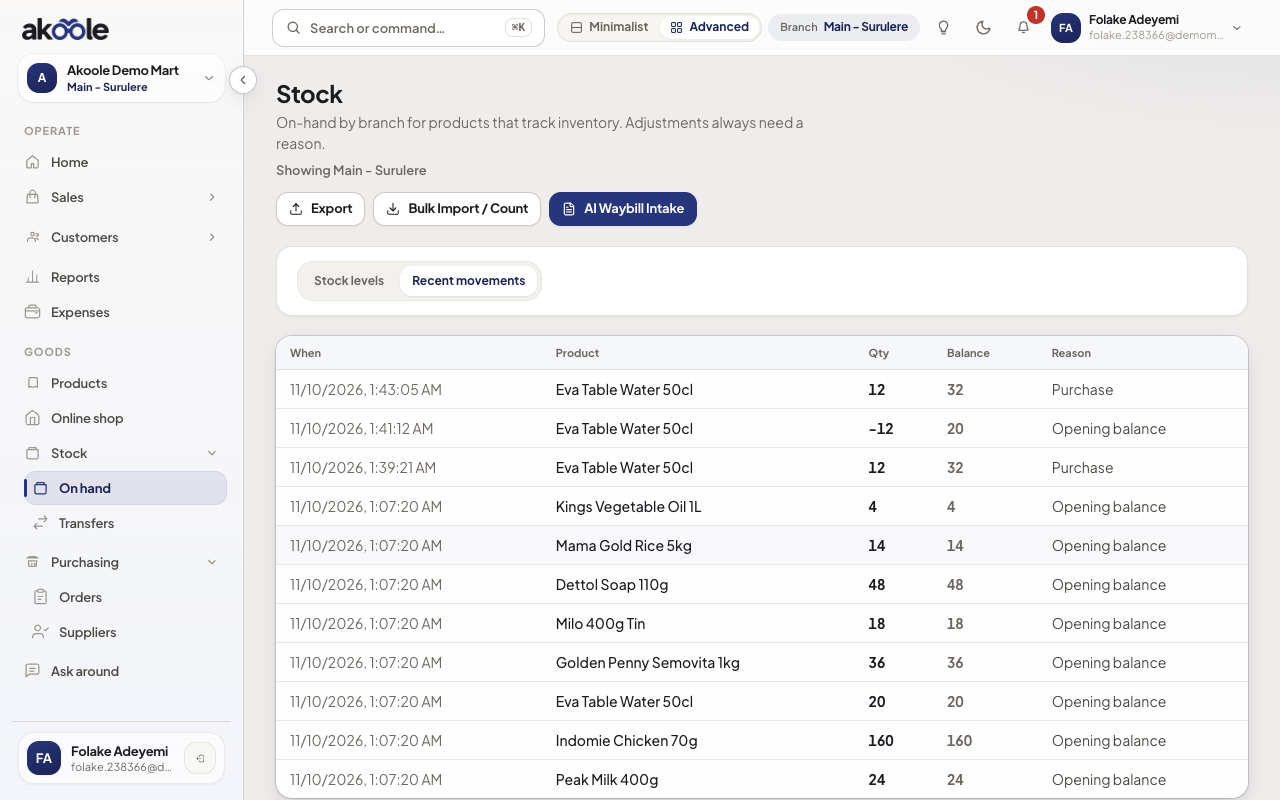
Recent stock movements with the purchase receipt of 12 at the top
Show screenshot
If something goes wrong
Section titled “If something goes wrong”No receive form
PO still draft, already fully received, or you lack purchasing.receive.
Posted the ordered qty by habit
Do a stock adjustment only if you truly overstated; better to receive the true count next time.