

Billing
Open Billing, understand trial vs paid, check out with Paystack (or the configured provider), and cancel only when you mean it.
Before you start
Section titled “Before you start”Owners only. Managers cannot subscribe. Customers paying you at POS never see this page.
- Your email is verified. Checkout and cancel are hard-gated.
- Have a card, bank, or USSD method the checkout page accepts (NGN).
- Know which plan you want.
-
Open Billing
Go to Billing (
/billing). You see current plan, status (trialing, active, past due, cancelled), period dates, and the plan cards. A?promo=link from marketing is remembered.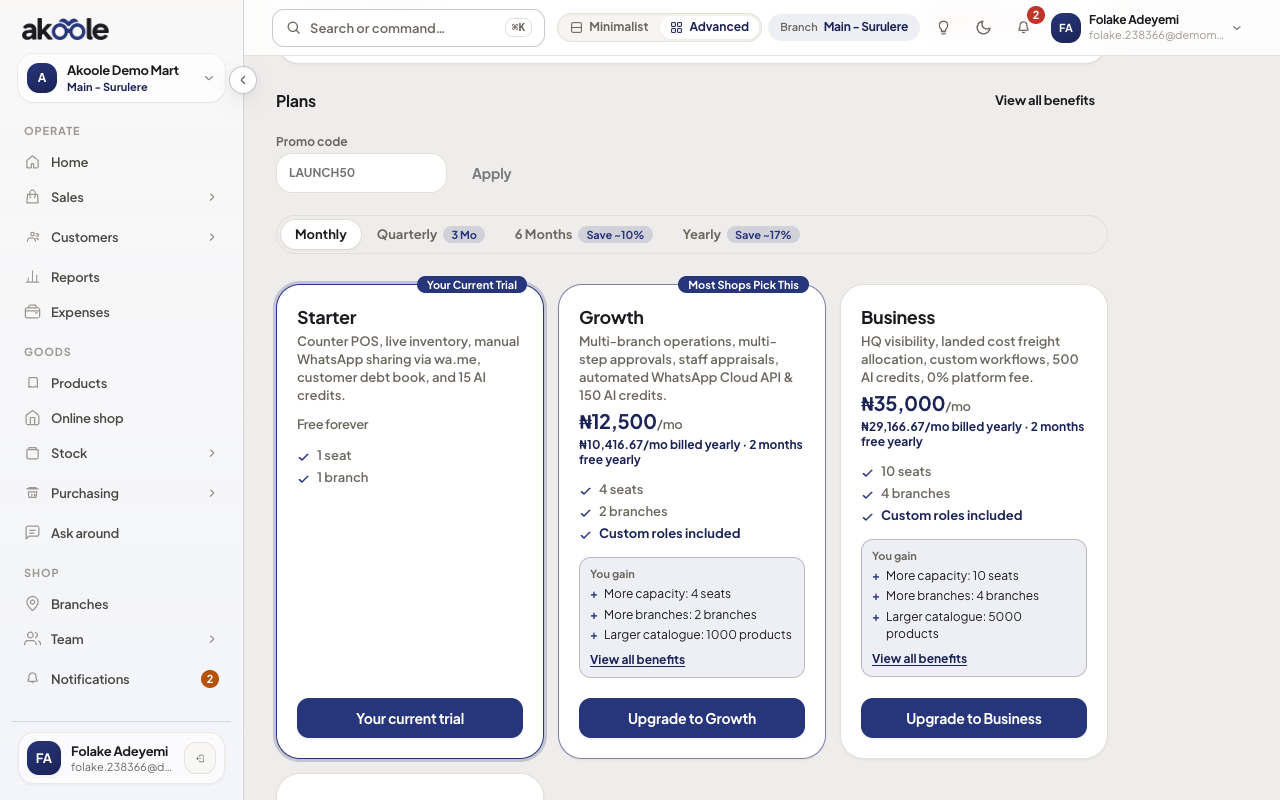
Billing overview on a Starter trial, plans priced in naira -
Read status, not POS
This is what you pay Akoole. Customer cash, transfer, and POS tenders are a different flow. Mixing them is the most common confusion on this page.
Show screenshot
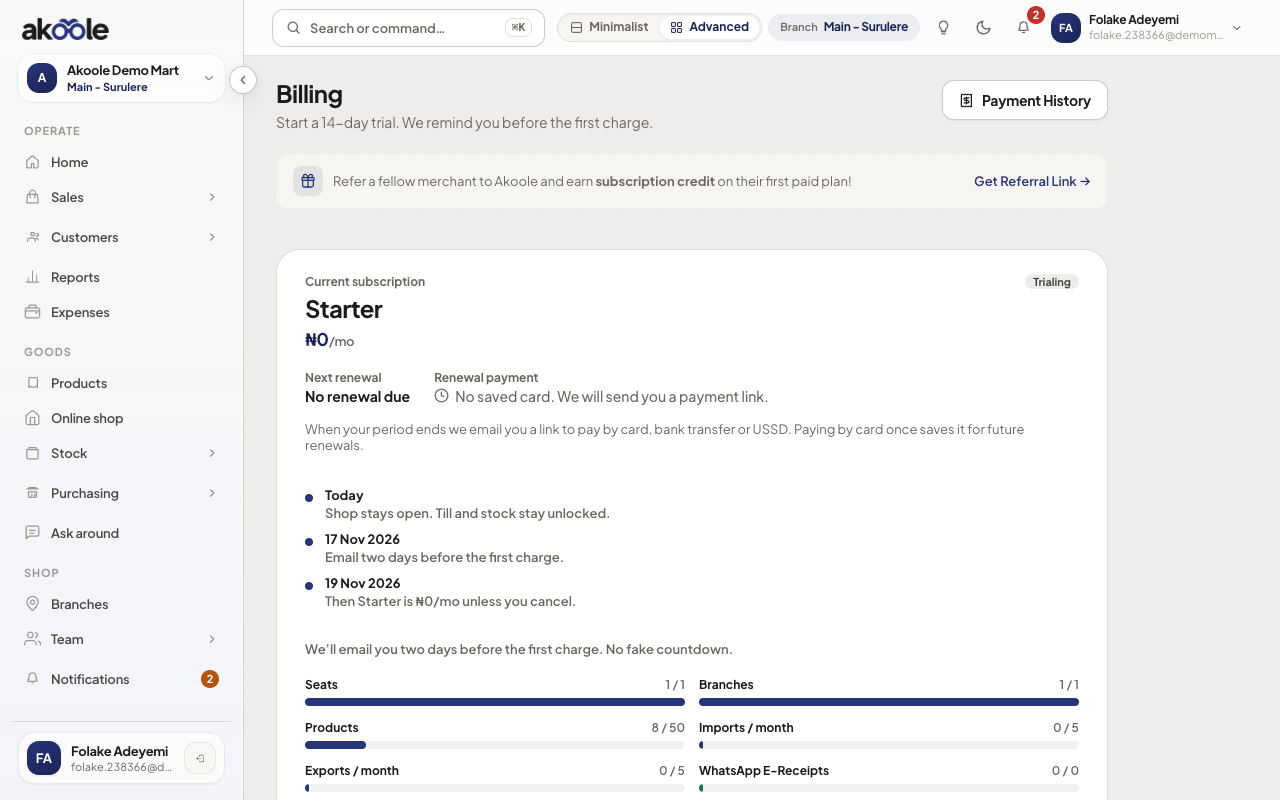
Subscription status: Starter trial and when it ends -
Promo code (optional)
Enter a code and apply. Quoted NGN updates per plan. Invalid codes show an error; the form will not leak other shops’ deals.
Show screenshot
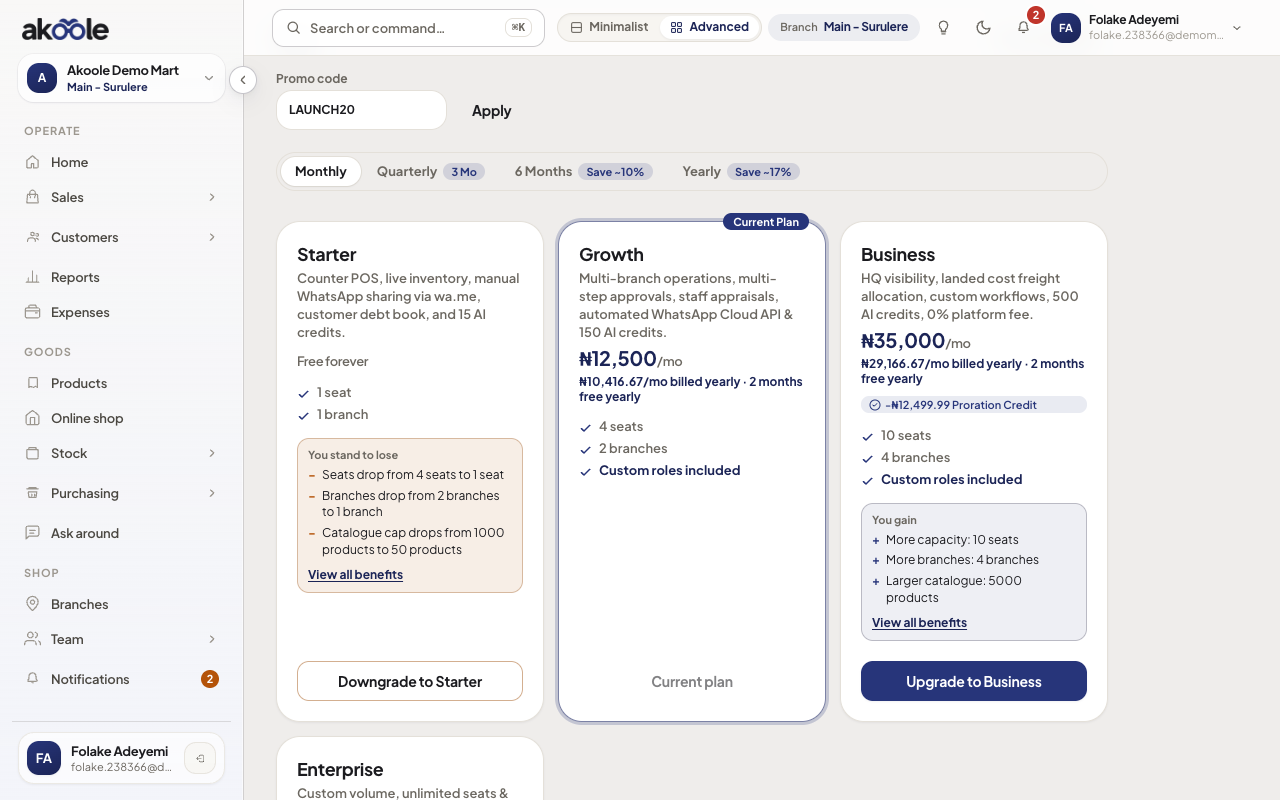
Promo code field on Billing -
Checkout
Choose Growth (or another plan) and start checkout. You are sent to the payment provider (Paystack by default) in NGN. After success, entitlement updates - seats, storefront, credit book, and so on follow the new plan.
If email is unverified, checkout refuses. Verify first.
Show screenshot
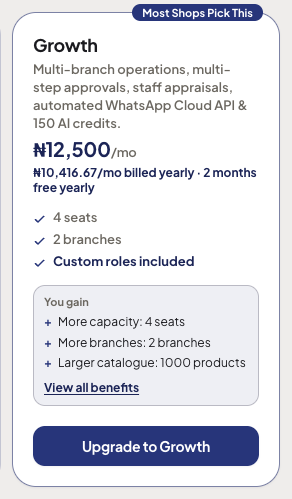
Plan card with the button to upgrade -
Return from the provider
When you land back on Billing, status should be active (or still trialing if you did not convert). Refresh the staff app if storefront or extra branches do not appear yet.
Show screenshot
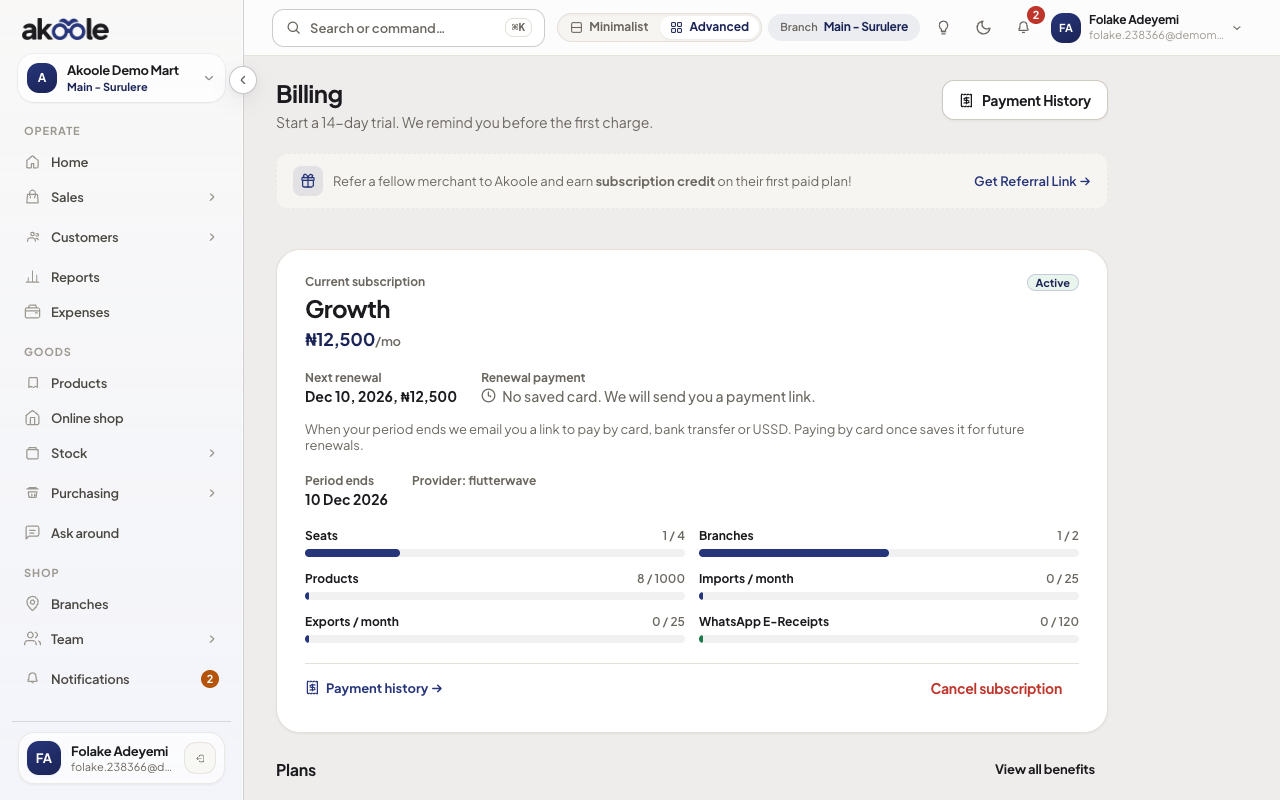
Active Growth subscription -
Cancel
Cancel is Owner-only and verified-email gated. Confirm the dialog. You typically keep access until period end; past due later shows a banner (soft gate), not a secret sales cap.
Show screenshot
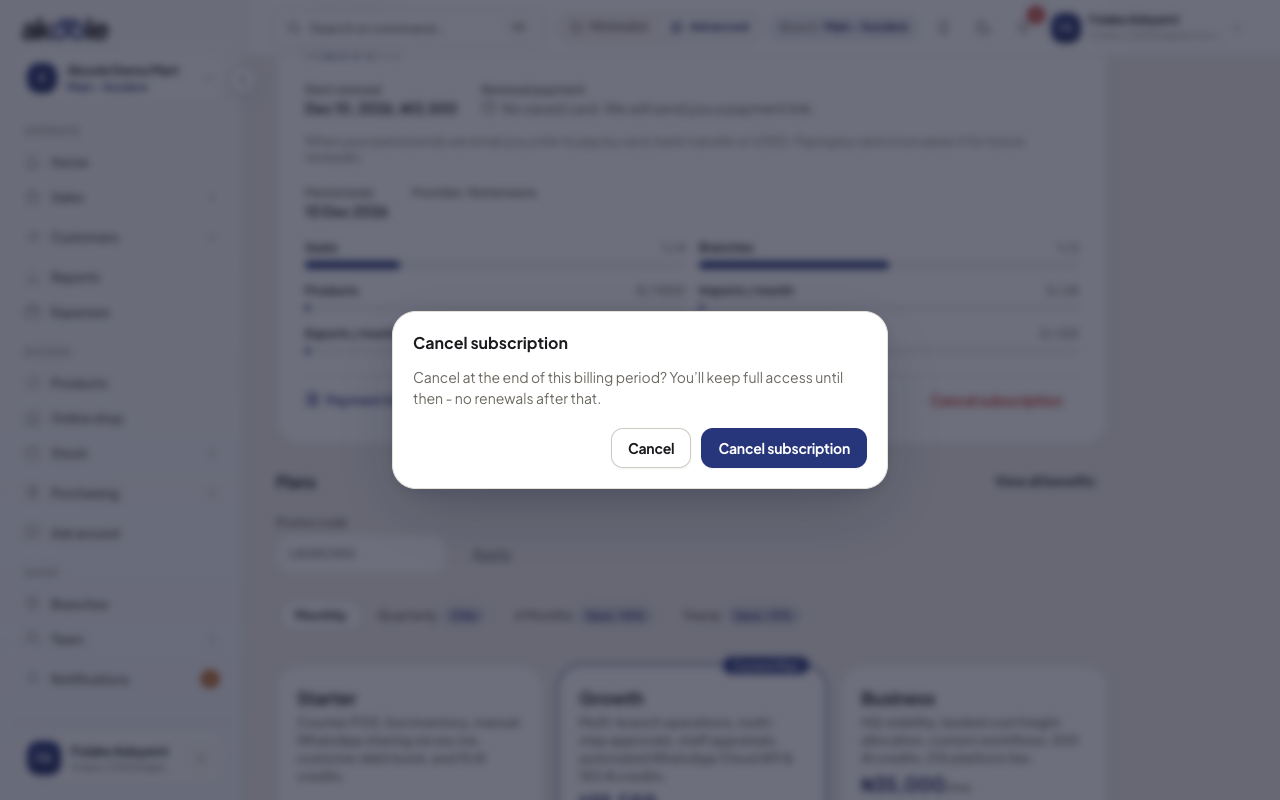
Cancel subscription confirmation
What success looks like
Section titled “What success looks like”Billing shows the plan you intended, in NGN, with a provider payment method on file. Storefront or extra branches match that plan.
Show screenshot
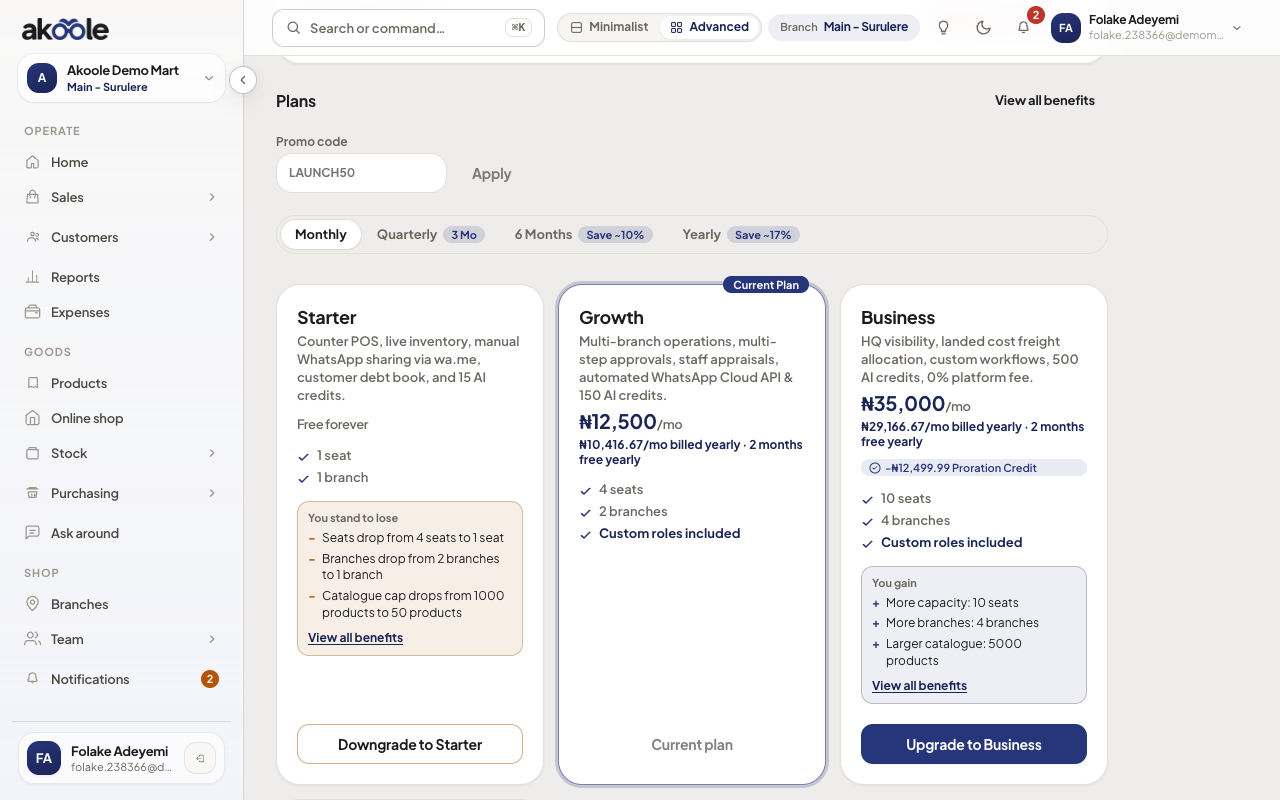
If something goes wrong
Section titled “If something goes wrong”email_unverified on checkout
Confirm your inbox, then retry. The soft onboarding path does not apply here.
Manager cannot see Billing
Correct. Only Owner (org billing permission) subscribes. Ask the Owner.
Paid but still on Starter
Wait a moment, refresh Billing, or reopen app.akoole.com. If it stays wrong, support can see provider vs entitlement - do not pay twice from a second tab.